
Observability for DevOps: ship faster, know sooner
Every deployment is a hypothesis. Obseria shows within minutes whether a release behaves as expected, connects changes to their impact and gives DevOps teams the feedback loop they need to deploy often without fear.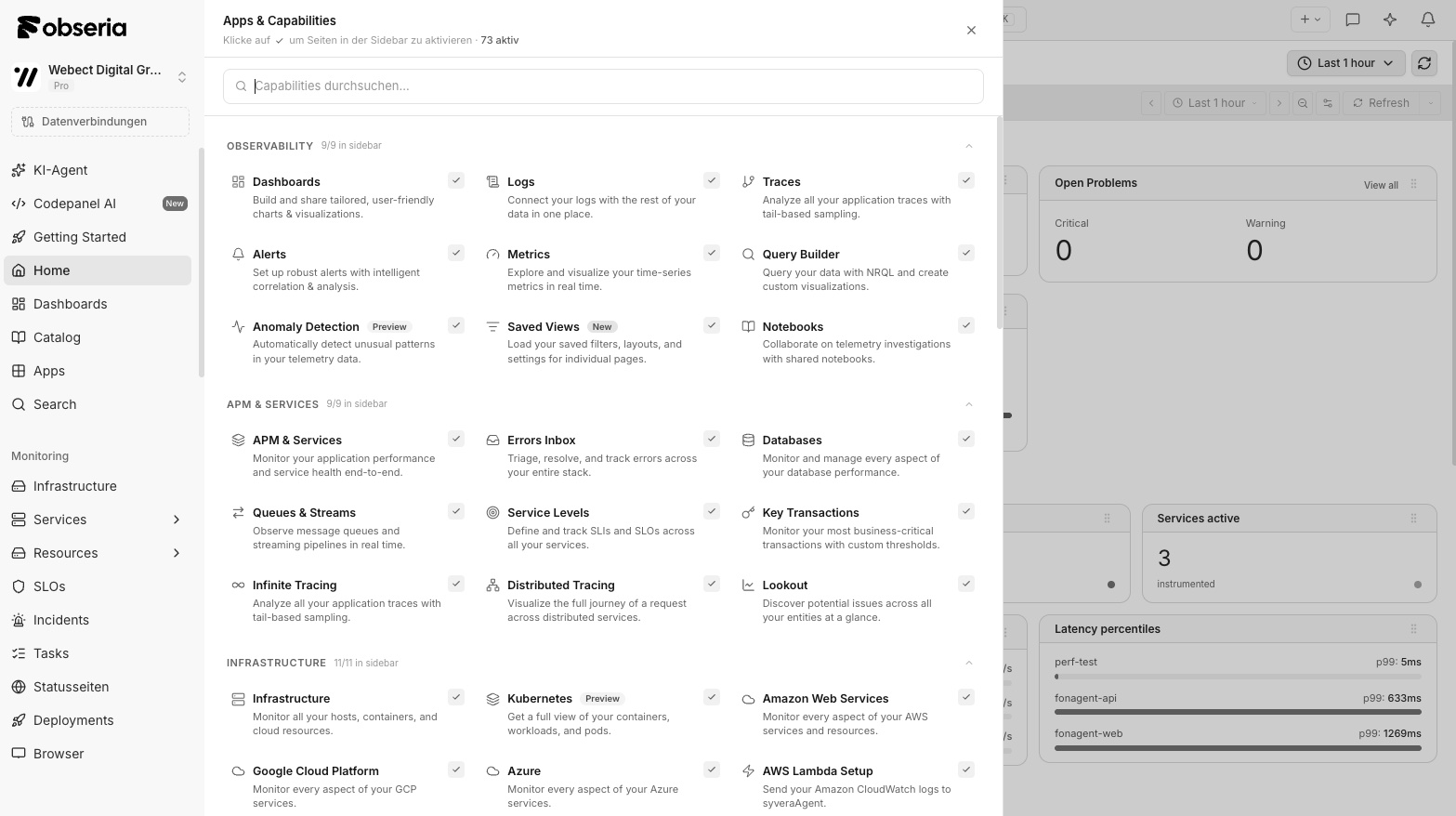
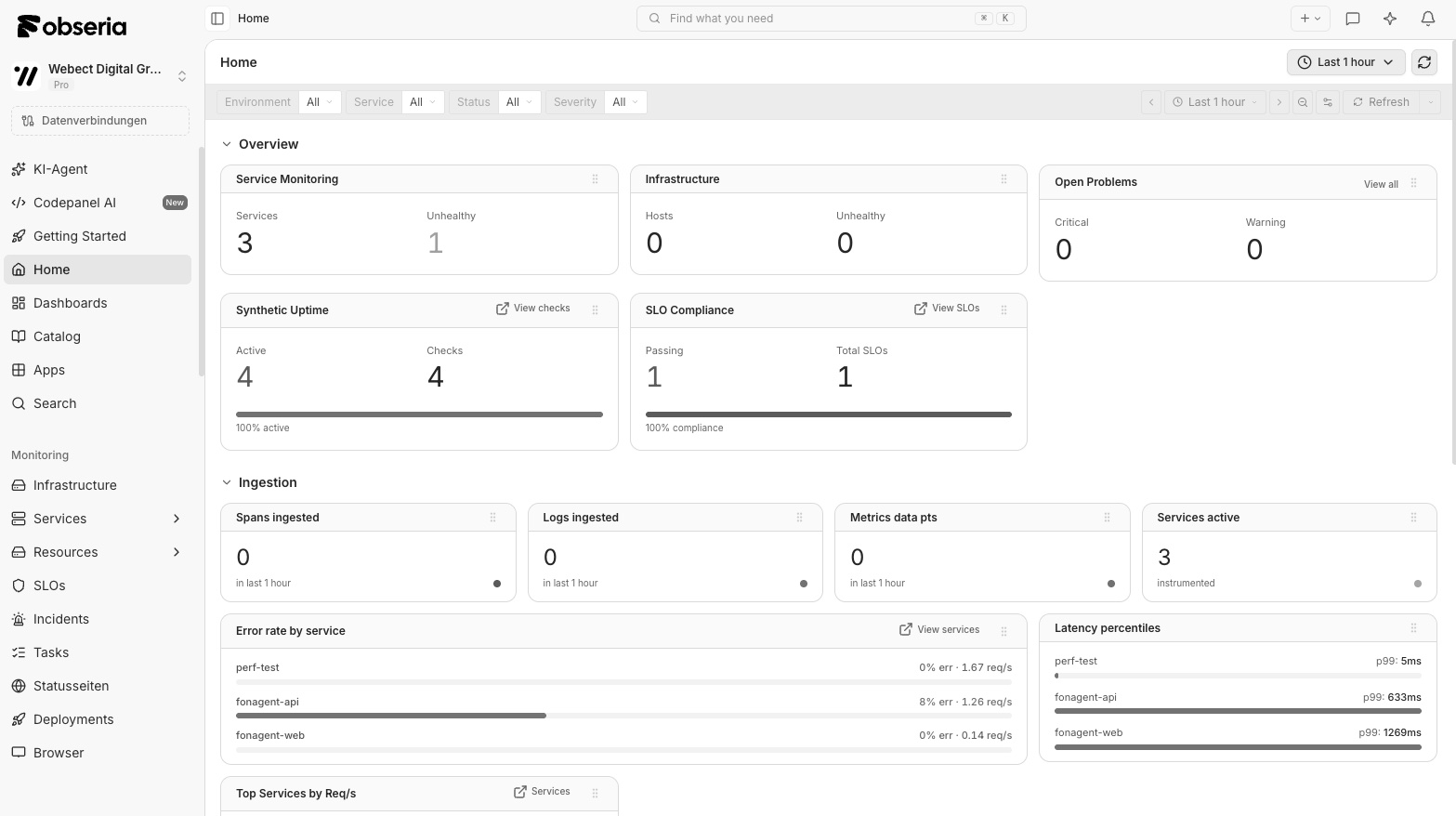
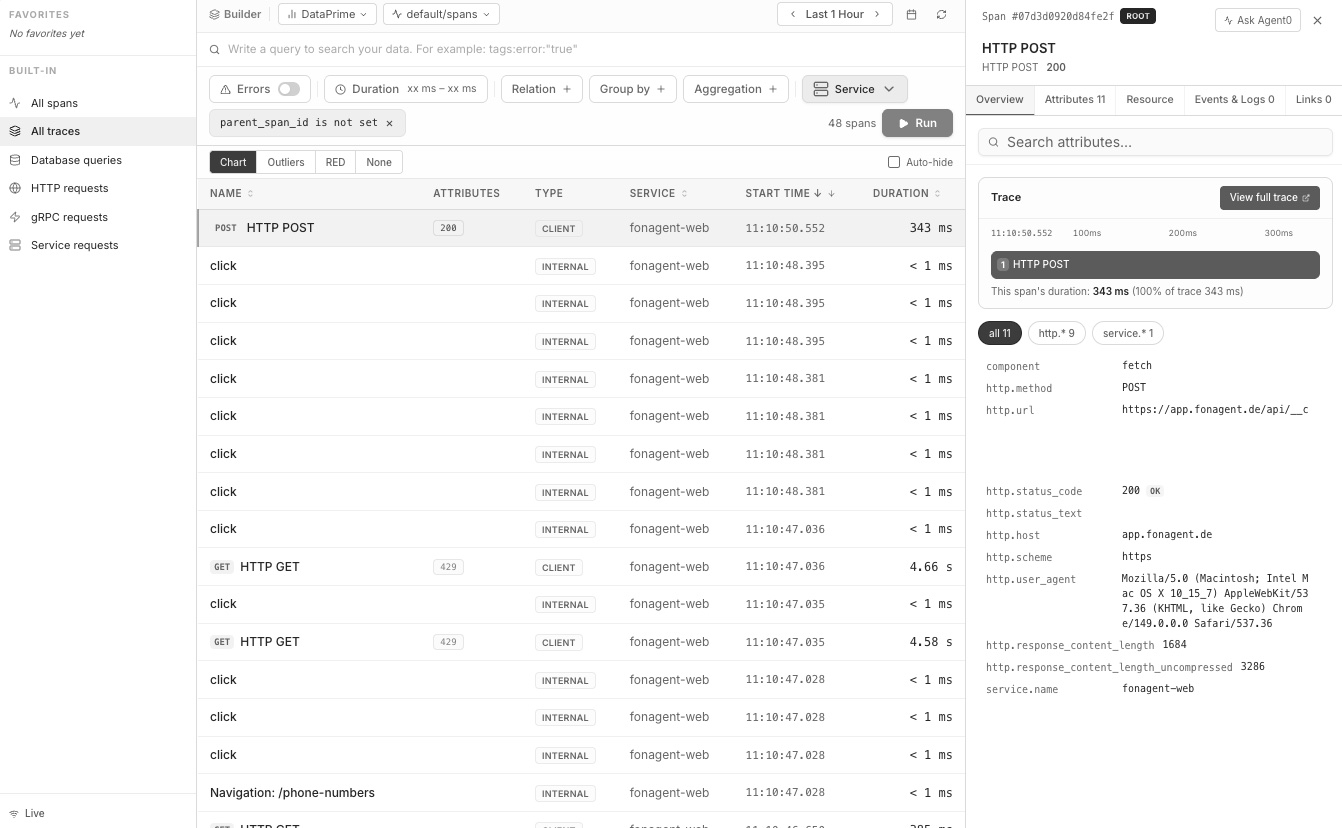














A fast feedback loop from commit to production
High delivery speed only works when teams see the effect of their changes immediately. Obseria brings releases, telemetry and alerts together so that feedback arrives while the change is still fresh.Deployment tracking
Every release appears as a marker on dashboards and traces, with version, environment and author.
Release validation
Compare error rate, latency and SLO burn rate before and after a deployment and roll back automatically if needed.
DORA metrics
Deployment frequency, lead time, change failure rate and time to restore based on real telemetry and incidents.
Everything as code
Dashboards, alerts and SLOs live in Git and are deployed through your pipeline, reviewed like any other change.
Shift-left
Developers see traces and logs from test and staging environments with the same tools they use in production.
API, CLI and MCP
Query telemetry from CI jobs, terminals and coding agents such as Claude Code or Cursor.
See every change next to its impact
When latency jumps, the first question is always: what changed? Obseria records deployments from your CI/CD pipeline, Kubernetes rollouts or feature flag changes and places them directly on the timeline of metrics, traces and logs. Because services carry their version as an OpenTelemetry resource attribute, you can compare the old and the new version of a service side by side and see which endpoints, queries or dependencies behave differently.
- Release markers on dashboards, traces and alerts
- Version comparison per service and endpoint
- Deployment events via API, CLI or CI integration
- Change context in every incident timeline
Let telemetry decide whether a release stays
Manual smoke tests after a deployment do not scale. With Obseria your pipeline can ask the platform directly: is the error budget burning faster since the release? Did p95 latency change? Canary and blue-green rollouts get an objective gate based on SLOs and burn rates instead of gut feeling. If the check fails, Obseria Automation can trigger a rollback workflow, and the result is documented on the deployment.
- SLO and burn-rate checks as release gates
- Canary and blue-green comparisons on real traffic
- Automated rollback workflows with approval steps
- Results stored on the deployment for later review
# CI step: mark a deployment and gate the release on SLOs
- name: Report deployment to Obseria
  run: |
    obseria deployments create \
      --service checkout \
      --version "${GIT_SHA}" \
      --environment production
- name: Release gate (burn rate over the last 15 minutes)
  run: |
    obseria slo check checkout-availability \
--window 15m --max-burn-rate 2 || obseria rollback checkoutMeasure delivery performance with real data
The four DORA metrics are only meaningful when they are based on what actually happened. Obseria derives deployment frequency and lead time for changes from deployment events, and change failure rate and time to restore from incidents and rollbacks linked to those deployments. Teams see trends over time and can discuss improvements based on facts rather than estimates, without maintaining a separate spreadsheet or reporting tool.
- Deployment frequency and lead time for changes
- Change failure rate linked to incidents and rollbacks
- Time to restore service from incident timelines
- Trends per team, service and environment
Observability configuration that lives in Git
Click-ops does not survive the next reorganization. In Obseria, dashboards, alert rules, SLOs and pipeline configuration can be defined as code and deployed through the same pipelines as your services. Changes are reviewed in pull requests, rolled out per environment and rolled back if needed. The API and CLI make it easy to template observability for new services, so every team starts with sensible defaults instead of an empty screen.
- Dashboards, alerts and SLOs as versioned files
- Review in pull requests, rollout per environment
- Templates for new services and teams
- API and CLI for automation and scripting
Find problems before your users do
Shift-left means bringing production-grade visibility into development and testing. Developers instrument once with OpenTelemetry and get the same traces and logs in local, test and staging environments. N+1 queries, slow dependencies or missing context propagation become visible in a pull request instead of a night shift. Through the MCP server, coding agents can query telemetry directly from the IDE and suggest fixes based on real data.
- Same OpenTelemetry instrumentation from laptop to production
- Traces from test and staging environments
- MCP server for coding agents in the IDE
- Synthetic checks as part of the pipeline
Add observability to your delivery pipeline
- Step 1
Instrument
Use OpenTelemetry SDKs or zero-code instrumentation and set service.version on every service.
- Step 2
Report deployments
Send deployment events from your CI/CD pipeline via API or CLI.
- Step 3
Define gates
Create SLOs for critical services and use burn-rate checks as release gates.
- Step 4
Codify
Move dashboards, alerts and SLOs into Git and deploy them with your pipeline.
Frequently asked questions
Your CI/CD pipeline sends a deployment event via API or CLI with service, version and environment. In addition, Obseria reads the service.version resource attribute from OpenTelemetry telemetry, so version changes are visible even without an explicit event.
Yes, if you want it to. A pipeline step can check SLO burn rate or error rate after a deployment and fail the job. Obseria Automation can then start a rollback workflow. Actions run only within the policies and approval steps you define.
Deployment frequency and lead time come from deployment events and their commit information. Change failure rate and time to restore come from incidents and rollbacks linked to those deployments. The quality of the metrics depends on reporting deployments consistently.
Yes. Dashboards, alert rules, SLOs and pipeline configuration can be defined as files, versioned in Git and deployed through the API or CLI. This makes reviews, rollbacks and templates for new services straightforward.
The integration uses a CLI and a REST API, so it works with any CI/CD system that can run a command or send an HTTP request, for example GitHub Actions, GitLab CI or Jenkins.
No. The same OpenTelemetry instrumentation sends data from test, staging and production. Environments are separated by attributes, and developers use the same views and queries everywhere.
Feature flag changes can be reported as events, just like deployments. They then appear on the same timeline as metrics, traces and logs. When behavior changes without a new release, the flag change is visible right next to the effect, and you can compare the affected requests with and without the flag by filtering on the corresponding attribute.
Yes, through the API, the CLI and the MCP server. Coding agents such as Claude Code or Cursor can query traces, logs and metrics, look up recent deployments or check an SLO while working on a change. Access follows the permissions you configure, so agents only see the data they are allowed to see.
Start with one important service. Make sure it reports service.version, send deployment events from its pipeline and create one SLO for its most important endpoint. After a few releases you will see how quickly regressions become visible, and you can roll the same pattern out to other services using templates defined as code.
Platform teams can provide observability as part of their internal developer platform: Collector configuration, default dashboards, alert rules and SLO templates for every new service. Because everything can be defined as code, each team starts with consistent defaults and can extend them without asking for manual setup.
Deploy often, know sooner.
Connect your pipeline to Obseria and see the impact of every release within minutes.