

Shopware monitoring from storefront route to order
by Obseria · Frontend, mobile and e-commerce- OpenTelemetry
- Application Observability
- Frontend, mobile and e-commerce
- Category
- Frontend, mobile and e-commerce
- Key metrics
- 10
- Ready-made
- 5 dashboards & alerts
- Setup
- 3 steps
- Standard
- OTLP
Shopware 6 is a Symfony application, so OpenTelemetry auto-instrumentation traces every storefront and admin route, SQL query and Messenger job. A small plugin adds product, cart, checkout and order spans on top.
Auto-instrumentation that fits Shopware
opentelemetry-auto-symfony hooks into the HttpKernel Shopware runs on, so routes and Messenger jobs are traced without writing code.
Every query and log line in context
Doctrine and PDO queries appear inside the request, and Monolog entries arrive as OpenTelemetry logs with the trace id.
Shop events, not just requests
The Obseria plugin emits product.view, cart.add, checkout.start and order.complete spans with product, amount and payment attributes.
Obseria interface
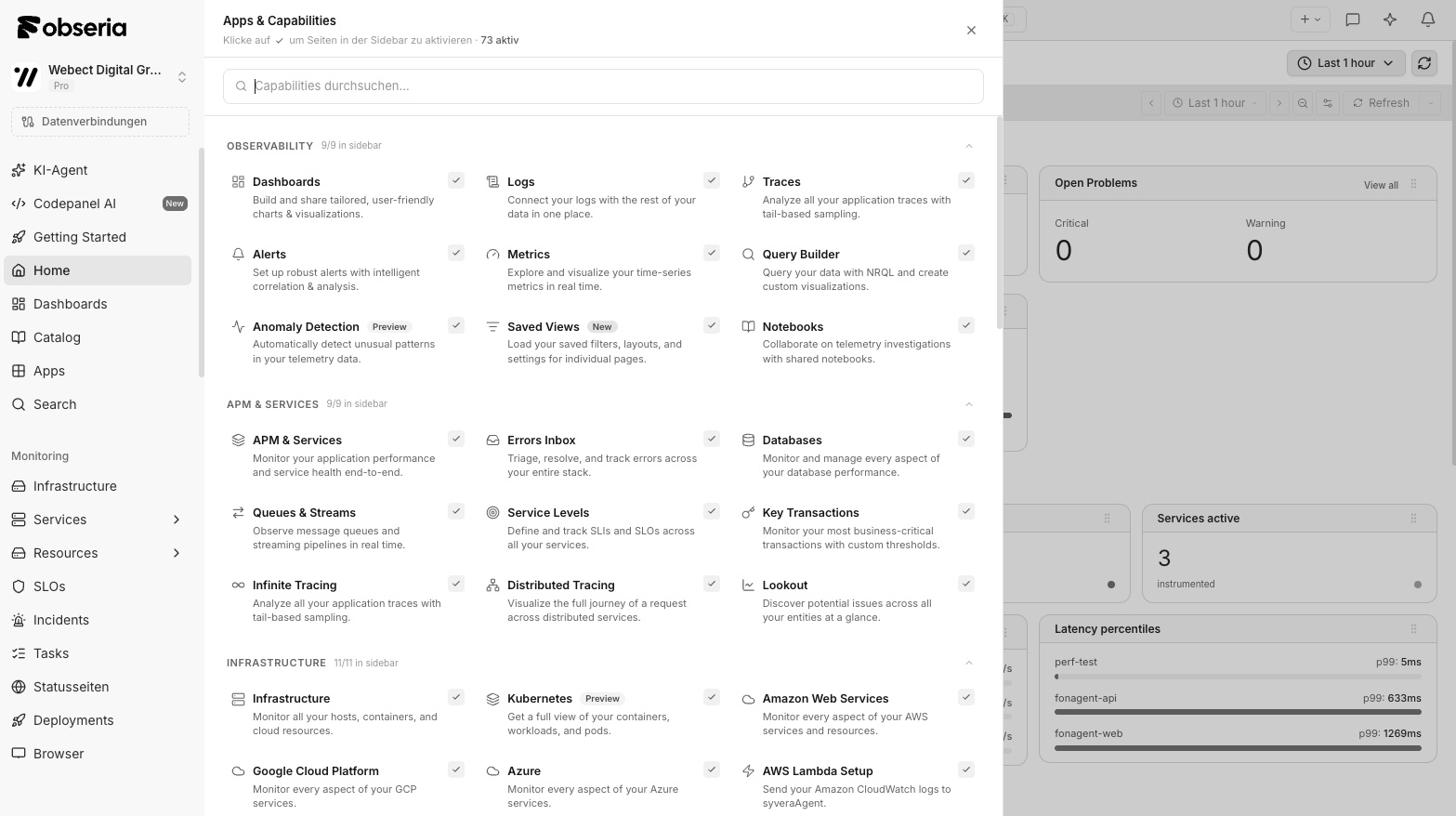
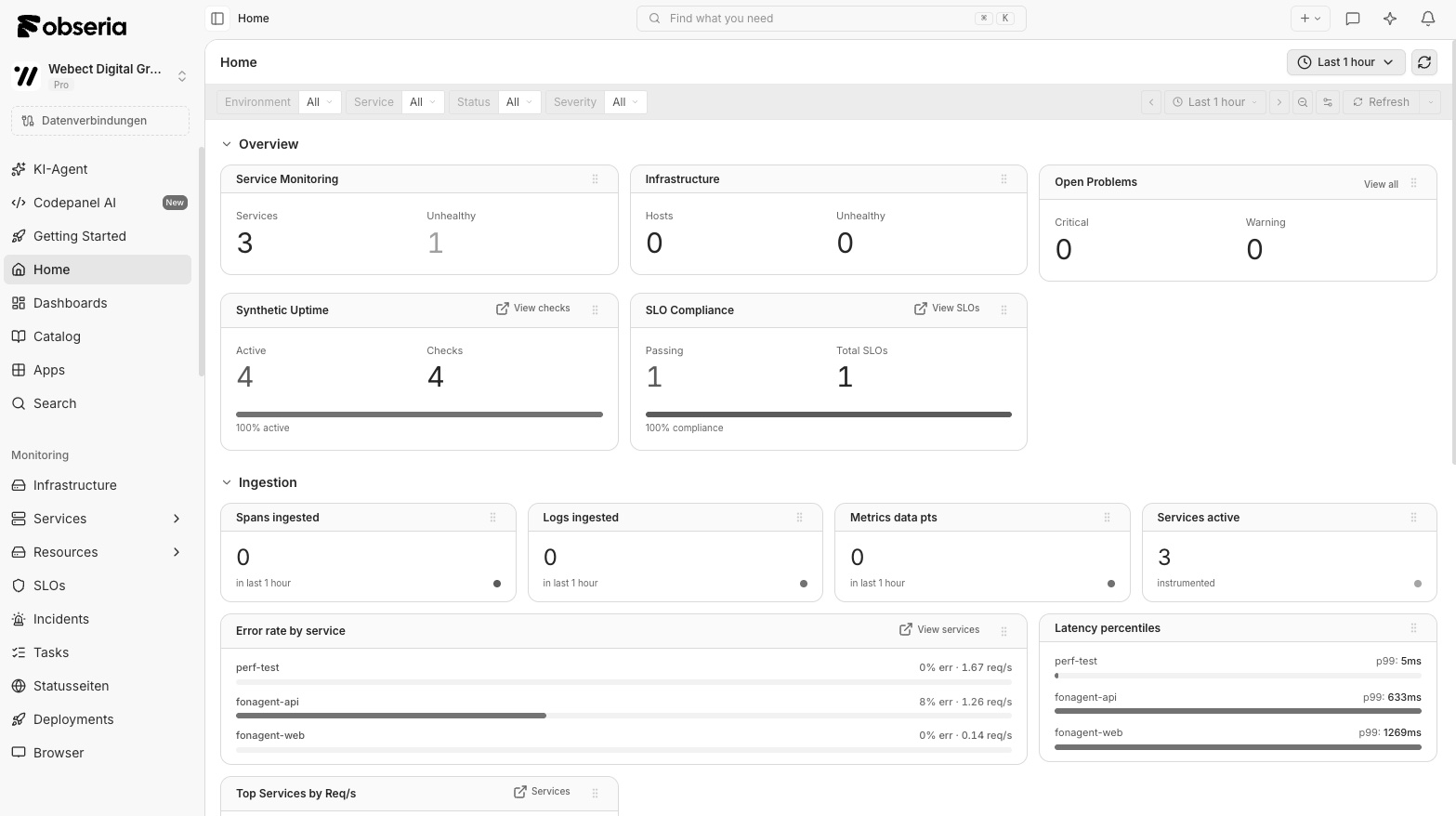
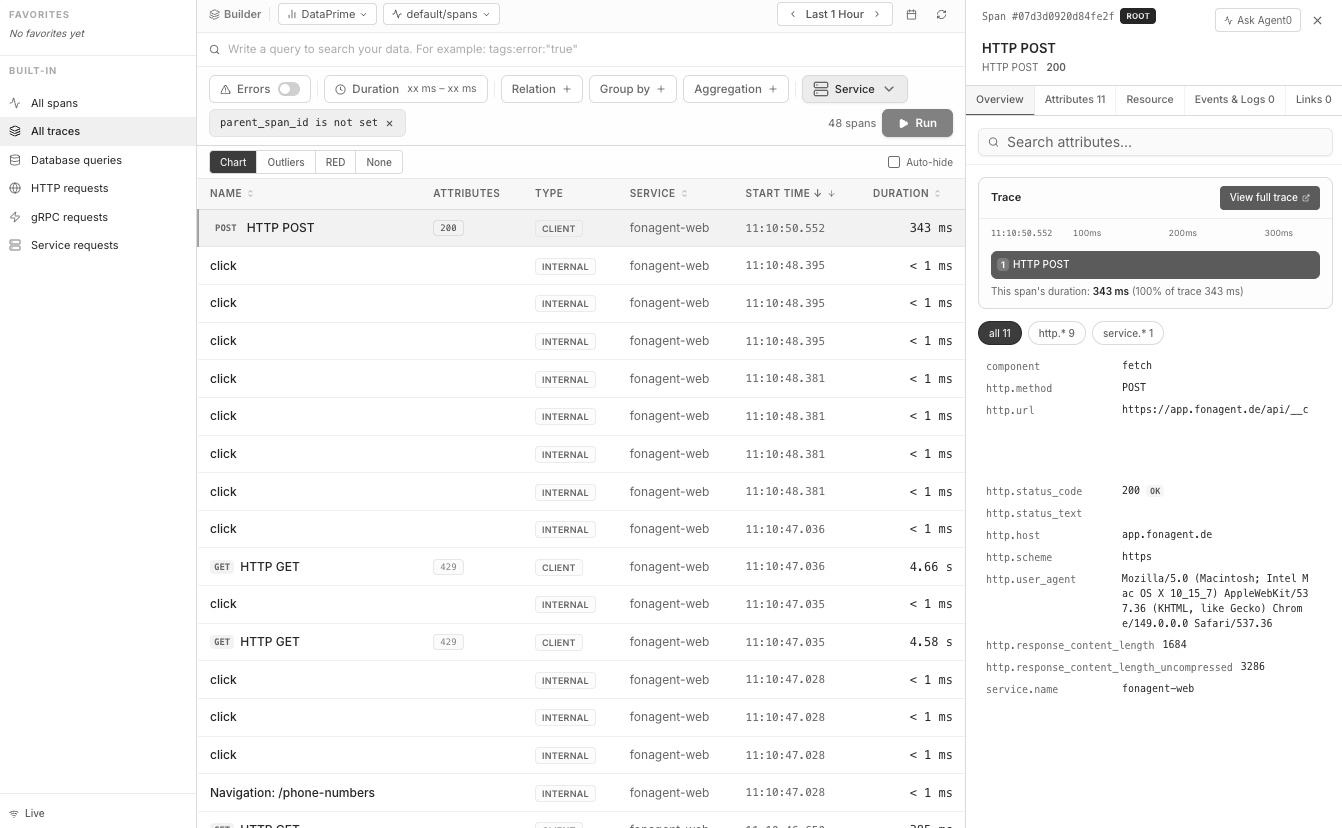
Ready the moment data arrives
- Shop funnel: product view, cart, checkout, order
- Storefront routes with RED metrics per route
- Alert on checkout latency or errors
- Slowest Doctrine queries by route
- MySQL, Redis and server health next to shop traffic
What Obseria monitors in Shopware 6
Storefront and Administration
Every route through the Symfony HttpKernel becomes a server span with route and status code, including the Store API.
Messenger workers and scheduled tasks
Background jobs processed by bin/console messenger:consume are traced as well, once the CLI environment carries the same variables.
Doctrine DBAL and PDO
Every SQL statement against MySQL or MariaDB becomes a client span with its duration.
Outbound calls
Guzzle requests to payment, shipping, ERP or search services carry W3C trace context.
Monolog logs
With the PSR-3 instrumentation in export mode, every Shopware log entry is sent as an OpenTelemetry log linked to its trace.
Server, MySQL, Redis and web server
An OpenTelemetry Collector on the shop server adds host, MySQL, Redis and Nginx or Apache metrics.
The Shopware 6 signals that matter
Obseria collects these values automatically and shows them in ready-made dashboards and alerts.
| Metric | Unit | What it tells you |
|---|---|---|
product.view | {span} | Span, not a metric: emitted on ProductPageLoadedEvent with product.id, product.sku and product.name. |
cart.add | {span} | Span, not a metric: one span per line item added to the cart, with product.id and product.revenue. |
checkout.start | {span} | Span, not a metric: emitted when the checkout confirm page loads, with order.amount and order.items_count. |
order.complete | {span} | Span, not a metric: emitted on CheckoutOrderPlacedEvent with order.id, amount, currency, payment.method and customer.country. |
mysql.threads | {thread} | MySQL threads by state from the Collector's mysql receiver; many running threads point to query contention. |
mysql.buffer_pool.usage | By | InnoDB buffer pool usage; a pool that is always full forces reads from disk. |
redis.memory.used | By | Memory used by Redis, which Shopware uses for cache, sessions or the cart. |
redis.keyspace.misses | {miss} | Failed key lookups in Redis; a rising rate after a cache clear means the shop rebuilds its cache. |
nginx.connections_current | {connection} | Current web server connections by state from the Collector's nginx receiver. |
system.cpu.time | s | CPU time of the shop server from the hostmetrics receiver, to see whether PHP-FPM or MySQL saturates the host. |
Set up Shopware 6 monitoring in minutes
- 1
Install the extension and packages
Install the opentelemetry PECL extension for FPM and CLI, then require the SDK, OTLP exporter and the auto-symfony, auto-pdo, auto-guzzle and auto-psr3 packages.
- 2
Configure the real environment
Set OTEL_PHP_AUTOLOAD_ENABLED and the OTLP variables in the PHP-FPM pool and the worker units, not in .env.local, which loads too late.
- 3
Add the plugin and Collector
Activate the ObseriaOtel plugin for shop events and run a Collector on the server for host, MySQL, Redis and web server metrics.
# 1. PHP extension, enabled in the php.ini of FPM *and* CLI
pecl install opentelemetry
php -m | grep opentelemetry

# 2. In the Shopware root directory
composer require open-telemetry/sdk open-telemetry/exporter-otlp \
  open-telemetry/opentelemetry-auto-symfony \
  open-telemetry/opentelemetry-auto-pdo \
  open-telemetry/opentelemetry-auto-guzzle \
  open-telemetry/opentelemetry-auto-psr3 \
  php-http/guzzle7-adapter

# 3. PHP-FPM pool (not .env.local), then reload php-fpm
env[OTEL_PHP_AUTOLOAD_ENABLED] = true
env[OTEL_SERVICE_NAME] = shopware
env[OTEL_TRACES_EXPORTER] = otlp
env[OTEL_METRICS_EXPORTER] = none
env[OTEL_LOGS_EXPORTER] = otlp
env[OTEL_PHP_PSR3_MODE] = export
env[OTEL_EXPORTER_OTLP_PROTOCOL] = http/protobuf
env[OTEL_EXPORTER_OTLP_ENDPOINT] = ${OBSERIA_OTLP_ENDPOINT}
env[OTEL_EXPORTER_OTLP_HEADERS] = "Authorization=Bearer%20${OBSERIA_TOKEN}"
# Messenger workers and cron need the same variables (e.g. in the systemd unit)

# 4. Optional business sensors: plugin in custom/plugins/ObseriaOtel/
bin/console plugin:refresh
bin/console plugin:install --activate ObseriaOtel
bin/console cache:clear
Why Shopware monitoring matters
A Shopware 6 shop is more than a PHP application. Storefront pages, the Store API, the Administration, Messenger workers, scheduled tasks, plugins from different vendors, MySQL, Redis, a search engine and a set of external payment and shipping services all have to work together. When the checkout gets slow on a busy evening, the cause can be a plugin, a heavy query, a full worker queue or a payment provider. Shopware monitoring has to show all of these in one place and link them to what matters to the business: whether customers can find products and place orders.
Technically, Shopware 6 is a Symfony HttpKernel application. That matters, because the OpenTelemetry package opentelemetry-auto-symfony hooks into exactly that kernel. Together with the opentelemetry PECL extension it traces every route and every Messenger job without code changes. The Laravel package you may know from other PHP setups has no effect here; for Shopware, auto-symfony is the one that counts.
Signals that matter for Shopware performance
- Route latency and errors: server spans for storefront, Store API and Administration routes give rate, errors and duration per route.
- Database time: PDO spans show how much of each request is spent in MySQL and which statements dominate, for example on category pages with many filters.
- External services: Guzzle spans reveal slow payment, shipping, ERP or search calls inside the checkout.
- Logs with trace id: with
OTEL_PHP_PSR3_MODE=export, every Monolog entry is sent as an OpenTelemetry log, so an error line leads straight to its request. - Shop events: the plugin's
product.view,cart.add,checkout.startandorder.completespans turn requests into a funnel from product view to order. - Infrastructure: the Collector's
mysql,redis,nginxandhostmetricsreceivers show whether the server and its services keep up.
PHP itself only lives for one request and has little to export as metrics, which is why the guide sets OTEL_METRICS_EXPORTER=none and collects metrics with the Collector instead.
Common Shopware problems and how to detect them
Slow category and search pages
Large catalogs with many properties can produce expensive queries. The trace shows the Doctrine spans under the listing route, and grouping by statement points to the query to optimize or the index that is missing.
Plugins that slow down every request
An event subscriber in a third-party plugin runs on every page load. When latency rises after a plugin update across all routes, comparing traces before and after the update shows the additional work.
Messenger backlog
If the workers are not running or not keeping up, indexing, mails and other asynchronous work pile up. Missing or delayed Messenger spans and rising MySQL load from the message queue table are early signs.
Checkout failures at the payment provider
A slow or failing payment API does not always throw an error in the shop. The Guzzle span inside the checkout trace, together with a drop in order.complete spans, shows the problem from both the technical and the business side.
Cache rebuilds after deploys
After cache:clear or a deployment, the first requests rebuild the cache and are much slower. Rising redis.keyspace.misses and longer route spans right after a release explain short spikes that are otherwise hard to read.
Best practices for Shopware 6 monitoring
- Test endpoint and token with a single curl request before changing the shop, so a wrong value shows up in seconds rather than after a deploy.
- Enable the extension in both php.ini files: FPM serves the storefront, CLI runs the Messenger workers and cron jobs.
- Set the
OTEL_*variables in the PHP-FPM pool and the worker units, not in.env.local: the SDK reads them before Shopware loads its dotenv files. - Without
OTEL_PHP_AUTOLOAD_ENABLED=truethe tracer silently drops everything. If nothing arrives, check this first. - Give workers their own service name, for example
shopware-worker, so storefront and background traffic are easy to tell apart. - Put an alert on the checkout route specifically instead of on the average of all routes, so it fires when buying gets hard.
How Obseria helps with Shopware monitoring
Obseria receives Shopware traces and logs over OTLP and Collector metrics from the shop server. The Obseria Shopware plugin is a small platform plugin with one event subscriber: it listens to ProductPageLoadedEvent, AfterLineItemAddedEvent, CheckoutConfirmPageLoadedEvent and CheckoutOrderPlacedEvent and emits a span for each, wrapped so that monitoring can never stop a sale. From these spans Obseria builds the shop funnel from product view to order. TopoGraph connects the shop to MySQL, Redis and external services, and Obseria Intelligence correlates a slower checkout with the plugin update, query or payment call behind it.
Learn more
What is APM (application performance monitoring)?
What is APM? Learn how application performance monitoring measures latency, throughput and errors, how distributed tracing works, and which metrics matter.
What is root cause analysis (RCA)?
What is root cause analysis? The RCA process for software incidents, 5 Whys, fishbone and fault tree methods, a worked example and how AI speeds up RCA.
Shopware 6 monitoring FAQ
No. Routes, queries, outbound calls and logs are captured through the PHP extension and Composer packages. The ObseriaOtel plugin for shop events is optional and lives in custom/plugins, separate from the Shopware core.
Shopware runs on the Symfony HttpKernel. The auto-laravel package has no effect there; auto-symfony is what delivers storefront routes and Messenger jobs.
The plugin targets Shopware 6. The signature of CheckoutOrderPlacedEvent changed between 6.4 and 6.5, so the subscriber only reads $event->getOrder(), which exists in both, and handles associations that are not loaded.
Almost always because OTEL_PHP_AUTOLOAD_ENABLED=true is missing in the real PHP-FPM environment, or because the variables were put into .env.local. The shop keeps running without errors, but the tracer discards all data.
Yes, once the extension is enabled in the CLI php.ini and the worker process gets the same OTEL_* variables, for example via its systemd unit.
OXID does not run its storefront through the Symfony HttpKernel, so auto-instrumentation has no effect there. Obseria has a separate OXID guide based on a module with explicit sensors.
Start monitoring Shopware 6 today
Connect Shopware 6 in minutes with OpenTelemetry or the Obseria Agent. Free for 14 days.