
Software composition analysis
Checks the libraries you use for known vulnerabilities and licenses.
Learn more →We use essential functions to operate this website. With your consent, we would also use services for statistics and marketing. You decide which categories you allow and can change your choice at any time via “Cookie settings” in the footer. More in our privacy notice.
Obseria Consent Management · Your choice is stored for 12 months
One list with severity, CVSS and CISA KEV, plus scans of your dependencies, secrets and cloud accounts and the problems your running services actually show.
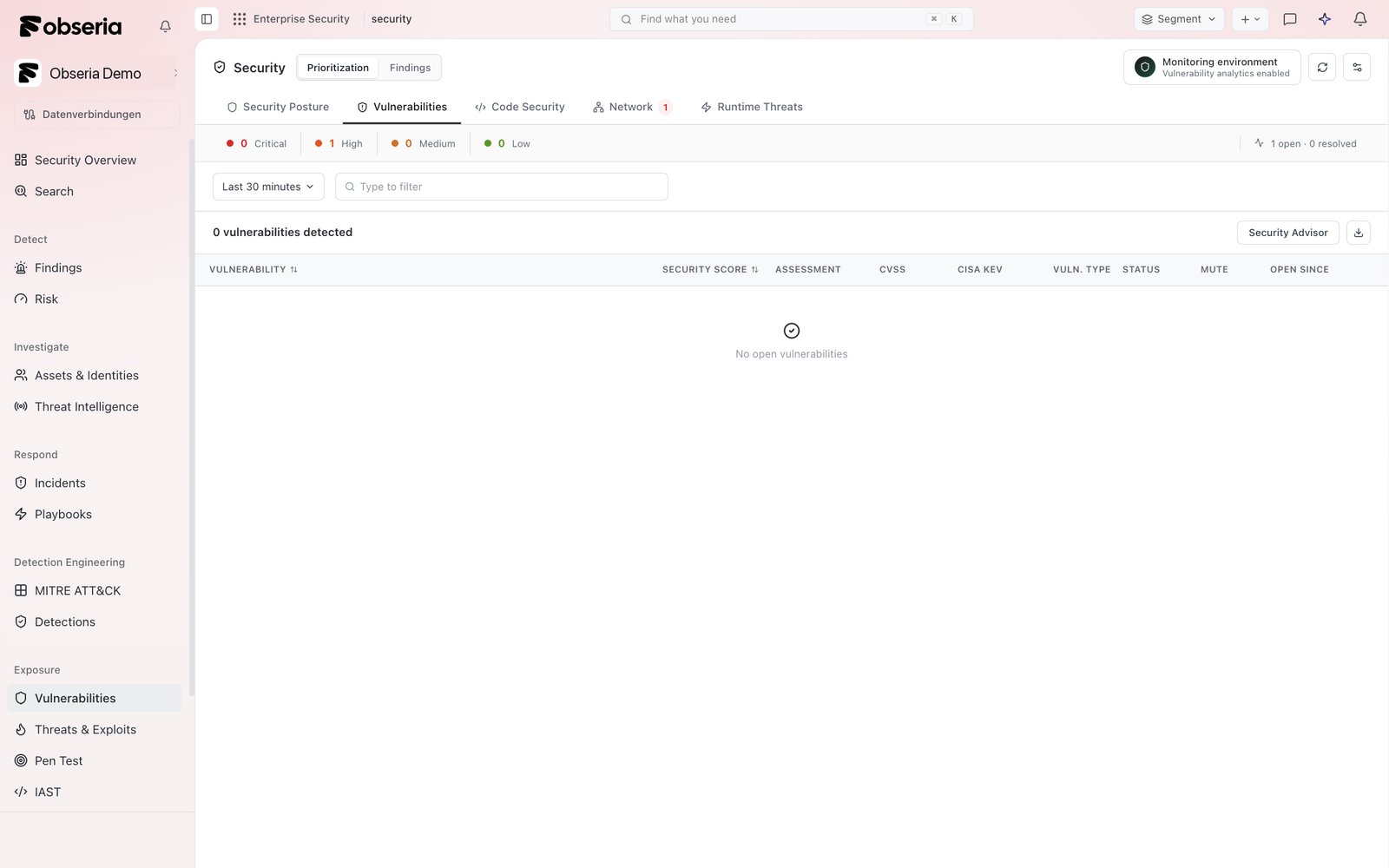
Severity counters, open and resolved findings, and per vulnerability the security score, CVSS, CISA KEV, status and open since. Filled from a fixed rule set today.
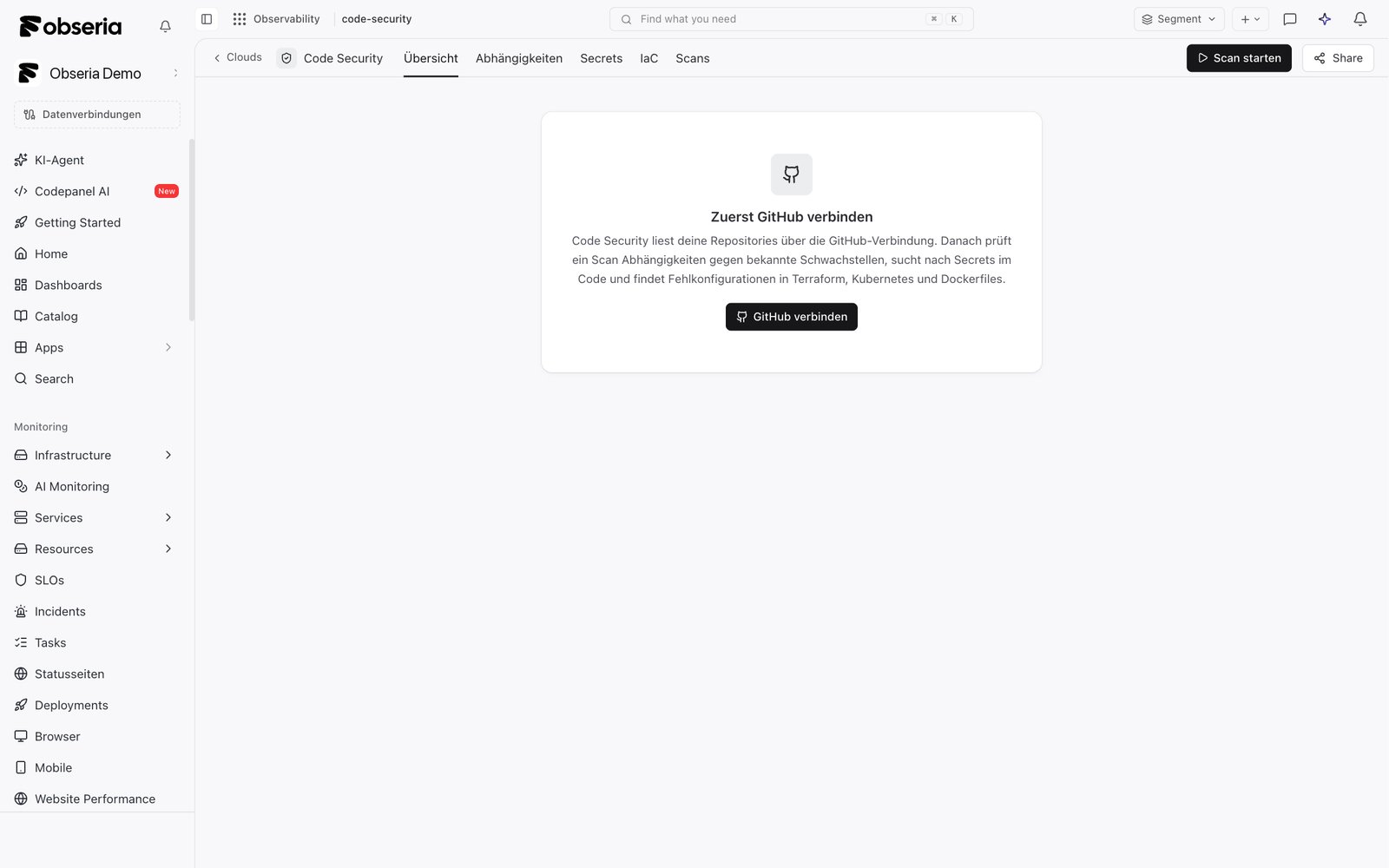
Connect GitHub and start a scan: dependencies are checked against known vulnerabilities, code is searched for secrets and infrastructure code for misconfigurations.
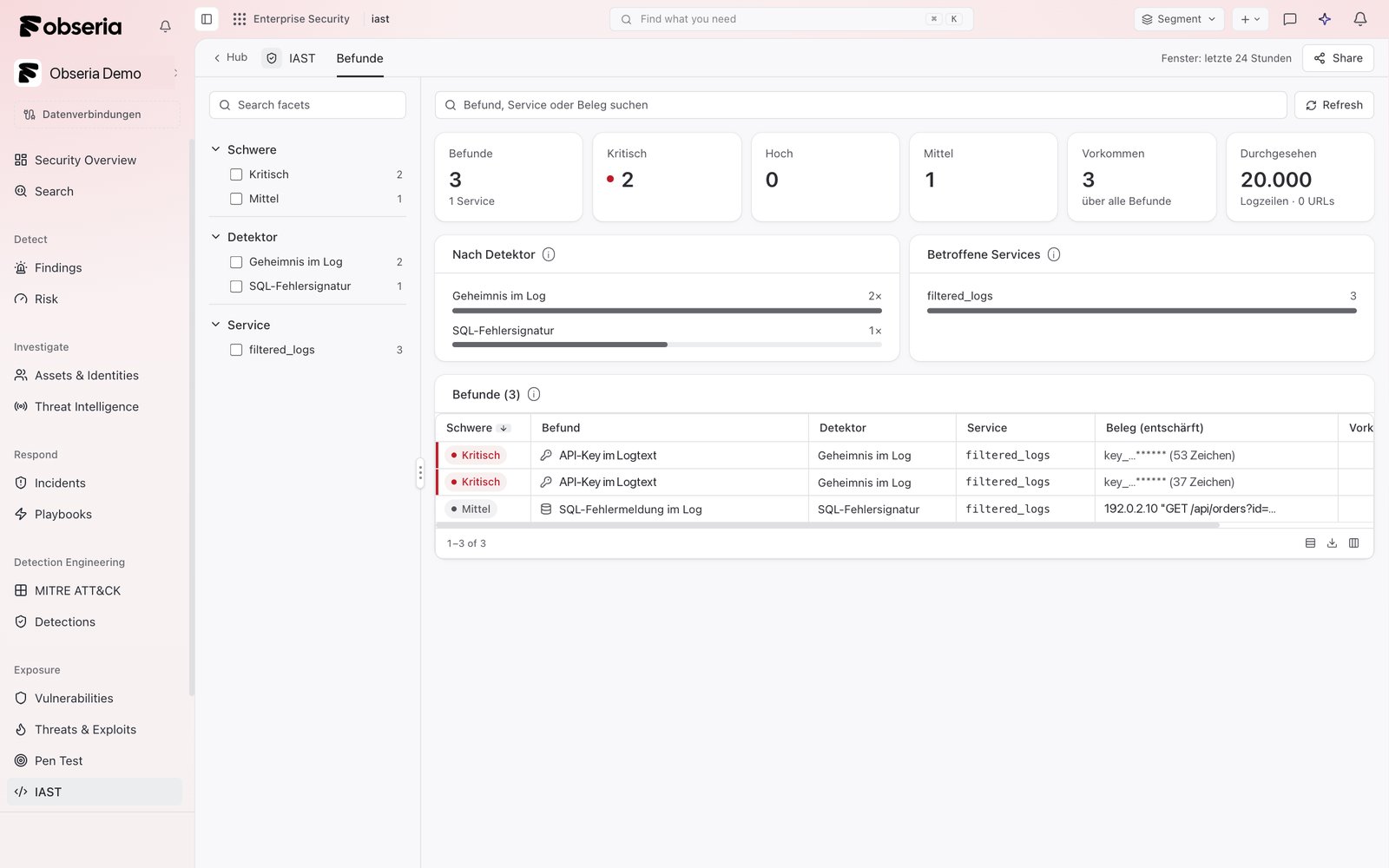
Runtime code analysis reviews log lines and requests and reports secrets in logs or SQL error signatures, with affected service and redacted evidence.
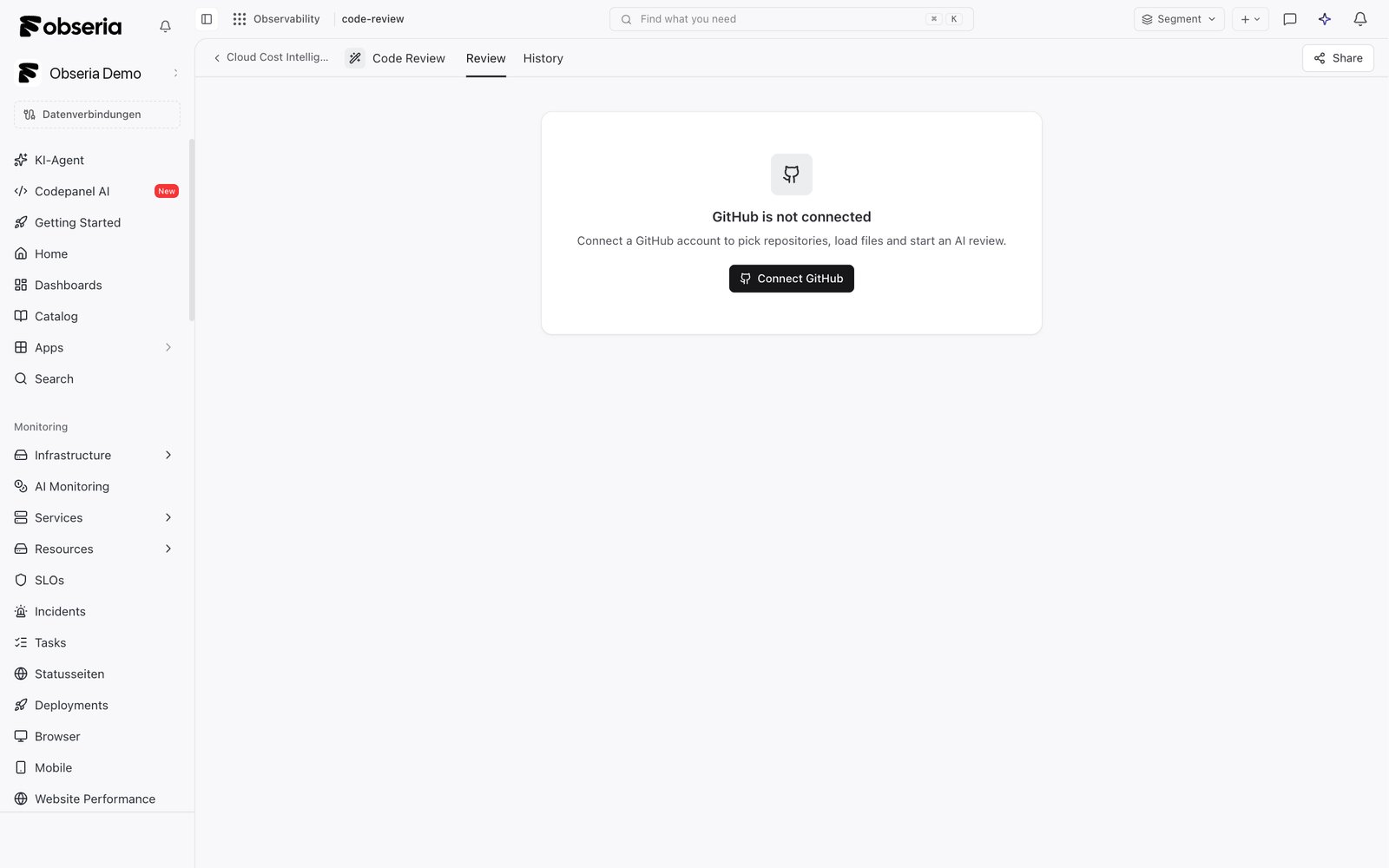
Pick a repository and branch and start an AI review. Findings come with a summary and a severity from info to critical.
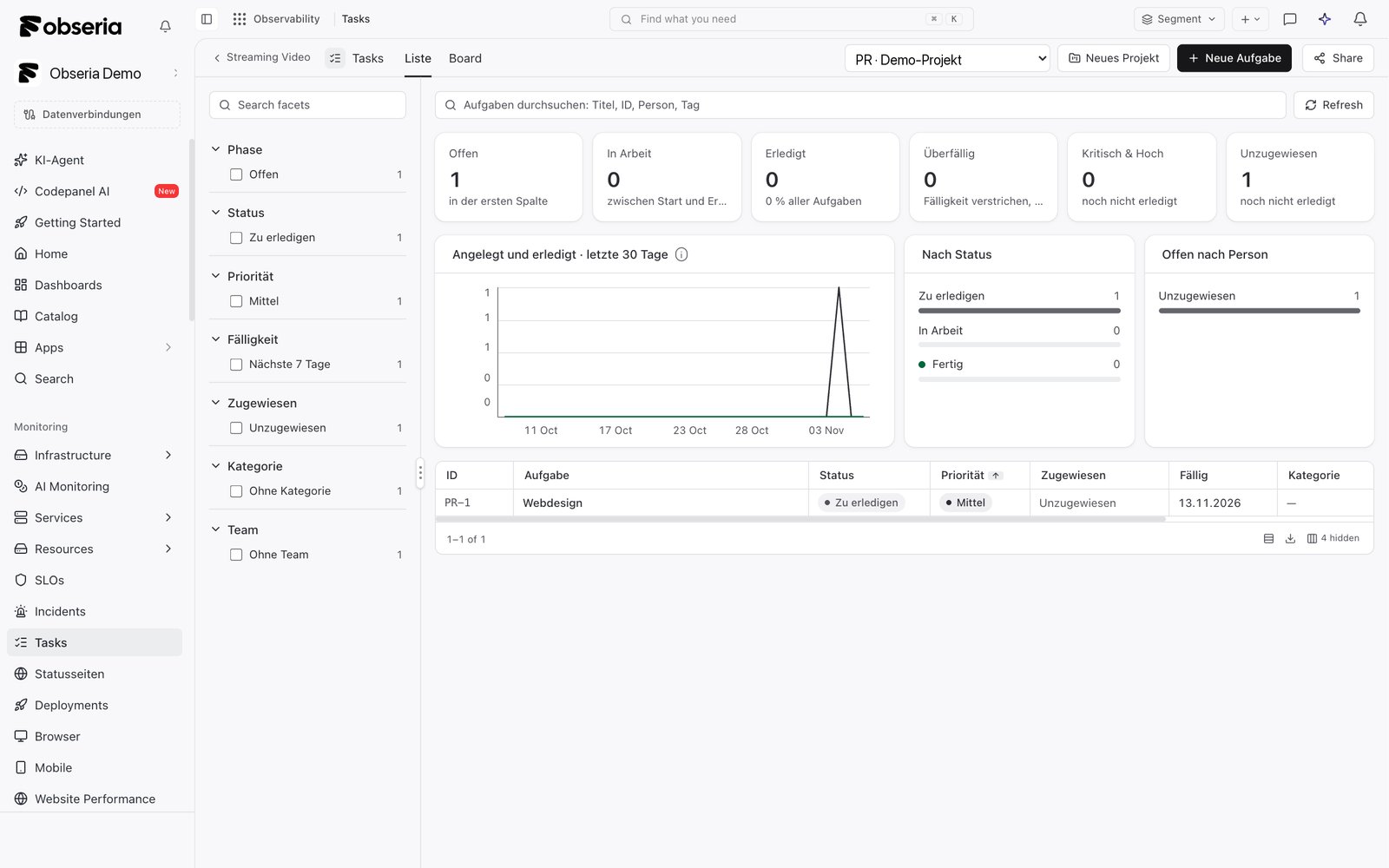
Turn important findings into tasks with priority, due date and assignee, and follow them as a list or on a board until they are done.
Checks the libraries you use for known vulnerabilities and licenses.
Learn more →Continuously checks cloud accounts against security rules and benchmarks.
Learn more →Detects vulnerabilities in the running application based on real calls.
Learn more →



Connect GitHub for repository scans and your cloud accounts for posture checks. Runtime analysis uses the logs your services already send.
Repository scans check dependencies, secrets and infrastructure code. Cloud accounts are checked against security rules and benchmarks.
Findings appear with severity. The central vulnerability list shows CVSS, CISA KEV, status and how long each item has been open.
Runtime code analysis shows which problems really occur in the running application, such as API keys written to logs.
Assign the work as a task, upgrade, rotate or reconfigure, and scan again to see the finding disappear.
The vulnerabilities view in Obseria Security Enterprise is a single list for prioritising weaknesses. Counters at the top show how many findings are critical, high, medium and low, and how many are open or resolved. The table lists each vulnerability with its security score, assessment, CVSS value, a CISA KEV flag, the vulnerability type, status, a mute option and the date since it has been open.
A time range and a free-text filter narrow the list, and the result can be exported for documentation or audits. That makes the list a good place to agree on priorities and to show the patch status.
To be clear about its current scope: this list is filled from a fixed rule set. It does not yet evaluate your live telemetry to decide whether a vulnerable library is loaded or reachable. Evidence from the running application comes from runtime code analysis, which is described below.
Most known vulnerabilities enter an application through open-source dependencies. Software composition analysis checks the libraries in your GitHub repositories, for ecosystems such as npm, PyPI, Maven and Cargo, against known vulnerabilities and licences, and shows the fixed version where one exists.
The same repository scan searches code and Git history for passwords, API keys and tokens, and checks Terraform files, Kubernetes manifests and Dockerfiles for unsafe settings. An AI code review with static analysis rates findings in a branch from info to critical.
All of this is part of Obseria Code Security. Together with the central list, it gives you the view from the build side: what you are about to ship and which known problems it contains.
Some weaknesses only show up with real traffic. A library logs a full request including an API key, a URL carries credentials, or an injection attempt triggers a SQL error. Runtime code analysis evaluates the log lines and requests of your running services and looks for exactly these signals.
Each finding shows severity, detector, affected service, number of occurrences and redacted evidence, so the finding does not expose the secret again. Facets for severity, detector and service help to narrow the list quickly.
Use these findings as evidence when you prioritise: a problem confirmed in production usually comes before a theoretical one from a scan. Runtime analysis only covers services whose logs reach Obseria.
Not every weakness is a CVE. A storage bucket that is publicly readable or a database without encryption can expose more data than a vulnerable library. Cloud security posture management (CSPM) continuously checks connected cloud accounts against security rules and benchmarks and lists the rules that failed.
Cloud accounts from AWS, Azure and Google Cloud are connected with read-only credentials. The cloud security overview shows the posture across your accounts, so you can track whether risks are going down over time and which account needs attention first.
Infrastructure code is checked earlier, in the repository scan. Combining both views catches a risky setting before deployment and notices it if it appears in the live account anyway.
GitHubnpm PyPI
 Maven
 Cargo
 Kubernetes manifests
 DockerfilesAmazon Web ServicesMicrosoft AzureGoogle Cloud
Vulnerability management is the ongoing process of finding security weaknesses in your software and infrastructure, deciding which of them matter most and making sure they are fixed. It is not a one-off scan. New advisories are published every day, dependencies age, cloud settings drift and code changes with every release. A vulnerability management programme turns this constant stream into a short, owned list of work.
The weaknesses themselves come from different places: a known vulnerability (CVE) in an open-source library, an insecure pattern in your own code, a leaked secret in the Git history, a public storage bucket or a missing encryption setting in a cloud account. Good vulnerability management looks at all of them, because attackers do not care which team owns the gap.
The first full scan of an existing environment almost always produces more findings than a team can fix in a sprint. Prioritisation decides whether vulnerability management helps or becomes background noise. These signals are widely used:
Our article on prioritising vulnerabilities with CVSS, EPSS and runtime context explains how to combine these signals.
No single method sees everything. Static checks do not know what runs in production, and runtime analysis only sees what is actually called. Combining them closes the gaps.
Feature lists of vulnerability management tools look similar at first glance. These questions help to tell them apart:
Test a tool on one real repository and one real cloud account before rolling it out. A week with your own data says more than any comparison table.
Obseria brings the checks above together on the platform that already holds your logs, metrics and traces:
Obseria shows and explains findings. It does not patch systems, open pull requests or stop releases for you; the fix stays with your team. Learn more about the code checks on the Code Security page.
A central vulnerability list with severity, CVSS, CISA KEV, status and age, plus the checks that feed your view of risk: software composition analysis, secret scanning, IaC security and AI code review for GitHub repositories, runtime code analysis (IAST) based on your service logs, and cloud security posture management for AWS, Azure and Google Cloud accounts. It is part of Obseria Security Enterprise.
Today the list is filled from a fixed rule set. It is not yet evaluated from your live telemetry, so it does not tell you whether a vulnerable library is loaded or reachable in production. Evidence from the running application comes from runtime code analysis.
No. Obseria does not score vulnerabilities by whether code is loaded or reachable. You prioritise with severity, CVSS, the CISA KEV flag and the findings that runtime code analysis confirms in production. We describe these limits openly so you can plan around them.
Software composition analysis checks dependencies from ecosystems such as npm, PyPI, Maven and Cargo in repositories connected through GitHub. Runtime code analysis works on the logs and requests of your services and is independent of the programming language.
Software composition analysis inventories the dependencies of a repository and can produce a software bill of materials (SBOM) from it. The SBOM describes what is in the repository, not what is loaded at runtime.
No. Obseria finds, lists and explains vulnerabilities. It does not stop releases, open pull requests, install patches or rotate credentials. Important findings can be tracked as tasks with priority, due date and assignee.
Cloud security posture management checks AWS, Azure and Google Cloud accounts that you connect with read-only credentials, continuously and against security rules and benchmarks.
Runtime-based prioritisation, reachability scoring, release gates and automatic ticket routing for vulnerabilities are not part of Obseria today. Code scans work with GitHub only. If one of these is essential for you, talk to us about your requirements.
Detections, findings, threat intelligence and vulnerabilities in one security workspace.
→SAST, dependency, IaC and secret scans for GitHub repositories.
→Detects attacks on web apps, APIs and hosts from your logs.
→Detection rules, threat intelligence and investigation across your security data.
→Tasks, incidents and on-call for the follow-up.
→In 30 minutes we show you how Obseria works in your environment and answer your questions on setup, privacy and pricing.
