
SaaS risk score
A score from 0 to 100 per app, built only from known facts: OAuth permissions granted, review status, former employees with access, phishing reports and app category.
We use essential functions to operate this website. With your consent, we would also use services for statistics and marketing. You decide which categories you allow and can change your choice at any time via “Cookie settings” in the footer. More in our privacy notice.
Obseria Consent Management · Your choice is stored for 12 months
Every app in your inventory gets a score from 0 to 100, built only from facts Obseria knows: OAuth permissions granted, review status, owner and contract, former employees with access, phishing reports and the kind of tool. Every point shows its reason.
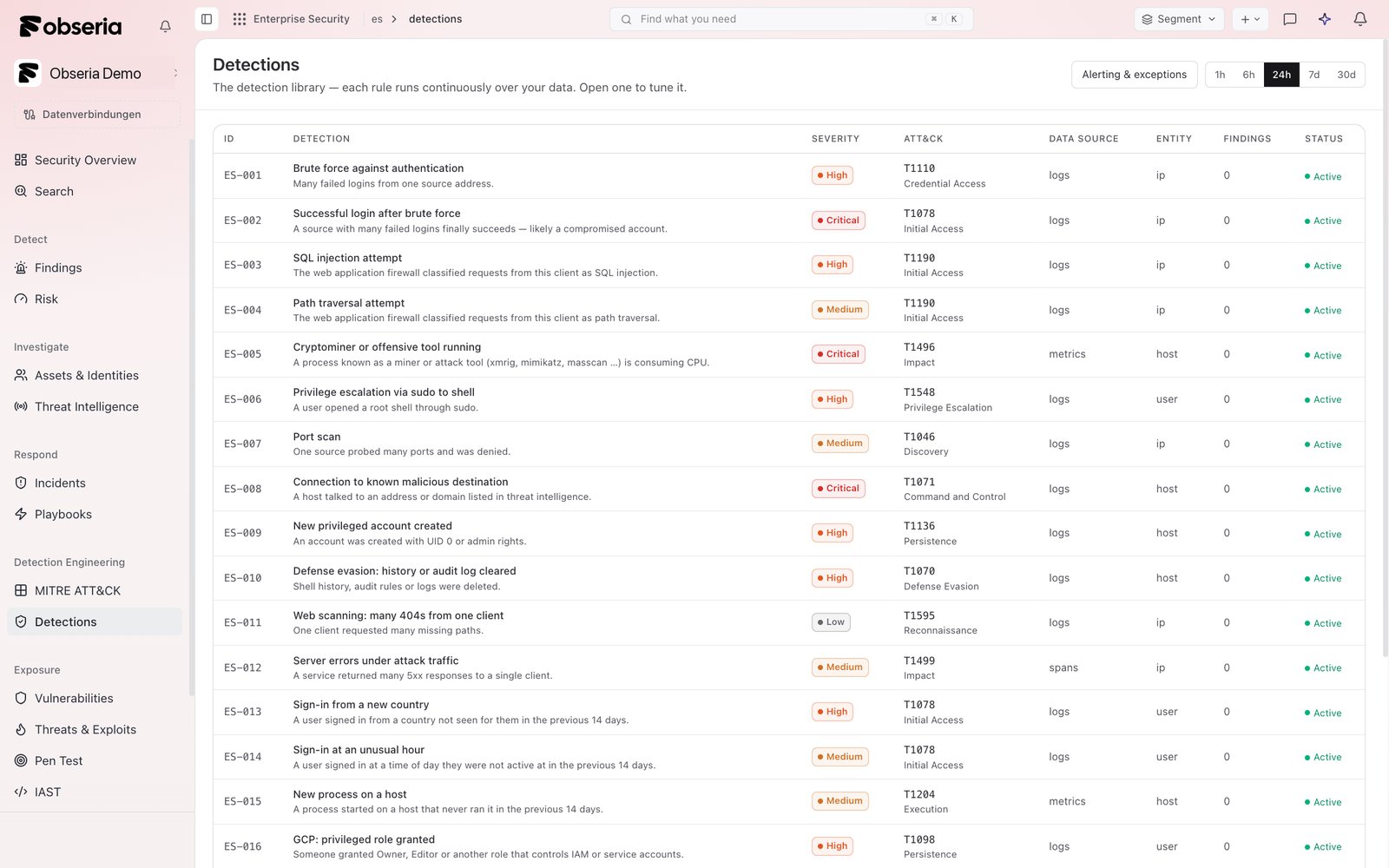
This view shows the detection library with severity and ATT&CK technique. Four Shadow IT signals run here too, such as a suspended user who still has OAuth access.
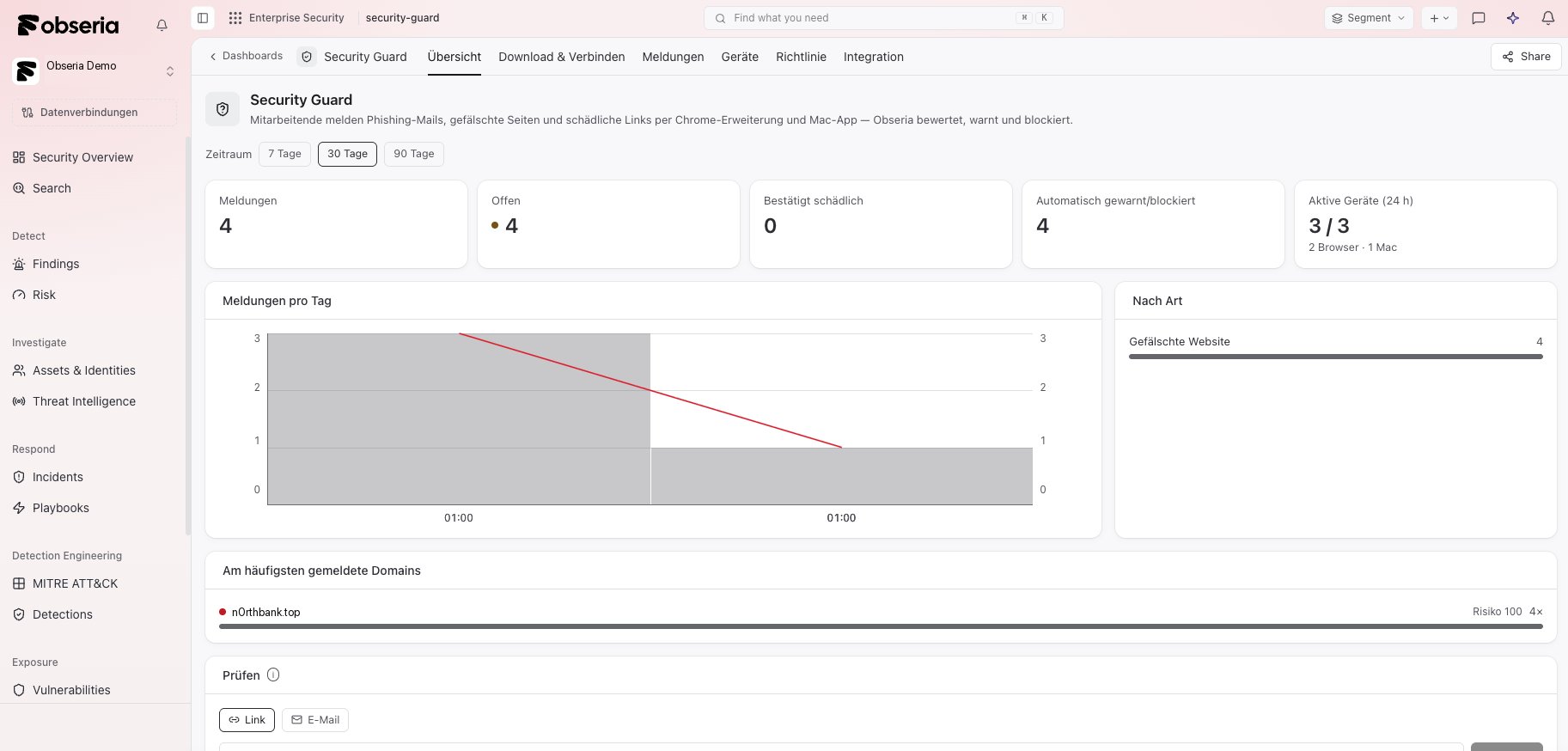
The Guard overview counts reports, confirmed threats and active devices. Phishing reports for the domain of an app in use add 25 points to its risk score.
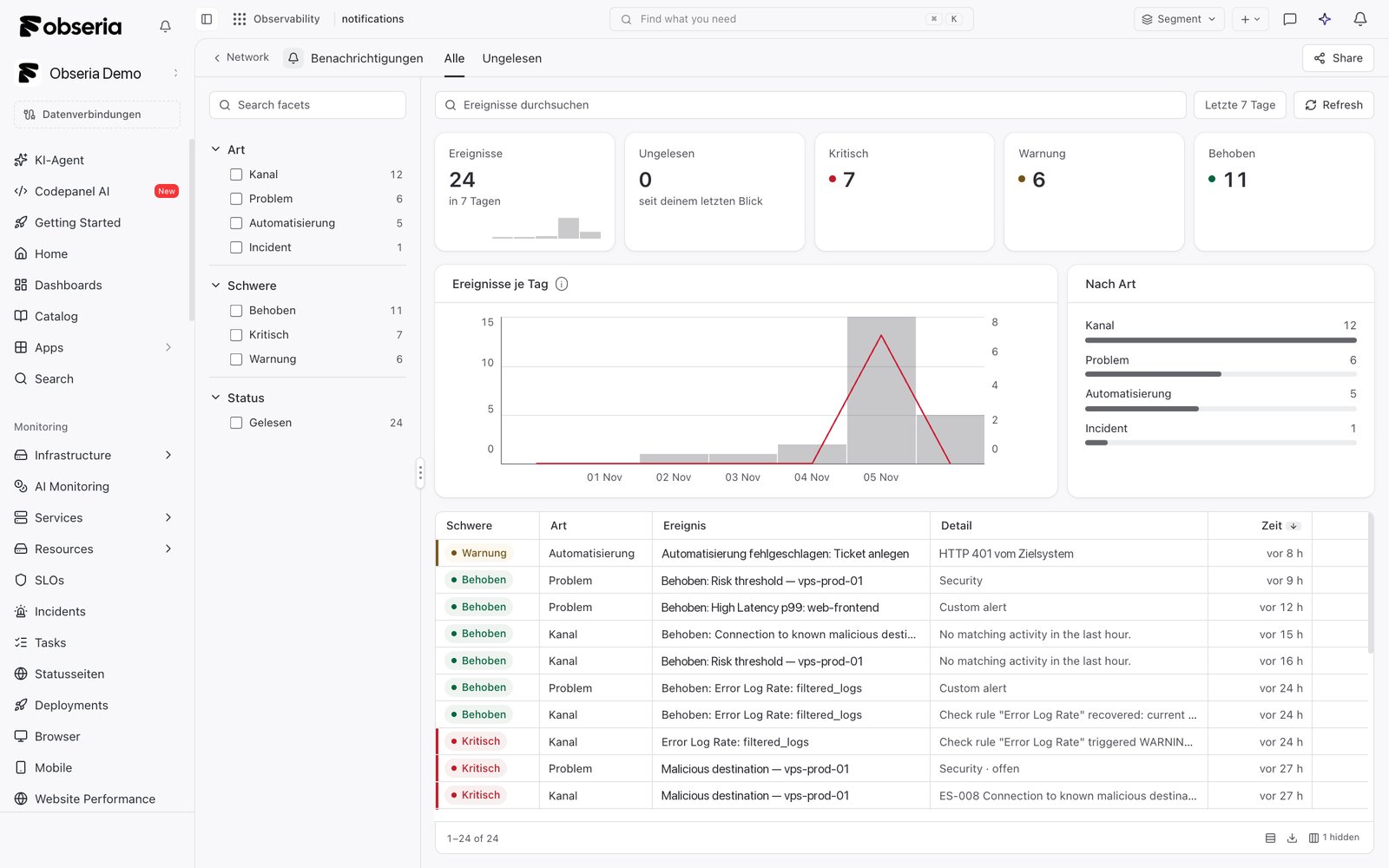
This view sets up Obseria Guard. The browser extension is one way Obseria sees that a rejected app is used again, which adds 30 points.
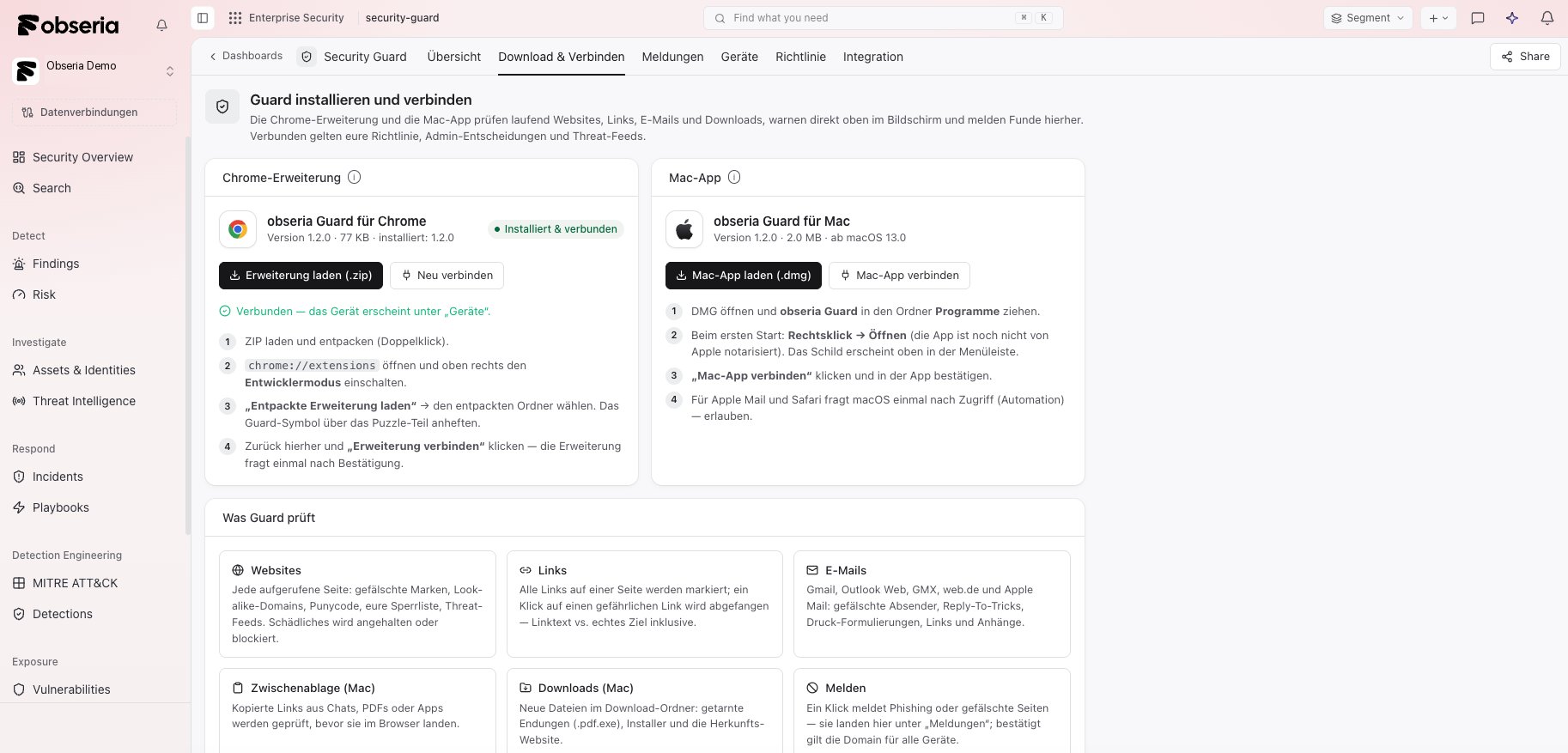
Detections, including the Shadow IT signals, are delivered through your notification channels and appear in this list with severity, type and status.
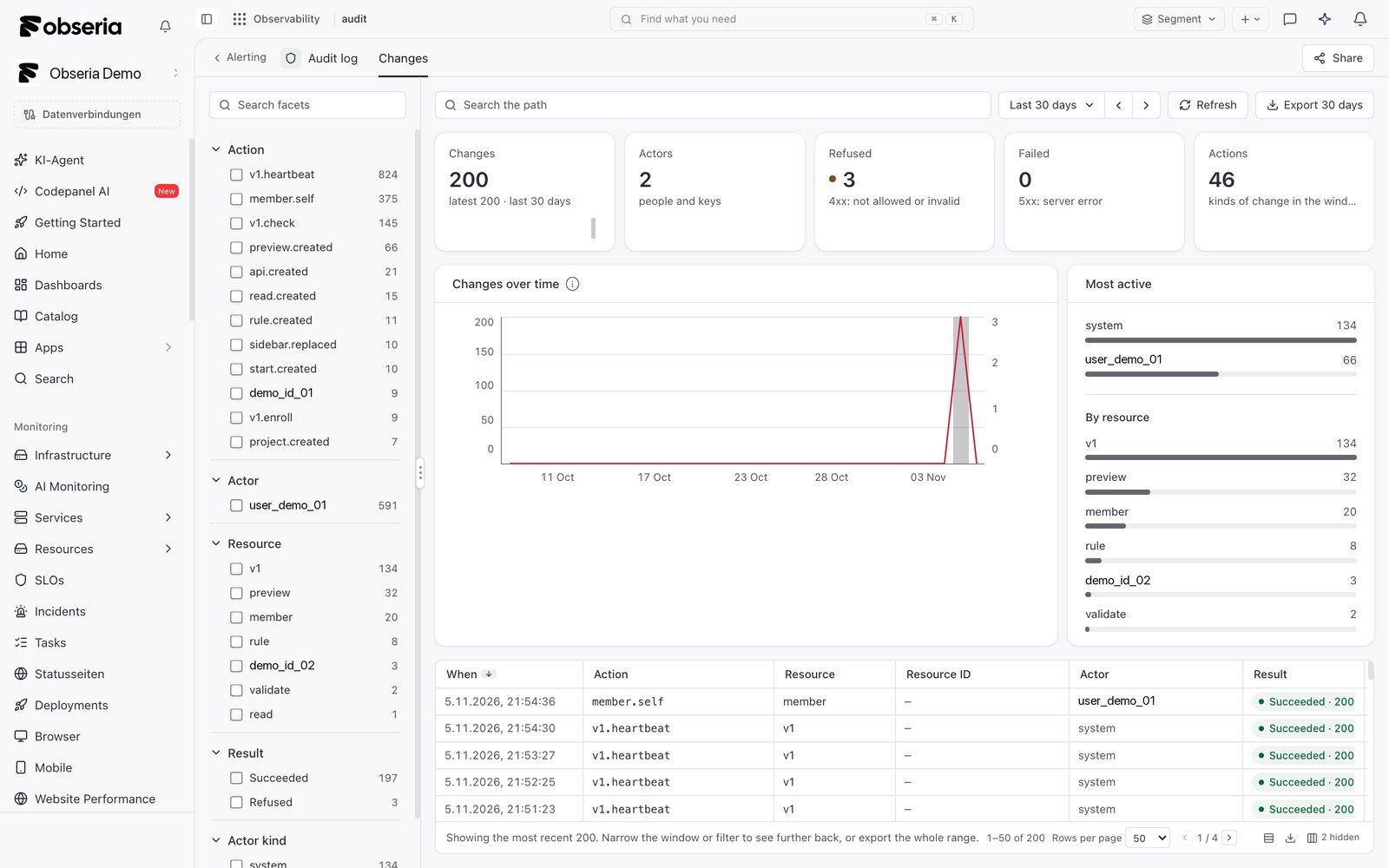
The platform audit log records changes with actor, resource and result and can be exported, so decisions that lower a score, such as a review, stay traceable.
A score from 0 to 100 per app, built only from known facts: OAuth permissions granted, review status, former employees with access, phishing reports and app category.
Finds the software in use from Google Workspace and Microsoft 365 sign-ins, the Obseria Guard browser extension, outgoing service calls, spend imports and requests.
Learn more →Campaigns that ask per person and app whether access is still needed, with last use, licence and permissions as evidence, decisions with name and date and a CSV export.
Learn more →Record per vendor whether it processes personal data, the DPA, data location, transfer basis, certificates and review dates; gaps and an audit report PDF follow from it.
Learn more →Discovery reads OAuth grants and suspended users from Google Workspace and Microsoft 365; the inventory holds status, owner and contracts.
Each fact adds points in its group: access, governance, people, threat or nature. The score is capped at 100.
The app shows every factor with its points, for example “Has high-risk permissions: full Gmail access”.
Revoke grants of former employees in your admin console, review the app, assign an owner or reject it.
Selected signals, such as a new wide permission for an unreviewed app, also appear as detections in Security Enterprise.
The score adds points from five groups. Access: high-risk OAuth permissions such as full mailbox, sending mail, all of Drive or OneDrive or writing the directory (+35), otherwise permissions that read company data (+15), and the number of people who granted access (+10 from ten people, +5 from three). Governance: rejected but used again (+30), not reviewed yet (+15), review not finished or approved only with restrictions (+8), no owner (+5), no contract although paid for or used by five or more people (+5).
People: suspended or former employees who still have an OAuth grant (+20). Threat: phishing reports from Obseria Guard for the app's domain (+25). Nature: AI tool or file storage (+10), vendor not in the Obseria catalog (+10).
The total is capped at 100. 60 or more is high, 30 to 59 medium, below 30 low. Every factor appears with its points and a sentence of explanation, in the risk view and in the detail view of each app.
The risk view ranks every app by score and lists apps with high-risk access, apps that read company data and apps not reviewed yet. In each app's detail view, the tab Risk & access shows the granted permissions in readable form, rated high, medium or low.
A separate list shows former employees with access: accounts suspended in your directory whose OAuth grants are still valid, so the apps can keep reading their data. Revoke these grants in the Google or Microsoft admin console; Obseria reads your identity provider and does not change it.
A further list shows the AI tools in use: apps in the AI category plus names that look like AI assistants, with the number of browser users across these tools.
Four Shadow IT signals also run as detections in Obseria Security Enterprise: a new wide permission (mailbox, all of Drive, writing the directory) for an app that is not reviewed or rejected; a suspended or former user who still has OAuth access; a rejected app that is used again, seen by the browser extension; and a phishing report for a domain that belongs to or looks like an app in use.
They use the same machinery as other detections, including severity settings, exceptions, notification channels and playbooks. A state signal, such as a suspended user with access, stays open until the access is gone.
Next to the computed score, a manual assessment per app records your own judgement. It does not change the score, so the number always stays traceable to facts.
 Slack
 Microsoft Teams
 Google Chat
 Discord
SaaS risk assessment answers a simple question for every cloud app in use: how much could go wrong here, and why? With dozens or hundreds of apps, nobody can review all of them in depth. A risk score puts them in order, so security and IT start with the apps that matter: those with wide access to company data, those nobody has reviewed and those that former employees can still reach.
A useful score is explainable. “72” on its own helps nobody. “72, because the app can read every mailbox, nobody has reviewed it and two former employees still have access” tells you exactly what to do.
Many tools sell a security rating per vendor. These ratings usually come from outside scans and public information, change without notice and say nothing about how your company uses the app. A well-rated vendor is still a risk if someone gave it full access to the CEO's mailbox and then left the company. The risks you can act on come from facts inside your own organisation.
“Sign in with Google” or “Sign in with Microsoft” often asks for more than a name and email address. With one click, a person can allow an app to read and send mail, read and change all files in Drive or OneDrive, or even change the company directory. These OAuth grants stay valid until someone revokes them, even after the person stops using the app.
Review high-risk grants first, and check how many people gave the same app access. One person testing a tool is different from forty.
When an account is suspended in the identity provider, the person can no longer sign in. But OAuth grants the person gave to third-party apps can remain valid, and the app can keep reading the data it was allowed to read. This is one of the most overlooked offboarding gaps. A SaaS risk assessment should list every suspended or former employee who still holds a grant, so the grants can be revoked in the Google or Microsoft admin console.
Not every risk is technical. An app that nobody has looked at yet is an unknown. An app that IT rejected but that people keep using is a sign that the official alternative does not work for them. An app without an owner has nobody to answer for renewals, access or data protection. An app that is paid for or used by several people but has no contract on file is a procurement gap. Each of these is a fact you can see and fix.
Some kinds of tools carry more risk by their nature. AI tools are where people paste text, upload documents and record meetings. File storage is where company files can leave the company. Neither is bad in itself, but both deserve a closer look and a clear rule on what data may go in. Keep a separate view of AI tools in use and how many people use them.
Classic third-party risk management works with questionnaires, contracts and certificates per vendor. That remains necessary, especially under the GDPR and ISO 27001, but it looks at the vendor, not at how your people use the app. A SaaS risk score adds the usage side: who granted what, who still has access, and whether anyone decided about the app at all. Together, vendor review and usage-based risk give a complete picture, and the score tells you which vendors to review first.
Obseria computes a score from 0 to 100 for every app in the inventory. It is rule-based: it adds points for recorded facts and shows each point with its reason. 60 or more is high, 30 to 59 medium, below 30 low.
Permissions come from Google Workspace and Microsoft 365, read-only. A manual assessment per app records your own judgement and does not change the score. Obseria does not revoke grants or block apps; it shows where to act.
It adds points for recorded facts in five groups: access (OAuth permissions and number of people with a grant), governance (status, owner, contract), people (former employees with access), threat (phishing reports) and nature (AI tool, file storage, unknown vendor). The total is capped at 100, and every point shows its reason.
No. There is no reliable source for them, and they say nothing about how your company uses an app. The score is built only from facts Obseria knows about your organisation.
From Google Workspace and Microsoft 365, connected once by an administrator with read-only access. Obseria reads which permissions each person granted to third-party apps.
No. Obseria lists them, including grants of suspended or former employees, and you revoke them in the Google or Microsoft admin console. Obseria does not write to your identity provider.
No. It is rule-based, so the same facts always give the same score and every point can be explained.
You can record your own manual assessment per app. It is shown next to the score but does not change it, so the score always remains traceable to facts.
Discovery, inventory, compliance, contracts, licences and access reviews.
→Sign-ins and OAuth grants from Google Workspace and Microsoft 365.
→DPA, data location and certificates per vendor.
→Recertify who still needs access to which app.
→Shadow IT signals appear as detections next to other security rules.
→Phishing reports for an app's domain raise its score.
→In 30 minutes we show you how Obseria works in your environment and answer your questions on setup, privacy and pricing.

 PagerDuty
 Opsgenie
 Jira Service Management
 incident.io