
AI agent builder chat
Describe the job in your own words. The builder asks what is missing (when it runs, who hears from it, what it may decide alone) and assembles the agent live, including what still needs to be connected.
We use essential functions to operate this website. With your consent, we would also use services for statistics and marketing. You decide which categories you allow and can change your choice at any time via “Cookie settings” in the footer. More in our privacy notice.
Obseria Consent Management · Your choice is stored for 12 months
Describe a job in your own words and let an agent do it on the server: answer customer requests, watch incidents, contracts and costs, and send reports, with you deciding what it may do alone.
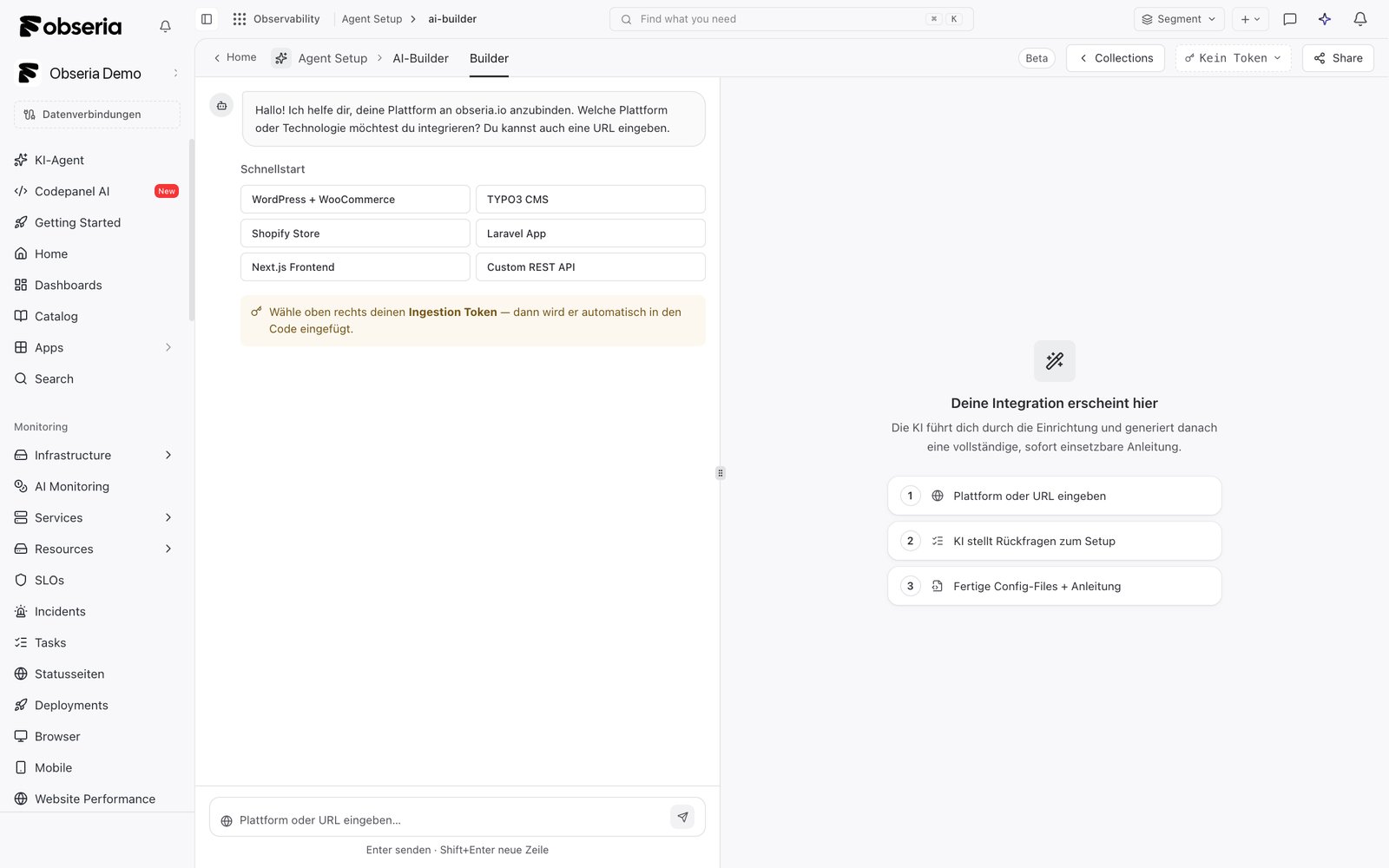
This view from the Obseria app shows an AI chat that guides an integration setup with quick-start suggestions and builds the result step by step on the right. The Agents builder works the same way: you describe the job, it asks for what is open and assembles the agent next to the conversation.
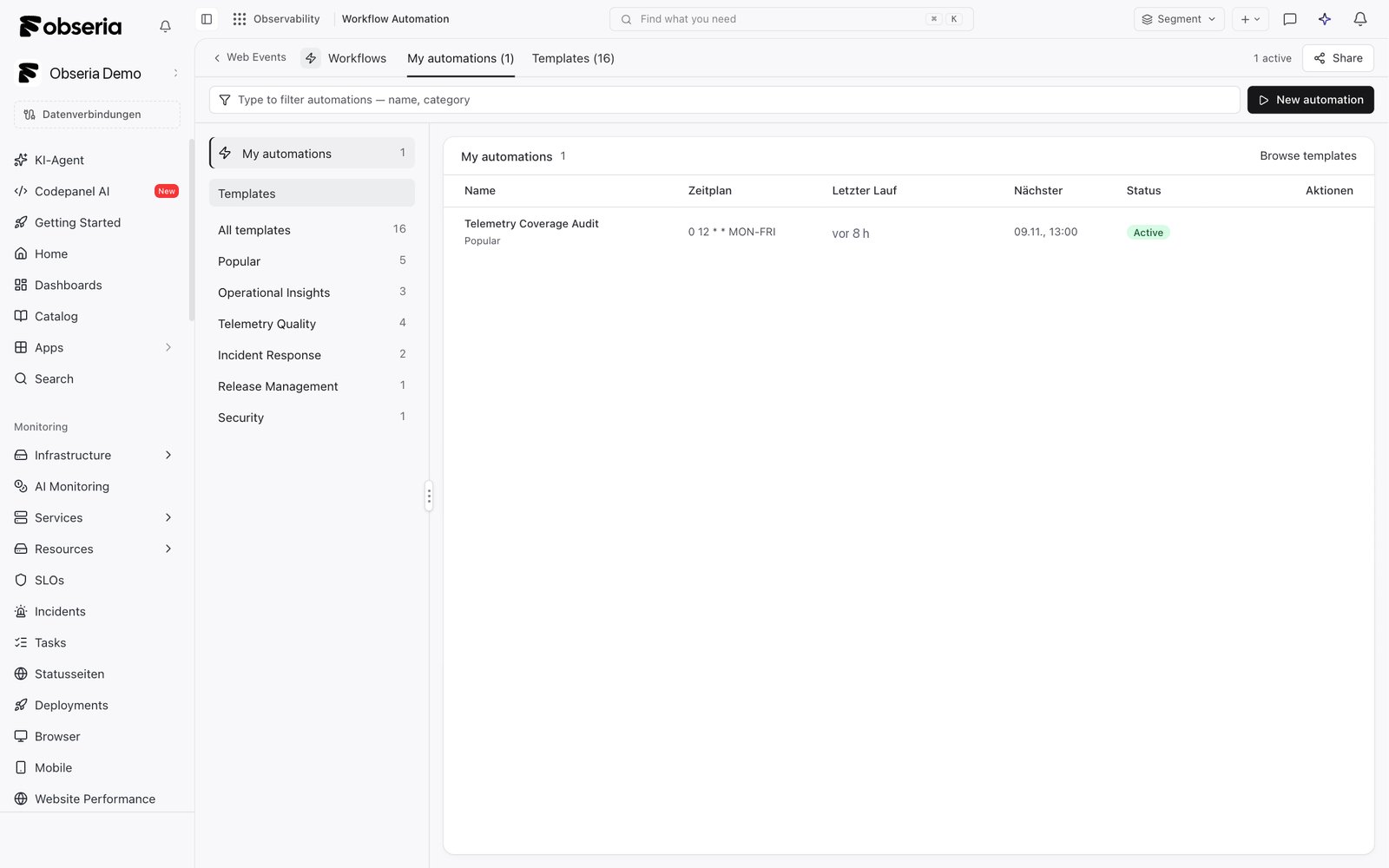
This view lists automations with their schedule, last and next run and status, next to template categories. Agents follow the same pattern: each shows its trigger, its last result and when it runs next.
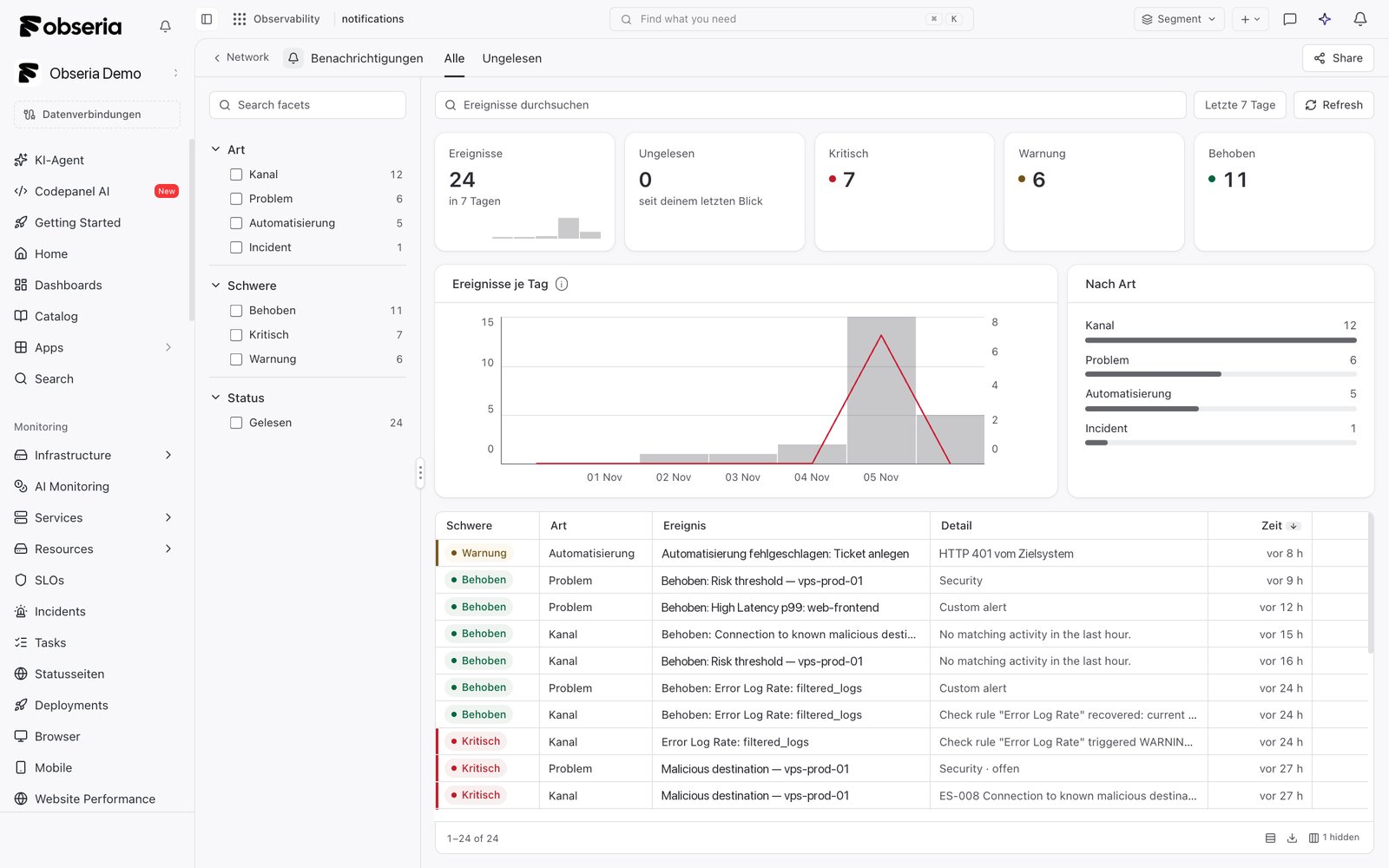
The notification centre lists events by type and severity. Agents additionally announce waiting approvals and failed runs there, so nobody has to keep the agents page open.
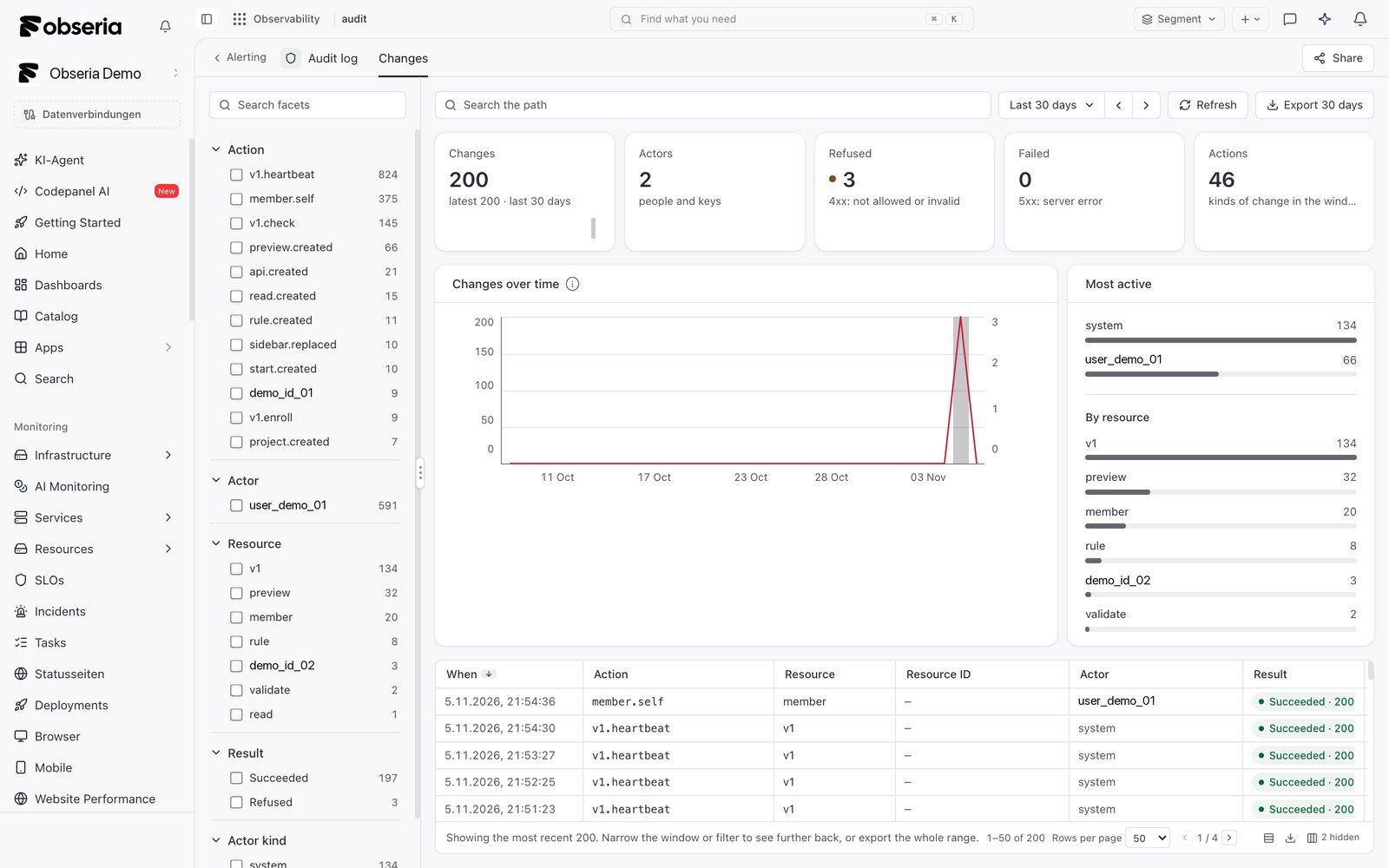
The audit log records actions in Obseria with actor, resource and result. For agents, each run additionally keeps its own step-by-step history with the actions and who approved them.
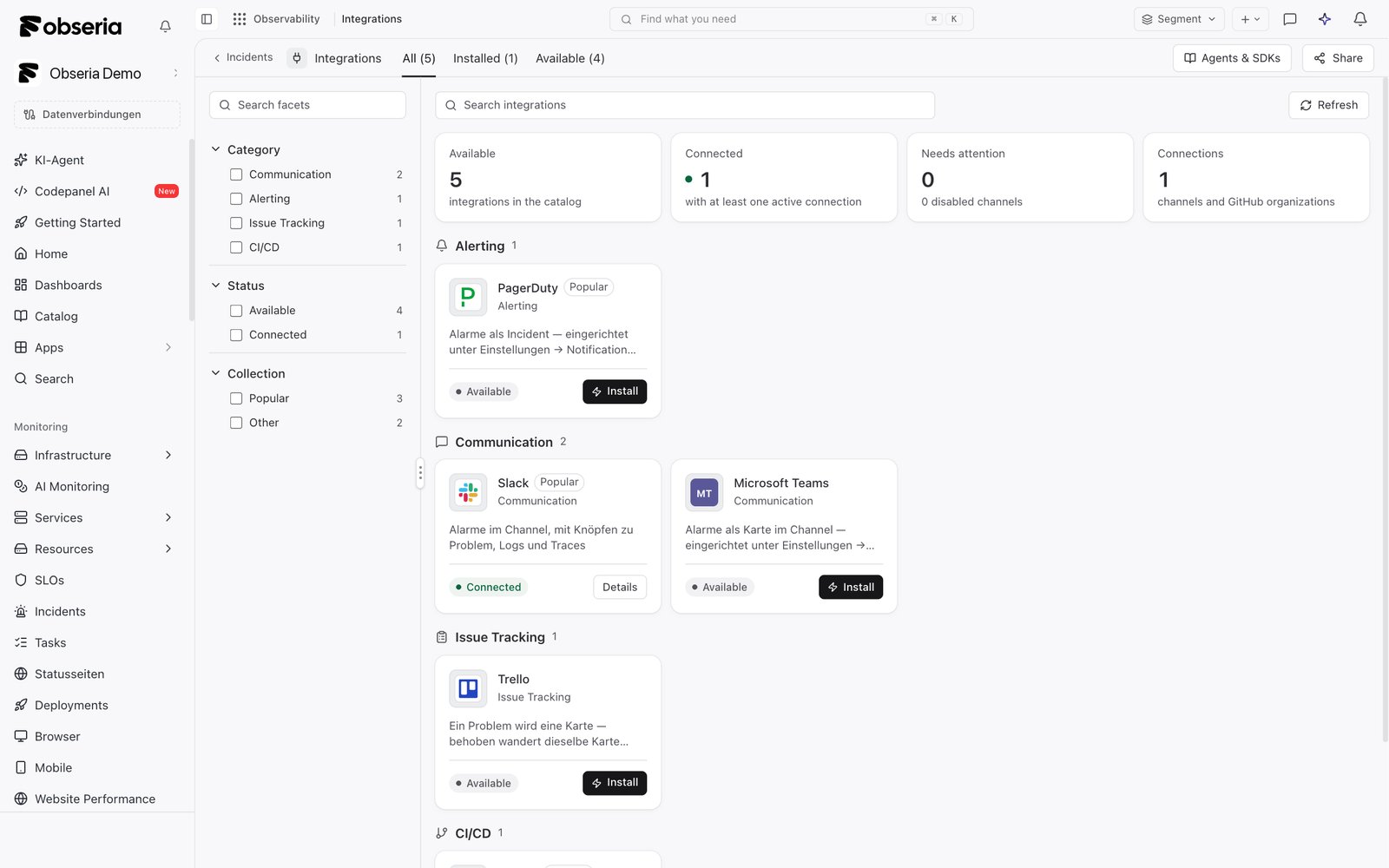
The integrations page shows Slack, Microsoft Teams, PagerDuty and Trello with their connection status. Agents post their messages to the notification channels you select for them.
Describe the job in your own words. The builder asks what is missing (when it runs, who hears from it, what it may decide alone) and assembles the agent live, including what still needs to be connected.
Agents read and write through the connections of Obseria Workflow (CRM, ERP, shop, accounting), start selected workflows, query tables in Obseria Data and create records in Build apps.
Three levels: only suggest, act after approval, or act alone. Waiting actions are listed under approvals, where the team can edit an e-mail draft, then approve or reject, one by one or several at once.
An agent runs on the server by hand, on a schedule from every 15 minutes to weekly, on an event such as a new request, problem, security finding, notice period or failed workflow, or via its own webhook.
Write in your own words what the agent should do, or start from a template. The builder asks what is missing and shows what still needs to be connected.
By hand, on a schedule, on a new request, problem, finding, notice period or failed workflow, or when another system calls its webhook.
The agent reads the data it is allowed to see, searches company knowledge and decides step by step what to do next.
E-mails, updates and workflow starts wait for a person, run on their own or are only suggested, depending on the level you chose.
Each run keeps its steps, actions and summary, and usage per agent shows credits, tokens and cost.
A new agent starts in one of two ways. In the chat, you describe what it should do as you would brief a new colleague. The builder asks for what is still open, for example when the agent should run, who should hear from it and how much it may decide alone, and shows the agent taking shape next to the conversation after every answer.
Alternatively you pick a template. Templates cover customer requests, sales and finance, people and organisation, operations and availability, security, software and costs, and reports, plus a custom agent for anything else. Each template brings a job description, a trigger, a set of tools and a recommended approval level that you can change in the form.
Before an agent goes to work, a list of prerequisites shows what it needs and whether it is there: connected apps with their logos, e-mail sending, a team channel, Obseria Data or the AI model, each with a link to connect what is missing.
Every agent has an explicit list of tools. Reading tools cover the areas of Obseria such as services, logs, problems, incidents, hosts, SLOs, website checks, security findings, software, contracts, people, workflows and app records, plus data points, Data tables, read-only SQL and connected apps. Acting tools send e-mails, inform the team, update requests, start workflows, write to connected apps, create records in Build apps or open a security incident. A tool that is not enabled cannot be used.
The autonomy level decides what happens with actions. With suggest only, nothing is executed, and a person can still trigger a suggestion by hand. With approval, actions wait under approvals until someone from the team checks them. With act alone, actions run immediately and are logged.
On the approvals page the team filters waiting actions, opens one to edit the recipients, subject or text of an e-mail draft, and approves or rejects it, or selects several and decides them at once. Each decision is stored with the person and time, and waiting approvals are also announced in the notification bell.
Company knowledge holds the documents agents should rely on: price lists, FAQ, terms, service descriptions. Upload PDF, text, Markdown, CSV or HTML files or paste text, either for all agents or for one. Before answering, an agent searches these documents and uses the best matching passages, for example to answer a question directly or to write a quote with positions and prices from your list.
An agent can also keep a memory: short notes such as a customer's preferences or a recurring decision, shown to it at the start of every run. You can read, correct or clear that memory at any time. Reports, e-mail drafts, team messages and documents the agent creates are kept as artefacts to open and download.
Beyond Obseria's own data, agents use the connections of Obseria Workflow to read from and write to CRM, ERP, shop or accounting software, with the same endpoint restrictions. You can limit an agent to selected connections, apps, workflows and Data tables.
Agents run on the server in the background, also at night and without an open browser. Every run is kept with the reason it started, each step the agent took, the data it read with the result, the actions it proposed or executed and a short summary. Runs can be waiting for approval, done, failed or skipped, and a run can be started by hand with a one-off task in plain language.
Usage shows AI credits, tokens, runs and cost per day, per agent and per model, together with the cost of the current month and a forecast. One AI credit corresponds to one model call. Templates that also have a fixed playbook can run without the AI model and then use no credits.
Each agent has three limits: a monthly budget in credits, a maximum number of runs per day and a maximum number of steps per run. When a limit is reached, further runs are skipped and logged with the reason instead of running on.
 Slack
 Microsoft Teams
 Jira
 Anthropic
 OpenAI
An AI agent is software that is given a job in plain language, looks at real data, decides which steps are needed and then acts or proposes an action. AI agents for business apply this to everyday work in a company: answering customer requests, keeping an eye on contracts and deadlines, summarising what happened overnight, checking a failed process or preparing a weekly report. Because they work on their own schedule and react to events, they are often called AI workers or digital colleagues.
The difference to a simple prompt is the loop. An agent reads, thinks, uses a tool, reads the result and continues until the job is done or it reaches its limits. That makes agents useful, and it is also why they need clear rules: what they may read, what they may do, and who checks their work.
In practice the three work best together. An agent can start a workflow when a fixed process should take over, for example to create an order in the ERP after a person approved it. The agent handles judgement, the workflow handles the reliable execution.
An AI agent builder should let a business team describe the job the way they would brief a new colleague. Five decisions define almost every agent:
A good builder asks for whatever is missing instead of guessing, and shows what still has to be connected before the agent can work, such as a CRM, a mailbox or a notification channel.
Trust in AI agents grows step by step. A common approach is to start every new agent in a mode where actions wait for a person. The agent drafts the e-mail, the request update or the CRM entry; a colleague checks it, edits it if needed and approves or rejects it. Only once the drafts are consistently right does the agent get more freedom, and even then usually only for internal actions such as reports to the team.
Good approval handling needs three things: a list of everything waiting, the possibility to edit a draft before it is executed, and a record of who decided what and when.
A language model knows a lot about the world, but nothing about your prices, your terms or your services. That is why agents that talk to customers need company knowledge: price lists, FAQ, terms and conditions, service descriptions or internal guidelines. The agent searches these documents for the passages that match a question and uses them in its answer. Keep the documents short, current and specific; an outdated price list produces outdated quotes.
Every step in which an agent asks the AI model what to do next is a model call, and model calls cost money. Three limits keep this predictable: a maximum number of steps per run, a maximum number of runs per day and a monthly budget per agent. Watch usage per agent in the first weeks; a broad job description such as "check everything" leads to long runs, while a narrow job finishes in a few steps.
Whether an agent is worth its cost shows in a few simple figures. How many runs finish without an error, and how many are skipped because a limit was reached? How many proposed actions does the team approve unchanged, how many does it edit, and how many does it reject? A high share of edited or rejected drafts usually means the job description is too vague or the agent lacks knowledge, for example a current price list. Compare the credits an agent uses with the manual work it replaces, and review agents that never find anything to do: their trigger or job may be too narrow, or the task may be better solved by a fixed workflow.
Treat agents like new team members. They get a clear role, a defined set of permissions and regular feedback. When the job changes, update the description and the knowledge instead of adding more tools.
Limits today: summaries and e-mails are written in German. Knowledge search finds passages by matching words, and scanned PDFs without a text layer cannot be read. Schedules use German time (Europe/Berlin), and event-based agents check for new items about once a minute rather than instantly.
The part of Obseria for AI workers that run on the server. You describe a job, choose when the agent runs, what it may read and do and how much it may decide alone. Agents answer requests, watch incidents, contracts and costs, and write reports, with every run documented.
Obseria Workflow runs fixed processes that you design step by step. An agent gets a goal and decides itself which allowed tools to use. Both work together: an agent can start a workflow as one of its actions, for example after a person approved it.
Obseria Intelligence explains problems in your observability data with root cause hints and anomaly detection. AI Observability monitors the LLM calls and coding agents in your own software. Obseria Agents are AI workers that carry out business tasks for you.
Only if you allow it. Each agent has one of three levels: suggest only, act after approval or act alone. With approval, every e-mail, update or workflow start waits until someone from the team checks it, and drafts can be edited before they are approved.
A manual start, also with a one-off task in plain language; a schedule from every 15 minutes to weekly; an event such as a new request from a Build app, a new problem, a new security finding, an approaching notice period, a new software request or a failed workflow; or a call to the agent's own webhook.
Areas of Obseria Observability, Security, Shadow IT, Workflow and Build, data points, tables in Obseria Data with read-only SQL, uploaded company knowledge and the apps connected through Obseria Workflow. You enable each tool, connection, workflow and table per agent.
AI usage is billed as AI agent credits at $0.60 per credit, where one credit corresponds to one model call. Usage per agent, model and day is visible in the app, and a monthly credit budget per agent stops further runs when it is reached. Details are on the pricing page.
Summaries and e-mails are written in German. Knowledge search matches words rather than meaning, and scanned PDFs without a text layer cannot be read; files can be up to 8 MB. Schedules use German time (Europe/Berlin). Event-based agents check for new items about once a minute, and a run has at most 15 steps.
Fixed business processes with approvals and connections that agents can start as an action.
→Business data in tables that agents query with SQL, for reports and answers.
→Apps and portals whose requests agents answer, update and turn into records.
→Software, contracts, notice periods and requests that agents watch and assess.
→Root cause hints and anomaly detection for problems in your observability data.
→Monitoring of LLM calls, coding agents and AI costs in your own applications.
→In 30 minutes we show you how Obseria works in your environment and answer your questions on setup, privacy and pricing.
