
 PagerDuty
 Opsgenie
 Jira Service Management
 incident.io
Contracts & renewals
Contracts with price, billing cycle, seats, term and notice period, read from a PDF with AI and checked by you, plus reminders before every notice deadline.
Learn more →We use essential functions to operate this website. With your consent, we would also use services for statistics and marketing. You decide which categories you allow and can change your choice at any time via “Cookie settings” in the footer. More in our privacy notice.
Obseria Consent Management · Your choice is stored for 12 months
Discover the software your company really uses, from sign-ins, the browser and spend, and manage it in one place: owners, risk, contracts, renewals, licences, requests and offboarding.
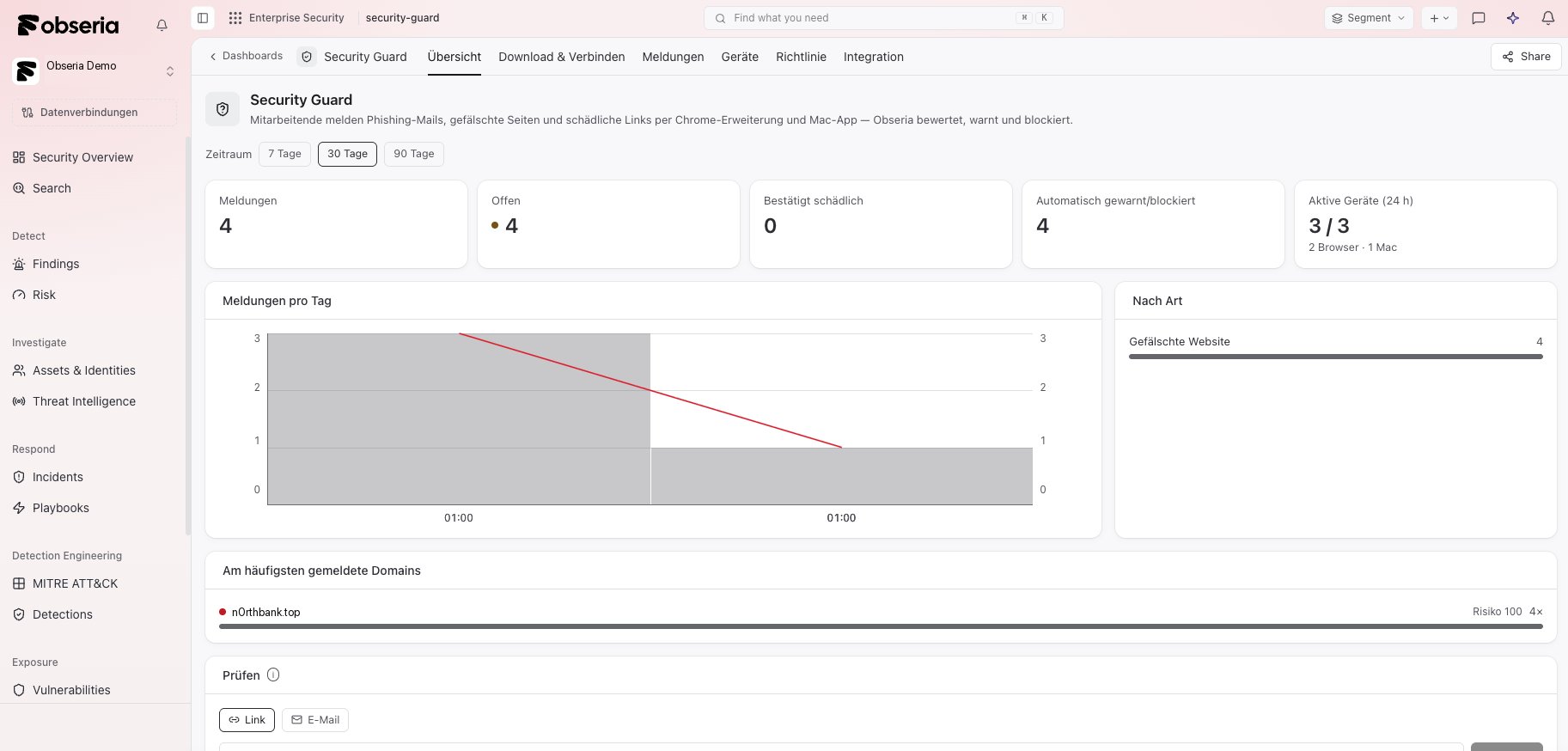
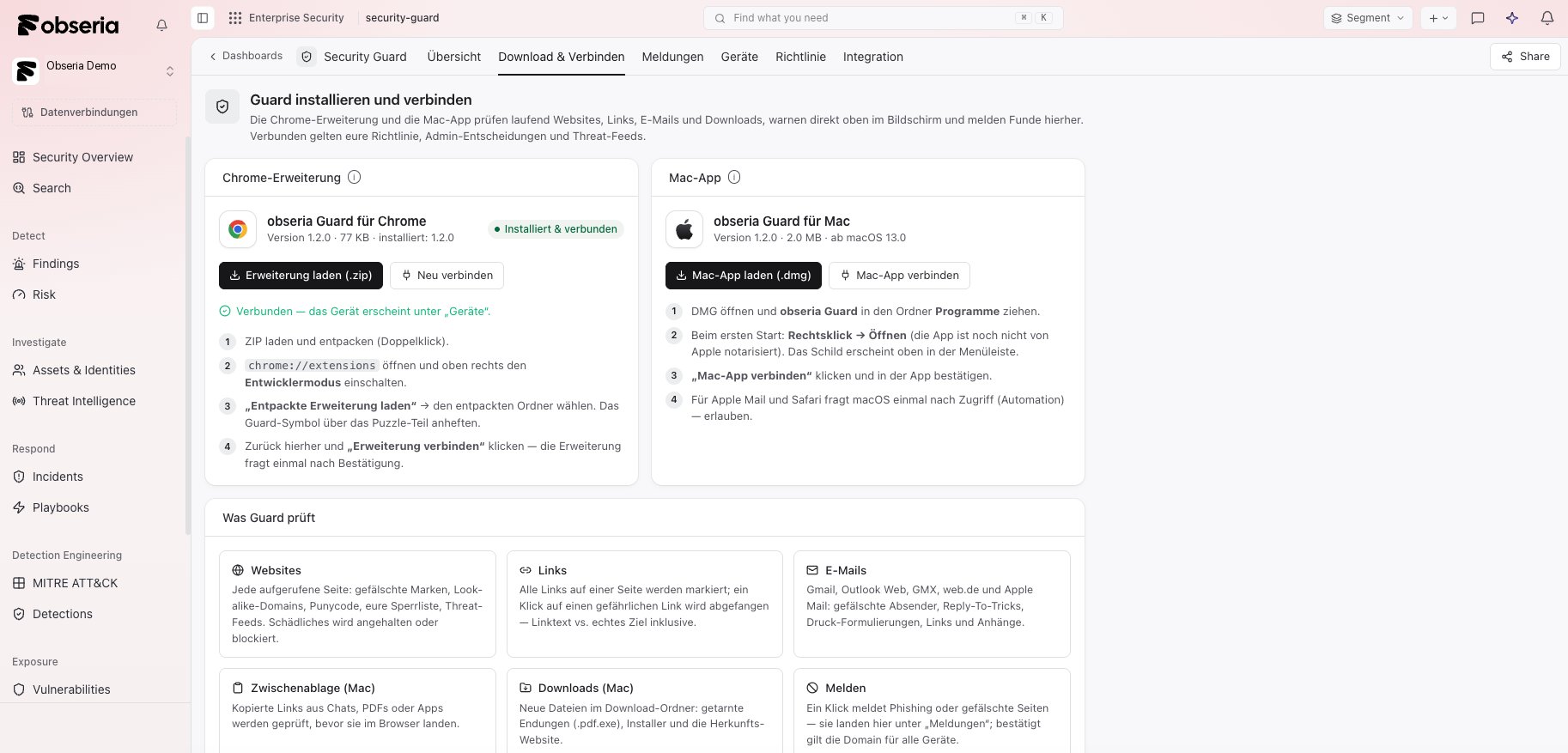
This view sets up Obseria Guard. Besides phishing protection, the Chrome extension is the browser source for Shadow IT: visits to known SaaS apps become sightings with the user's email, never general browsing.
The Guard overview counts reports, confirmed threats and active devices. In Shadow IT, the number of monitored devices decides how complete active-user and licence figures are, and phishing reports for an app's domain raise its risk score.
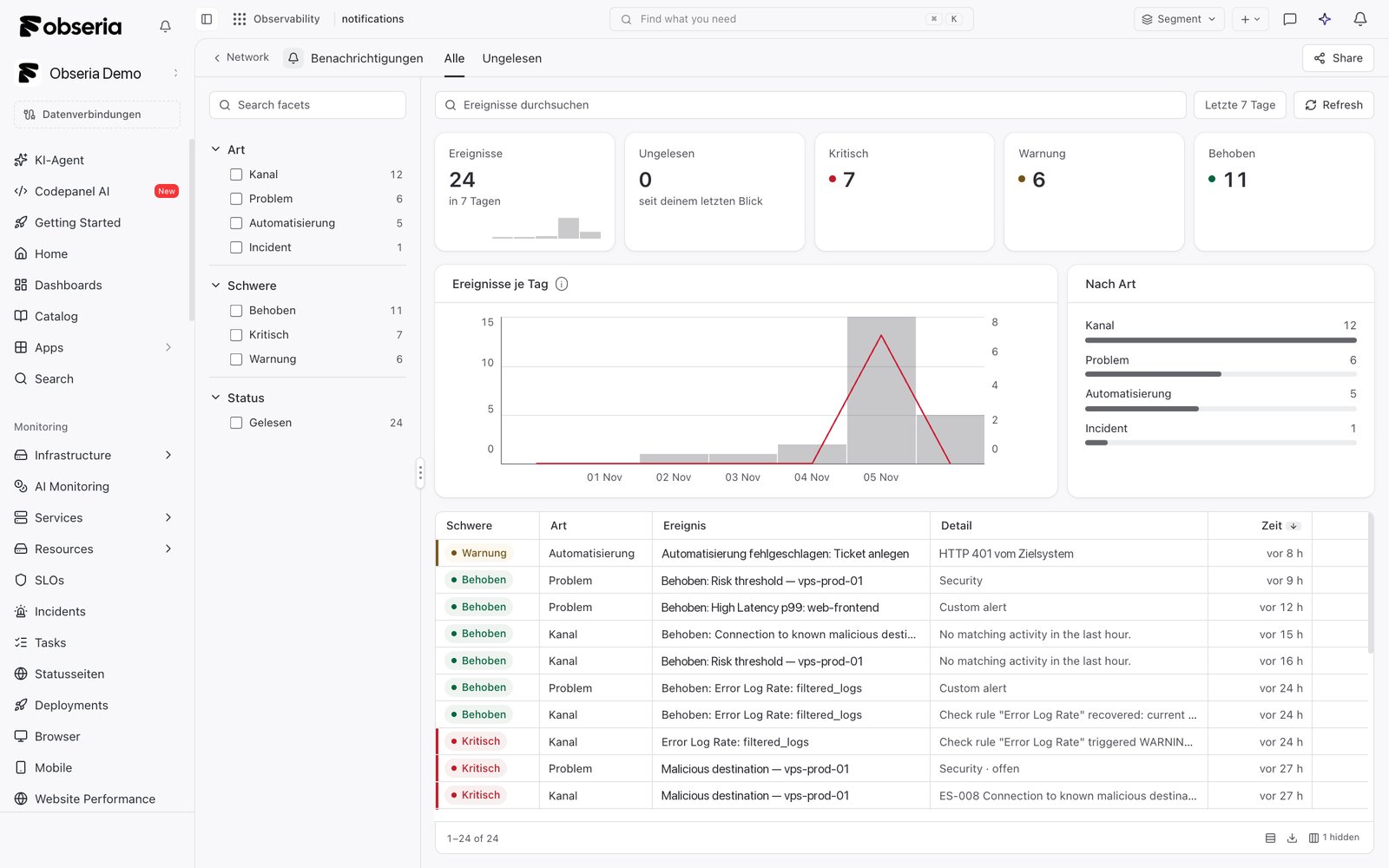
Obseria sends its messages through your notification channels. Shadow IT uses them for notice deadline reminders, expiring vendor certificates, due vendor reviews and workflow notifications.
The platform audit log records changes with actor, resource and result and can be exported. For Shadow IT, access review decisions are additionally kept with name and date and exported as CSV.
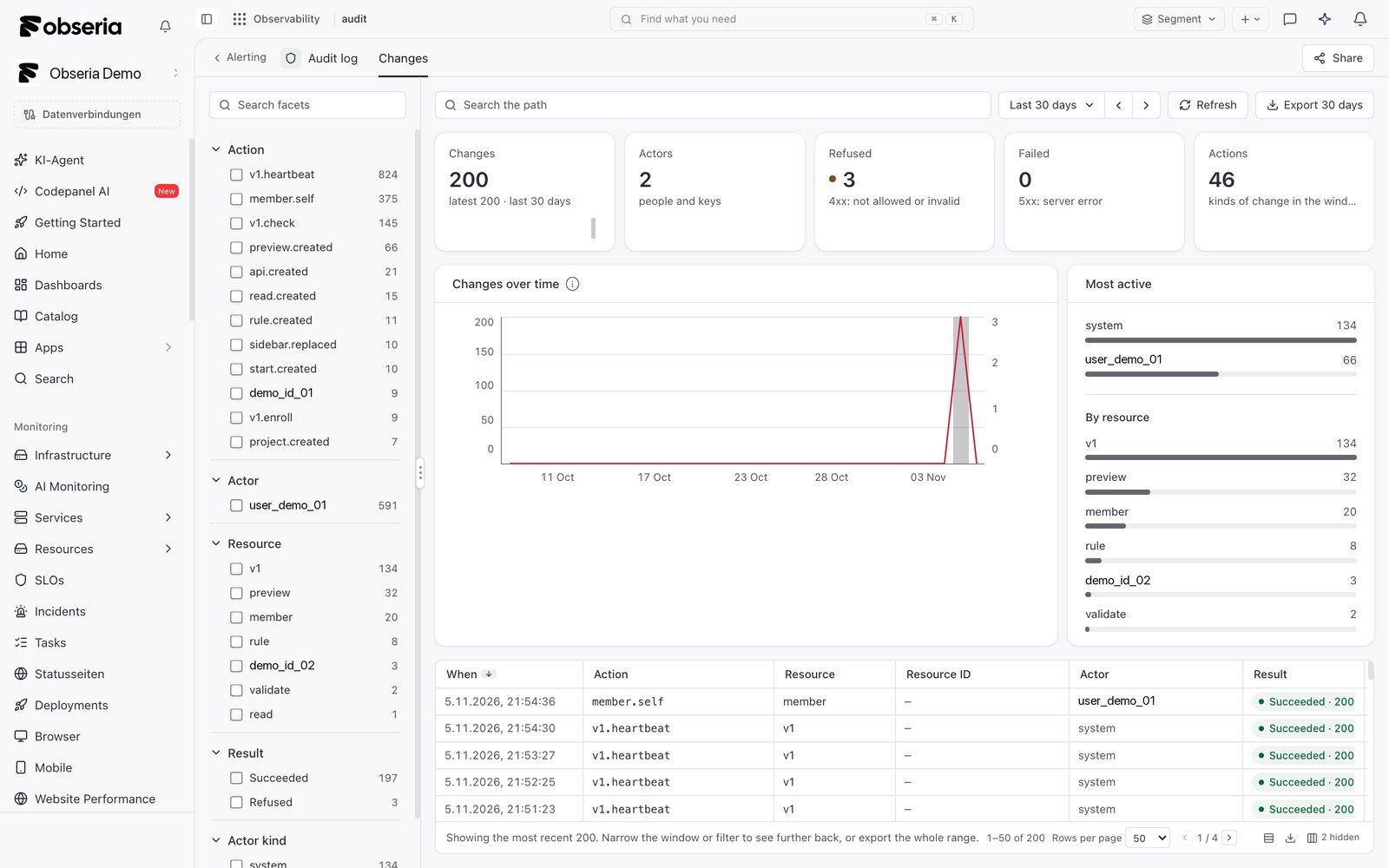
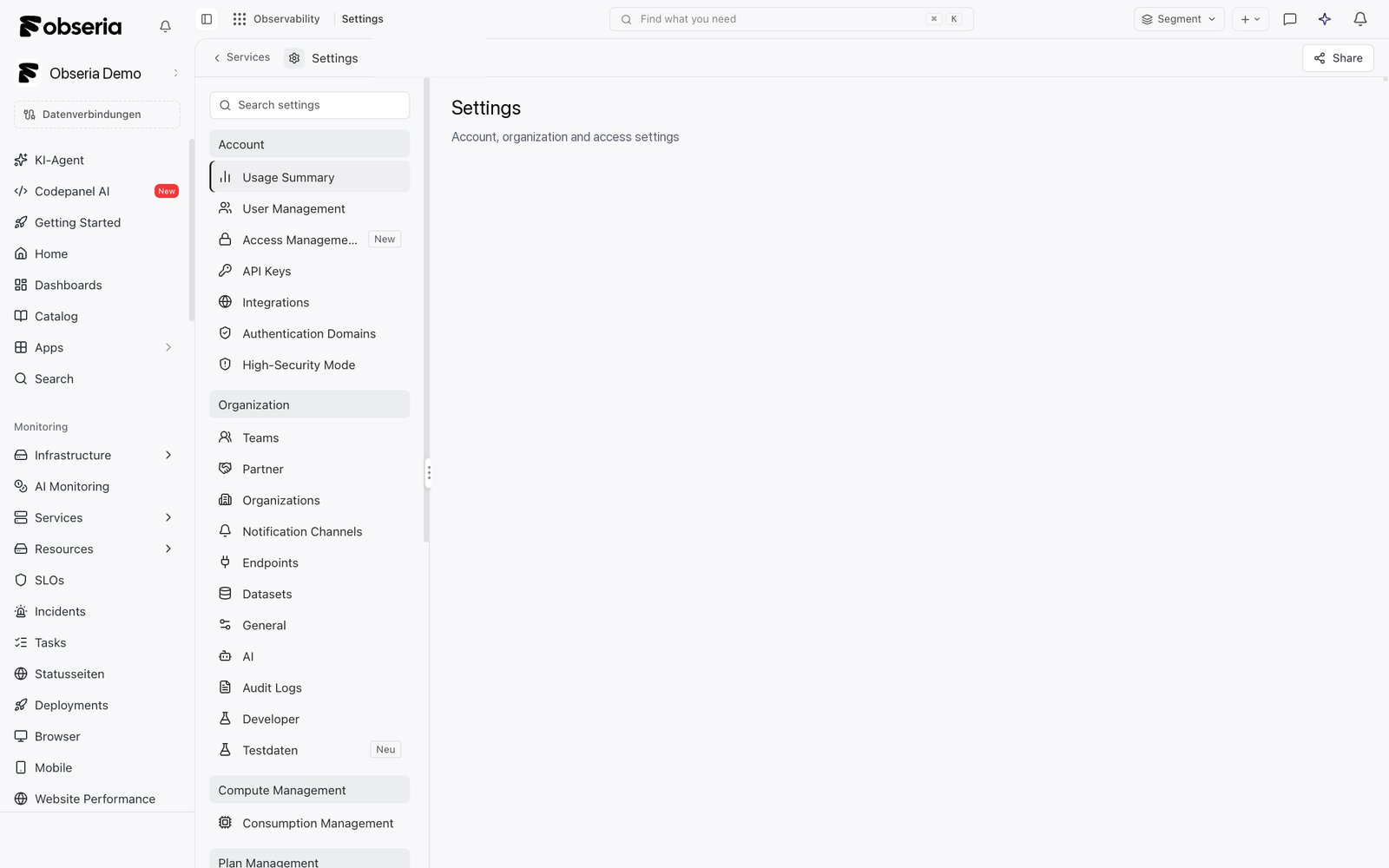
Account and organisation settings in Obseria: user management, access management, integrations, notification channels and audit logs. Shadow IT runs in the same organisation and uses the same users and channels.
Contracts with price, billing cycle, seats, term and notice period, read from a PDF with AI and checked by you, plus reminders before every notice deadline.
Learn more →Templates with steps such as assign licence, revoke access, transfer ownership, task, approval and notify, started by hand or automatically when the directory adds or suspends a user.
Learn more →Connect Google Workspace or Microsoft 365, roll out the Obseria Guard browser extension and import a spend CSV. Telemetry from your services is scanned as well.
Every discovered app lands in the inventory. Approve, restrict or reject it, set an owner and the department, and add tools discovery cannot see by hand.
The risk score shows apps with wide OAuth permissions, former employees with access and unreviewed AI tools. Record DPA, data location and certificates per vendor.
Upload contracts and let AI read price, term and notice period, check renewals, compare seats with real use and act on savings findings.
Handle software requests through an approval chain, run onboarding and offboarding workflows and recertify access with access reviews.
Connected to Google Workspace or Microsoft 365, Obseria reads which apps employees signed into with their work account, which OAuth permissions they granted, the directory with suspended users and, for Microsoft, the licence SKUs bought and assigned. Access is read-only.
The Obseria Guard browser extension checks every URL anyway. When a domain belongs to a known SaaS app in the catalog, the visit is recorded as a sighting with the email of the device user, at most once per device, app and hour. This is the only source that knows who actively uses an app, so active users, licence use and recycling depend on it.
Telemetry matches outgoing calls of your own services by host, for example a service calling a payment API. Spend imports read bank, card or accounting CSV files in the browser and, by default, keep only bookings that match a software vendor. Manual entries and approved requests cover the rest.
Only visits to apps in the catalog are stored, never general browsing: the app, the user's email, first and last time seen and a visit counter. No full URLs, page titles or content.
Every app gets a risk score from 0 to 100, capped at 100: 60 or more is high, 30 to 59 medium, below 30 low. Points come only from facts Obseria knows: high-risk OAuth permissions such as full mailbox or all of Drive, the number of people who granted access, an unreviewed or rejected-but-used status, a missing owner or contract, suspended or former employees who still have a grant, phishing reports for the app's domain, and whether it is an AI tool, file storage or a vendor outside the catalog. Each point is shown with its reason. A separate view lists the AI tools in use.
For vendor compliance you record per app whether it processes personal data and which categories, the DPA under Art. 28 GDPR, data location and transfer basis, certificates with issue and expiry dates, and review dates. Obseria derives the gaps, never fills anything in itself, and generates an audit report as PDF for privacy officers, ISO 27001 audits and procurement.
Selected Shadow IT signals, such as a new wide permission for an unreviewed app or a suspended user who still has access, also appear as detections in Obseria Security Enterprise.
Contracts hold plan, billing cycle, amount, currency, seats, start and end date, notice period, auto-renewal and owner. Upload a contract, order form or invoice as PDF and AI reads vendor, price, term and notice period; each value comes with the text passage it is based on, and you check everything before it is saved. The document itself is not stored.
Renewals show active contracts by the month they end with their notice deadline, coloured by urgency, and export the deadlines as .ics calendar events with a reminder 14 days before. Reminders also go to the notification channels you choose, by default 60, 30 and 7 days ahead.
Licences compare seats bought with people active in the last 30 days and list licences assigned per person. Per app you can switch on licence recycling: after a set number of idle days the person is warned, and if the app stays unused the assignment ends and the app owner gets a task to remove the seat at the vendor.
Spend shows imported software spend by month and category. Savings lists duplicate tools, unused seats, paid but unused apps, rejected apps still being paid and notice deadlines worth acting on. Amounts come only from recorded contracts and imported spend; nothing is estimated.
Software requests collect purpose, number of users, estimated cost, whether personal data is involved, alternatives checked and data location. Your organisation decides who approves and when: manager, IT, privacy, procurement, security or a custom step, always or only for personal data, cost above a limit, new vendors or AI tools. A rejected step ends the request; an approved request adds the app as approved with the requester as user.
People lists everyone the directory, discovery or the inventory knows, with assigned licences and detected use. Workflows are templates for onboarding, offboarding and changes with the steps assign licence, revoke access, transfer ownership, task, approval and notify. Started for a person, “revoke access to all apps” becomes one task per app that person really has. Onboarding and offboarding can start automatically when a user appears in or is suspended in Google Workspace or Microsoft 365.
Access reviews are campaigns over all apps, one app, a department or high-risk apps. The manager, the app owner or a fixed person decides per row whether to keep or revoke, with last use, licence, permissions and suspension status as evidence. Decisions carry name and date and can be exported as CSV.
 Slack
 Microsoft Teams
 Google Chat
 Discord
Shadow IT is software and cloud services that people use for work without IT knowing about it or having approved it. Ten years ago that meant a private Dropbox or an unregistered server under a desk. Today it is mostly SaaS: a project tool signed up for with a work email, a design app paid for on a company card, an AI assistant that someone connected to their mailbox with one click on “Sign in with Google”.
Shadow IT is rarely malicious. People want to get their work done, and buying a tool is faster than waiting for a procurement process. The problem is what nobody can see: which company data sits with which vendor, who still has access after leaving, which contracts renew automatically, and how many tools do the same job. A full introduction to the topic is in our guide Shadow IT: how to discover and manage it.
No single source sees all software. Good SaaS discovery combines several, each with its own blind spots:
Privacy matters here. A discovery tool should store only what it needs: that a known app was used, by whom and when, not full URLs or page content.
Generic “vendor security ratings” promise a lot, but there is no reliable public source for them. The risks you can measure come from facts about your own company:
A large share of new shadow IT today is shadow AI: chat assistants, writing and transcription tools or coding helpers that people try out on their own. They are useful, but text, files and meeting recordings that go into them are company data. Keep a separate list of AI tools in use with the number of users, check which ones were granted access to mailboxes or files, and route requests for new AI tools to security or privacy before they spread.
Finding shadow IT is the first step. SaaS management is what comes after: deciding about each app, assigning an owner, recording contracts and keeping the inventory current. A simple status model is enough for most companies: discovered, in review, approved, restricted (allowed for some teams or uses only), rejected and retired. Every app should have an owner who answers renewal, access and compliance questions.
Make the approved path easy. A short software request form, with the questions privacy and procurement need answered up front, turns shadow IT into managed IT. Route requests by rule: privacy checks only when personal data is involved, procurement only above a cost limit, security for new vendors or AI tools.
License management compares what you pay for with what is used. The number of seats comes from contracts; actual use comes from discovery, ideally from the browser or sign-in data of the last 30 days. Unused seats are the most common saving. A fair way to reclaim them is licence recycling: after a set number of idle days the person gets a warning, and if the app stays unused the seat is released. Anyone who starts using the app again keeps it.
Software spend is rarely in one place. Some tools are on invoices, some on company cards, some bundled in larger contracts. Importing bank or card exports and matching bookings to software vendors gives one view of what you pay per month and category. Typical savings findings are:
Only count savings that are backed by a recorded contract or a real booking. An estimate without a known price is a guess.
Most SaaS contracts renew automatically. The date that matters is not the end of the term but the notice deadline, the last day to cancel or renegotiate. Record term, price, seats and notice period for every contract, and get reminders well before each deadline, for example 60, 30 and 7 days ahead. Exporting deadlines to a shared calendar helps procurement and owners plan.
Every vendor that processes personal data on your behalf needs a data processing agreement under Art. 28 GDPR. If data is stored outside the EU/EEA, the transfer needs a legal basis under Art. 44 ff. GDPR, such as an adequacy decision, the EU-US Data Privacy Framework or standard contractual clauses. Keep per vendor: whether personal data is processed, which categories, the DPA, the data location, the transfer basis, certificates such as ISO 27001 with their expiry dates, and the date of the next review. An audit report generated from these records saves days before an ISO 27001 or privacy audit.
When someone leaves, their access to SaaS apps often outlives their laptop. An offboarding workflow lists every app the person used, revokes access app by app, and hands over ownership of the apps they were responsible for. Onboarding works the other way round: assign the licences a new starter needs.
Access reviews check regularly whether people still need what they have. A reviewer, usually the manager or the app owner, decides per person and app, with evidence such as last use and granted permissions. The dated, named decisions are the proof that ISO 27001 (control A.5.18) and SOC 2 ask for.
What Obseria does not do: it does not block apps, and it writes nothing at your vendors or in your identity provider. Revoking access ends the assignment in Obseria and creates a task for the app owner, who removes the seat at the vendor. Obseria is not a CASB and does not inspect network traffic.
A product for discovering the software your company uses and managing it: inventory, risk score, vendor compliance, contracts, renewals, licences, spend, savings, software requests, onboarding and offboarding workflows and access reviews. It runs in the same Obseria app as Observability and Enterprise Security.
From six sources: sign-ins and OAuth grants in Google Workspace and Microsoft 365, the Obseria Guard browser extension, outgoing calls of your own services in your telemetry, CSV imports of bank, card or accounting data, manual entries and approved software requests. Each source sees a different part of your software; the guided setup in the app shows which ones are connected.
No. Only visits to known SaaS apps in the catalog are stored, at most once per device, app and hour, with the app, the user's email, first and last time seen and a visit counter. Other websites are checked by Obseria Guard for phishing and then discarded. No full URLs, page titles or content are kept.
No. Obseria does not block apps, and its connection to Google Workspace and Microsoft 365 is read-only. Revoking access in an offboarding workflow, an access review or licence recycling ends the assignment in Obseria and creates a task for the app owner, who removes the seat at the vendor.
Points for facts Obseria knows, capped at 100: OAuth permissions and how many people granted them, review status, missing owner or contract, suspended or former employees with access, phishing reports for the app's domain, and whether the app is an AI tool, file storage or unknown to the catalog. 60 or more is high, 30 to 59 medium. There is deliberately no vendor security rating, because no reliable source exists for one.
Yes, for reading uploaded contracts, order forms and invoices. The text is extracted in your browser and sent once to the AI service, which returns vendor, plan, price, billing cycle, seats, term and notice period with the passage each value is based on. You check every value before saving; the document itself is not stored.
It helps with the documentation. You record per vendor the DPA, data location, transfer basis and certificates, and Obseria shows gaps and generates an audit report as PDF. Access reviews give dated, named decisions as evidence for ISO 27001 control A.5.18 and SOC 2. Obseria does not certify your compliance and holds no certifications itself.
No. A cloud access security broker sits in the network path and can enforce policies on traffic. Obseria does not inspect or control network traffic; it discovers software from identity, browser, telemetry and spend data and helps you manage it.
Shadow IT signals such as former employees with access appear as detections.
→The browser extension that also feeds SaaS discovery.
→Automate business processes with triggers and approvals.
→All business data in one place: tables, syncs and SQL.
→How Obseria supports your GDPR documentation.
→How to discover and manage shadow IT, step by step.
→In 30 minutes we show you how Obseria works in your environment and answer your questions on setup, privacy and pricing.
