
Connections to your business software
A connector catalog for CRM, ERP, accounting, shop, HR, support and productivity tools, plus any REST API, PostgreSQL, MySQL and IMAP. Credentials are stored encrypted and can be tested.
We use essential functions to operate this website. With your consent, we would also use services for statistics and marketing. You decide which categories you allow and can change your choice at any time via “Cookie settings” in the footer. More in our privacy notice.
Obseria Consent Management · Your choice is stored for 12 months
A connector catalog for CRM, ERP, accounting, shop, HR, support and productivity tools, plus any REST API, PostgreSQL, MySQL and IMAP. Credentials are stored encrypted, tested on save and limited to the endpoints a workflow needs.
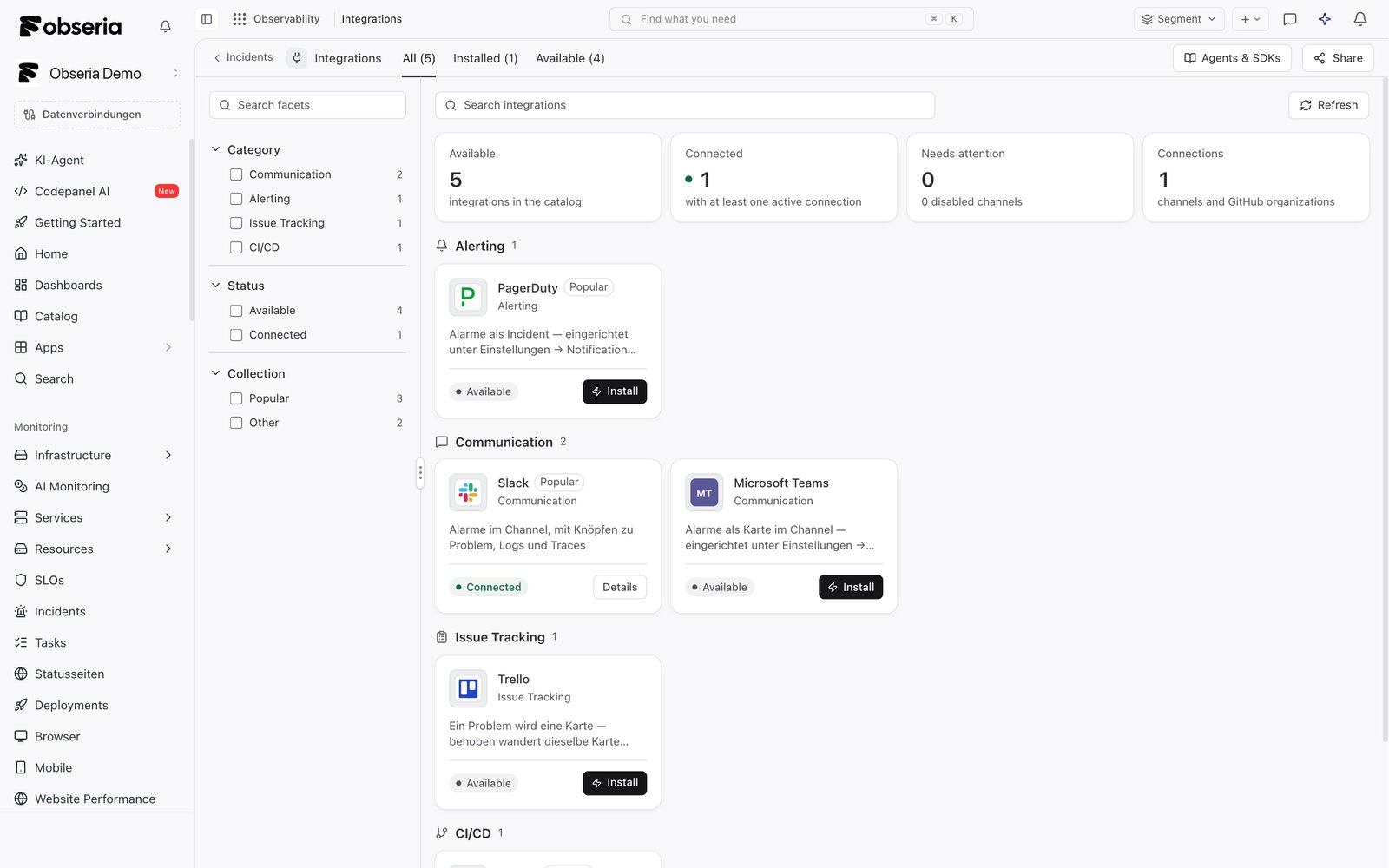
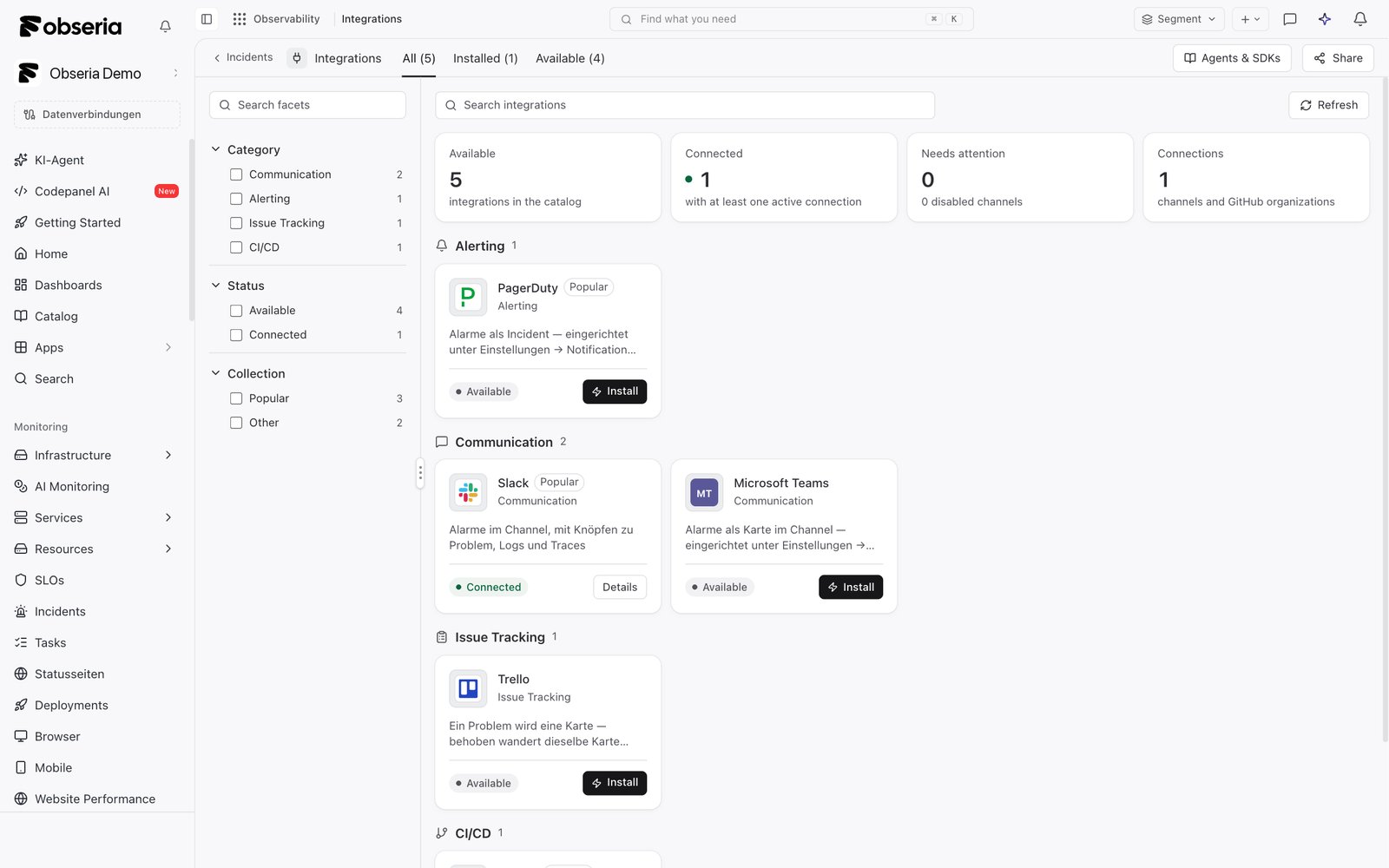
This catalog lists integrations such as PagerDuty, Slack, Microsoft Teams and Trello by category, with available, connected and needs-attention counts. The Workflow connector catalog follows the same pattern for business software.
The integrations page shows Slack, Microsoft Teams, PagerDuty and Trello with their connection status. Workflow steps post messages through such notification channels.
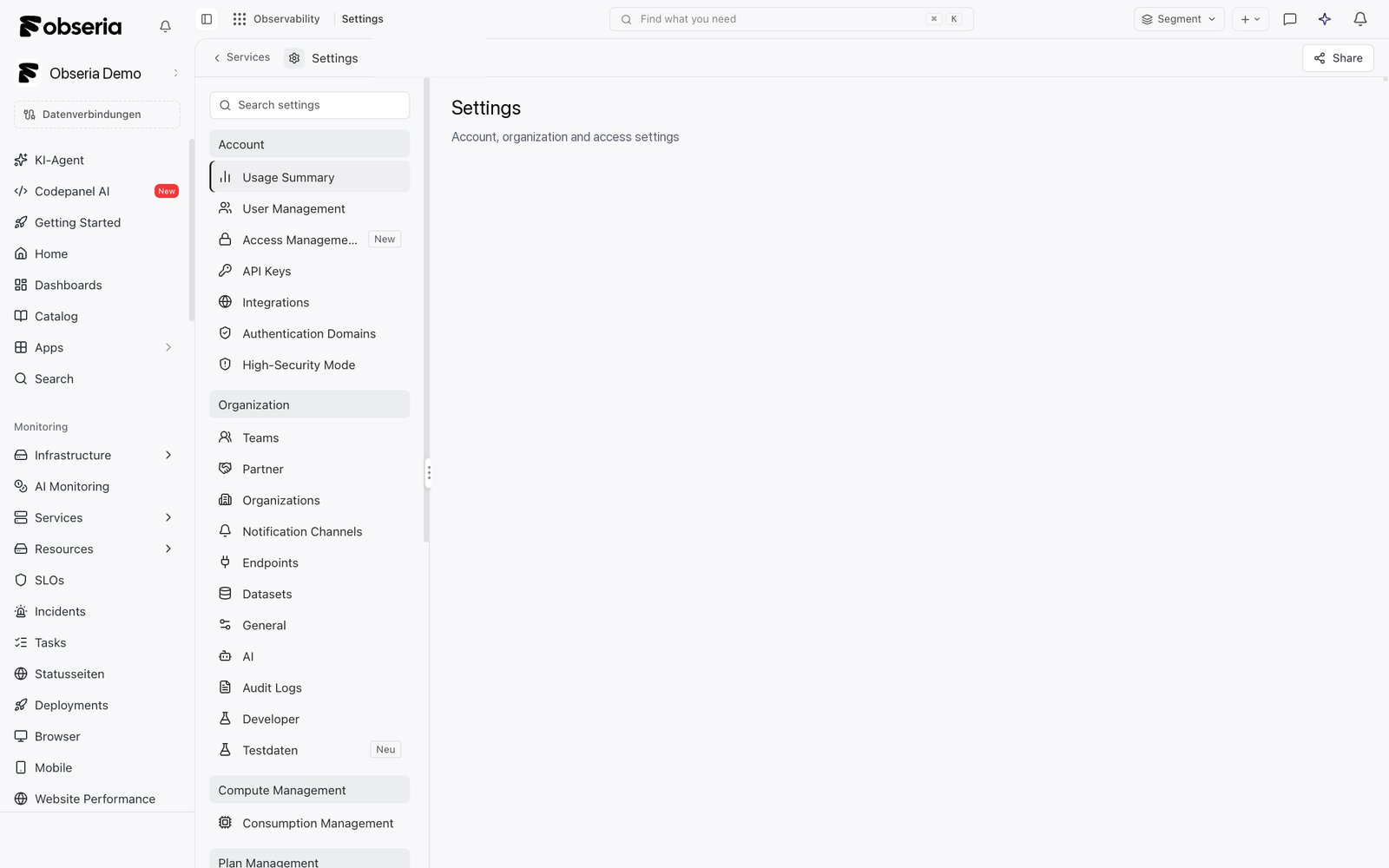
Organisation settings hold users, teams, API keys, integrations and notification channels. Workflow connections are kept separately in the Workflow area, encrypted.
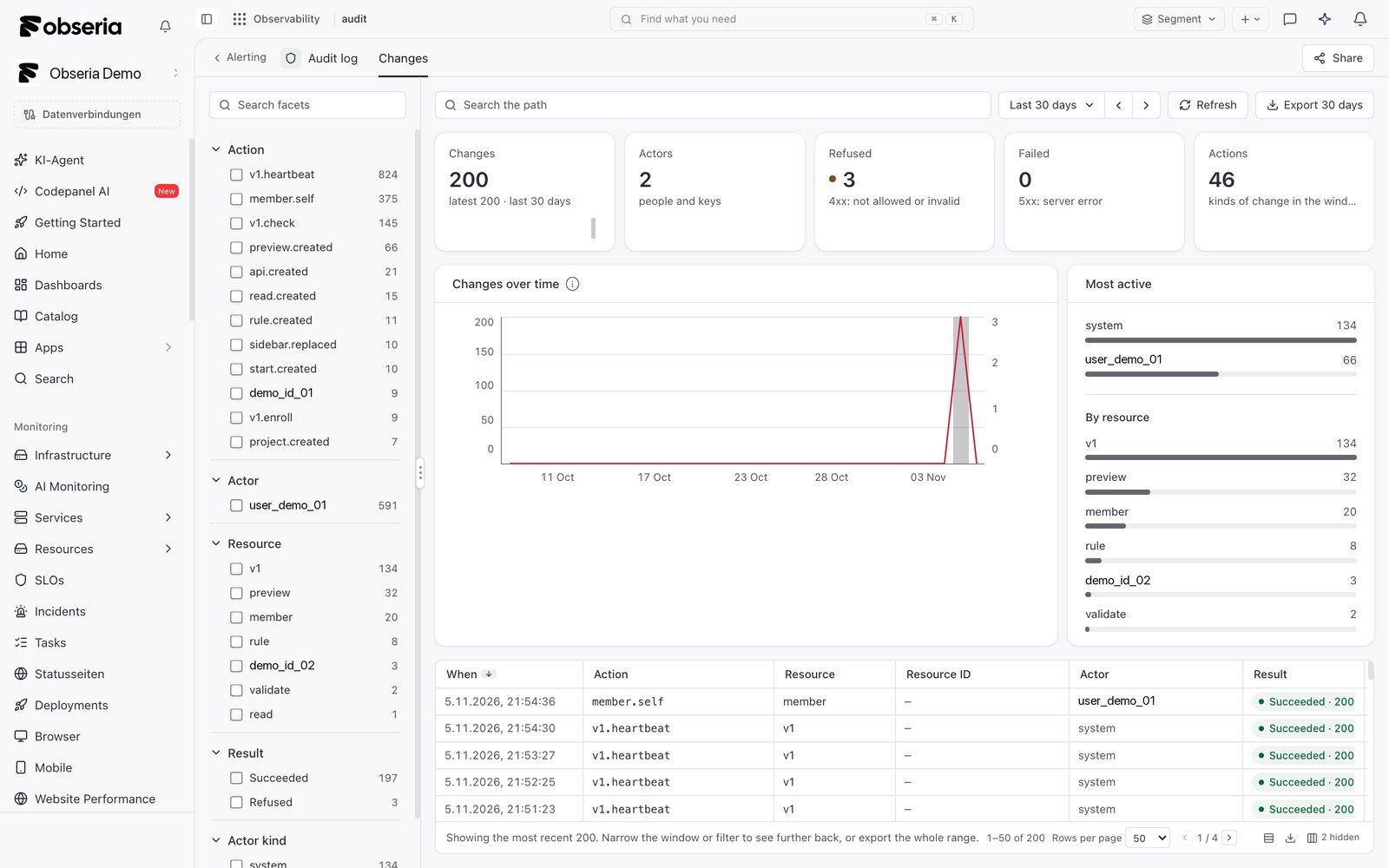
The audit log records changes with actor, action, resource and result, including refused requests, over a chosen period that can be exported.
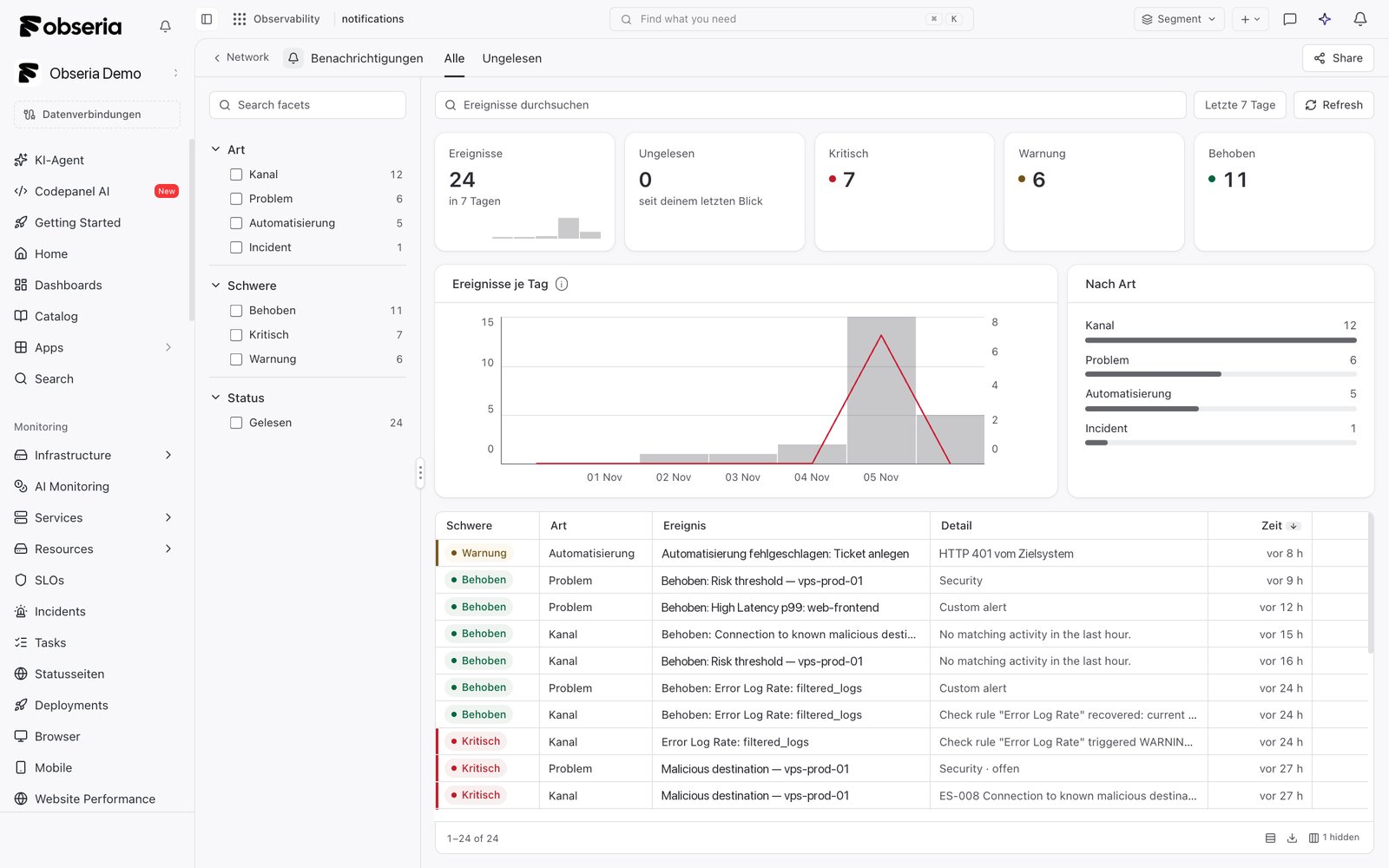
The notification centre lists events by type and severity, including a failed automation step with the error returned by the target system.
A connector catalog for CRM, ERP, accounting, shop, HR, support and productivity tools, plus any REST API, PostgreSQL, MySQL and IMAP. Credentials are stored encrypted and can be tested.
Parse CSV and Excel, read text from PDFs, group and sum rows, remove duplicates, detect changes since the last run, create CSV, Excel or PDF files and keep rows in Data tables.
Learn more →
A workflow starts by hand, from a webhook, on a cron schedule, on an Obseria event, from a public form or with every new e-mail in an IMAP mailbox.
Learn more →
An approval step pauses the run, e-mails the approvers a link and can also post to a channel. They approve or reject with a note in the Workflow inbox; an optional timeout rejects automatically.
Learn more →Choose the shop system from the connector catalog; the base URL and the authentication are already known.
Paste the API key created in the shop system. It is encrypted on the server and never shown again.
The test button calls a harmless read endpoint and tells you whether the credentials work.
Restrict the connection to the endpoints the process needs, for example reading and creating orders.




In an HTTP step, pick the connection and the endpoint; method, path and an example body are filled in.
A new connection does not start with an empty form but with a catalog of business software, grouped by category: productivity, project management, development, CRM and sales, support, marketing, e-commerce, payments and finance, ERP, HR, mail, databases, communication, AI, analytics and cloud.
Examples are Microsoft 365, Google Workspace, Slack, HubSpot, Salesforce, Pipedrive, Shopify, Shopware, WooCommerce, Stripe, PayPal, lexoffice, sevDesk, DATEV, Xero, Xentral, weclapp, SAP S/4HANA, Odoo, Personio, Zendesk and Jira. Each connector knows its base URL, its authentication and where in the provider's console the key is created.
Services that use OAuth are connected with an access token today; a guided sign-in is not available yet. The AI assistant in the builder can also open the form for a connector when you mention a system.
For systems that are not in the catalog, generic connections cover the common authentication methods: bearer token, basic authentication, a custom header such as X-API-Key, or a query parameter. A base URL lets steps use short relative paths.
Database connections reach PostgreSQL, MySQL and MariaDB, for example the database of an ERP or a shop, with optional SSL. The host must be reachable from the internet. The database query step reads and writes with parameters instead of values pasted into the SQL.
Mailbox connections use IMAP, for example Outlook and Exchange or Gmail; where two-factor authentication is on, an app password is used.
Credentials are stored centrally, encrypted on the server and never returned; the connection list only shows a masked hint, for example the first and last characters of a token or the database user and host. Workflows refer to a connection by name and never contain the secret.
A test call right after saving checks whether the credentials work. When a later call is refused with 401 or 403, the error explains that the connection may lack permission and, for common systems, which scope to check.
Values used across many workflows, such as an API host, can be kept as variables and marked as secret.
For catalog connectors, the HTTP step offers ready-made endpoints with method, path, path parameters and an example body, such as listing orders or creating a contact. A connection can be restricted to selected endpoints, optionally plus custom paths; runs that call anything else are refused.
The HTTP request step calls any API with GET, POST, PUT, PATCH or DELETE, headers, query parameters, a JSON or text body and file uploads, with a timeout and a choice whether 4xx and 5xx responses count as errors. Fetch all pages follows the pagination of a list endpoint until everything is loaded and waits when the API answers with 429.
Per step, retries and the behaviour on error can be set.
Slack Microsoft TeamsJira
 GitHub
 PagerDuty
 monday.comShopware 6PostgreSQL
 MySQL / MariaDB
 Cloudflare
 Grafana
 OpenAI
 Anthropic
 Mistral AI
An automated process is only useful when it reaches the systems where the work happens: the CRM, the ERP, the shop, accounting, the HR tool, the ticket system. Workflow connectors are the bridges to those systems. A connector knows where a system's API lives, how it expects to be authenticated and which operations it offers, so a workflow step can create a customer, read an order or post a message without anyone studying the API documentation first.
Most modern business software offers a REST API: a set of URLs that accept HTTP requests and return data, usually as JSON. Three things are needed to use one:
GET /orders to list orders or POST /contacts to create a contact, with the right parameters and body.A good connector fills in the first two once, centrally, so every workflow only picks the operation.
Systems authenticate in different ways. Many use a bearer token or an API key in a header; some use basic authentication with a user and a password or key; a few expect the key as a query parameter. Services such as Microsoft 365, Google Workspace, HubSpot or Salesforce use OAuth, where an app is registered with the provider and receives an access token. Whatever the method, the rule is the same: create a dedicated key for the integration with only the permissions it needs, never reuse a personal password, and store the key where it is encrypted and cannot be read back.
Typical ERP integration and CRM integration tasks in business processes are surprisingly similar: look up a record, create a record, update a status, list everything that changed. Shop systems add orders and customers, accounting systems add invoices and payments, HR systems add employees and absences. When a system offers no suitable API, its database is often the pragmatic route: read orders from the shop database or write a status into the ERP with SQL, carefully and with a dedicated database user.
An automated process runs without anyone watching. If its credentials could do anything, a misconfigured step could do anything too. Least privilege limits the damage in three layers: the key itself should only have the scopes the process needs; the connection in the workflow tool should only allow the operations the process uses; and write operations that matter should sit behind an approval step. A connection restricted to reading invoices cannot delete a customer, whatever someone puts on the canvas.
Most integration problems are credential problems: an expired token, a missing scope, a wrong base URL. A connection test that calls a harmless read endpoint right after saving catches them before the first real run. When a call fails later, the HTTP status tells you where to look: 401 means the credentials are wrong, 403 that they lack permission, 404 that the path or record does not exist, 429 that the system is rate-limiting you and 5xx that the other side has a problem.
APIs rarely return everything in one response. They split lists into pages, using page numbers, offsets or cursors, and they limit how many requests a client may send. A step that loads a full customer list therefore has to follow the pages until the end and slow down when the API answers with 429. Doing that by hand in every workflow is error-prone; a step that knows the common pagination styles is safer.
Integrations are not finished when they first work. Keys expire, providers retire API versions, people who created a token leave the company. Give every connection a clear name that says which system and which purpose it serves, note who owns the key on the provider's side, and rotate keys on a schedule. When a key changes, update it once in the central connection; every workflow that uses it picks up the new key without being edited. Test the connection after each change, and keep an eye on failed runs, because a sudden wave of 401 errors usually means a credential expired.
Limits today: services that use OAuth are connected with an access token you create with the provider, because a guided sign-in is not available yet. Databases must be reachable from the internet.
Business software from the connector catalog, for example Microsoft 365, HubSpot, Salesforce, Shopify, Shopware, Stripe, lexoffice, DATEV, SAP S/4HANA, Odoo, Personio and Zendesk, plus any REST API with token, basic, header or query authentication, PostgreSQL, MySQL and MariaDB databases and IMAP mailboxes.
Encrypted on the server. After saving, they are never shown again; the list only shows a masked hint. Workflows reference the connection, not the secret.
Yes. A catalog connection can be restricted to selected endpoints, optionally plus custom paths. Runs that call anything else are refused.
Not yet. These services are connected with an access token you create in the provider's developer console. A guided sign-in is planned.
The database must be reachable from the internet today, ideally with SSL and a dedicated user with only the rights the process needs.
Connections themselves are not billed. Workflows are billed by executed steps: $0.50 per thousand, with the first 10,000 per month included. See the pricing page.
Business process automation with approvals, connections and templates.
→CSV, Excel and PDF, aggregation, change detection and Data tables.
→Webhooks and IMAP mailboxes that start a workflow.
→A person approves before a step writes to another system.
→Syncs and tables for business data from connected systems.
→In 30 minutes we show you how Obseria works in your environment and answer your questions on setup, privacy and pricing.
