
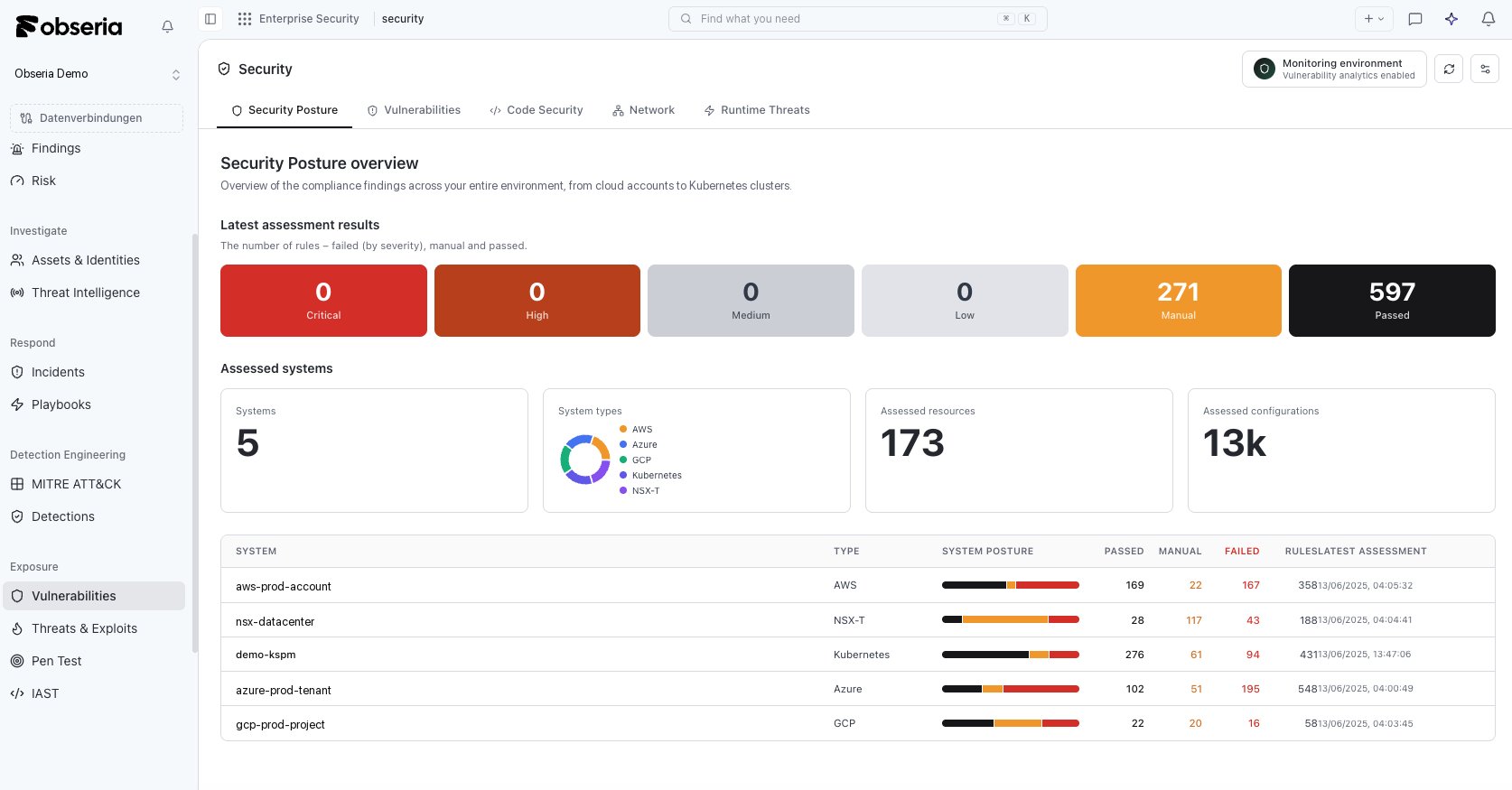
Compliance
Maps regulatory frameworks such as the GDPR as checkable controls.
We use essential functions to operate this website. With your consent, we would also use services for statistics and marketing. You decide which categories you allow and can change your choice at any time via “Cookie settings” in the footer. More in our privacy notice.
Obseria Consent Management · Your choice is stored for 12 months
Check cloud accounts and controls continuously, record who changed what, mask personal data before storage and keep data in an EU region. Obseria supports your own documentation; it does not certify anything.
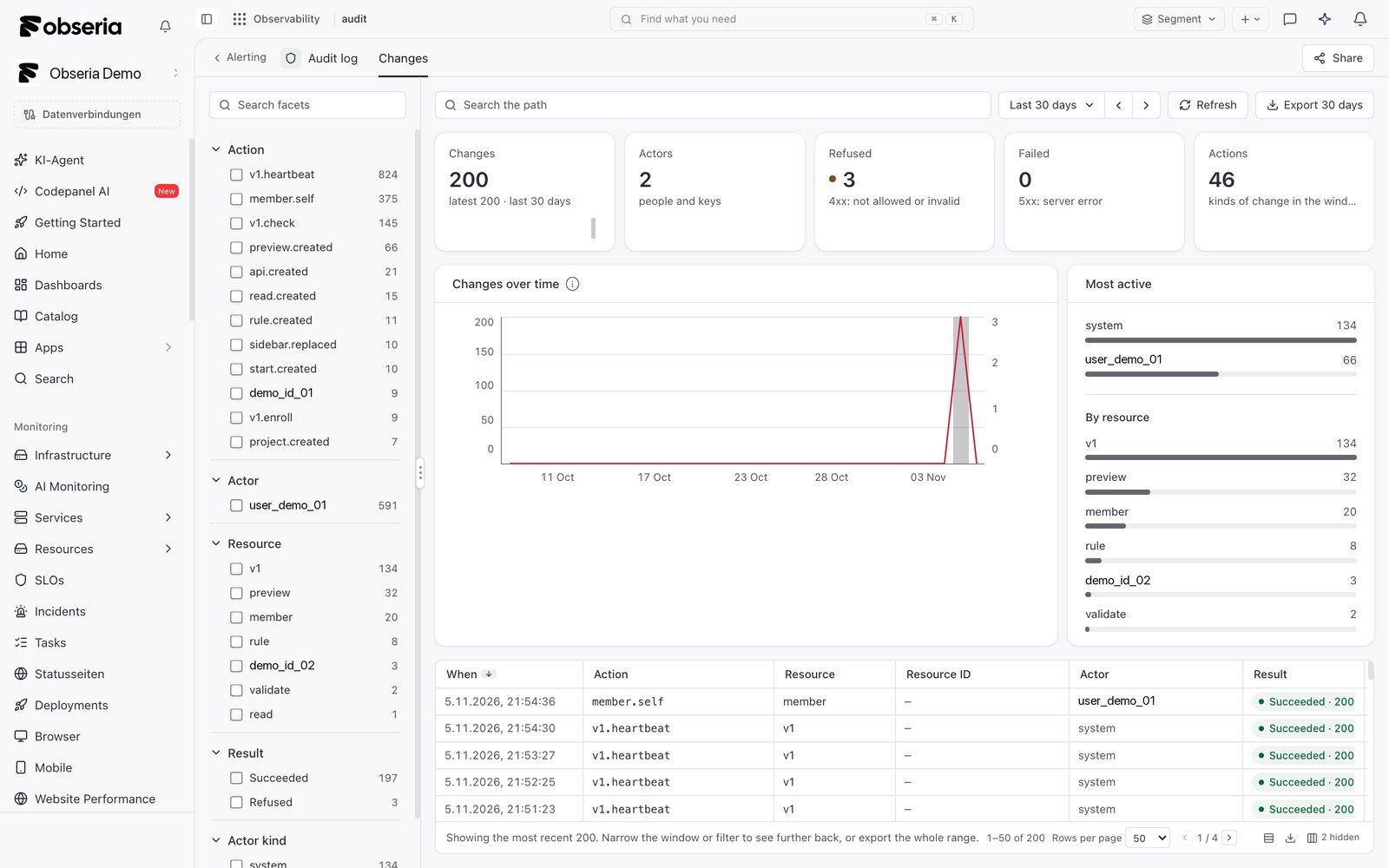
Latest assessment results by severity, the assessed systems such as AWS, Azure, Google Cloud and Kubernetes, and passed, manual and failed checks per system.
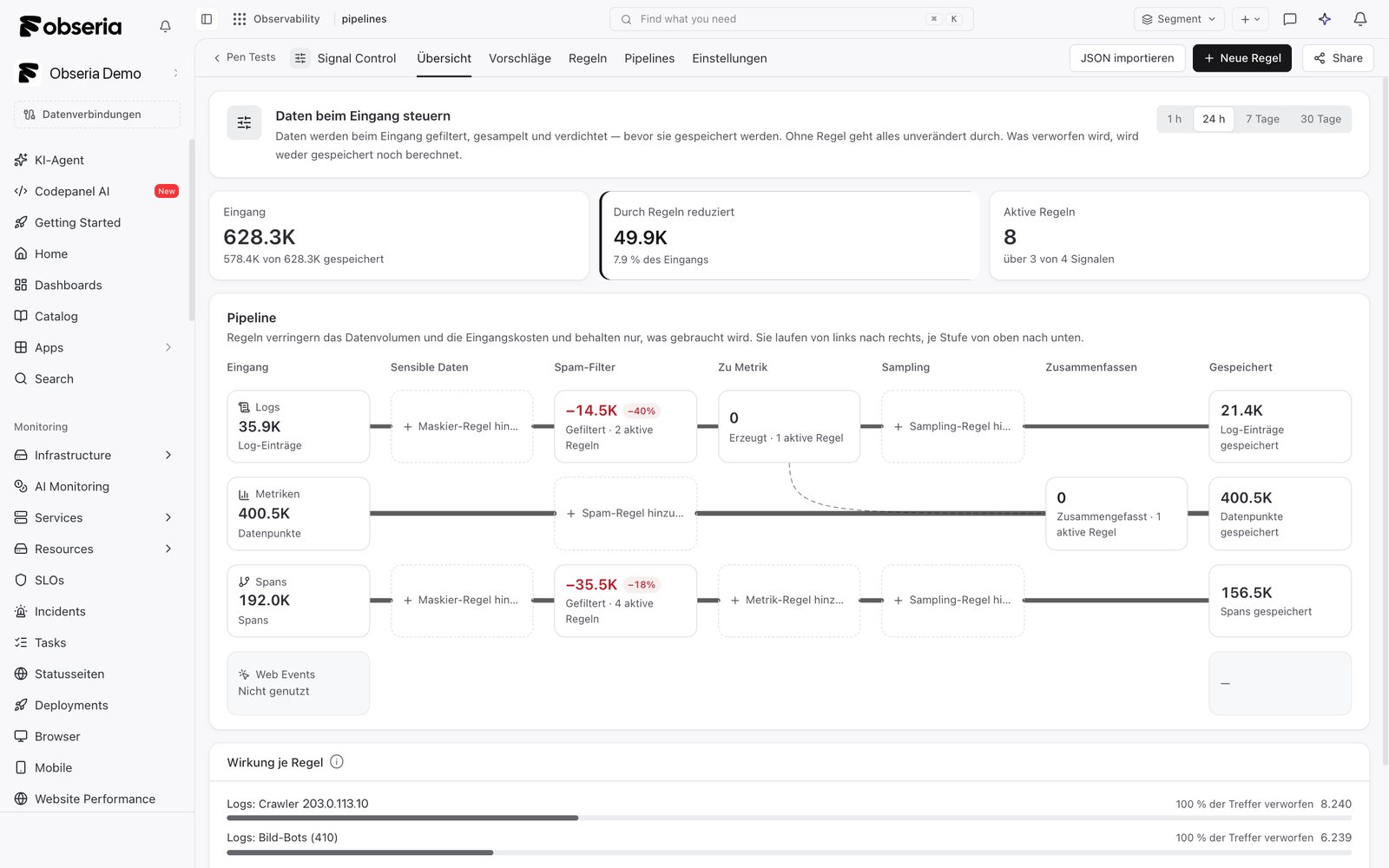
Action, actor, resource and result for every change in Obseria, including refused and failed requests, with a timeline and export.
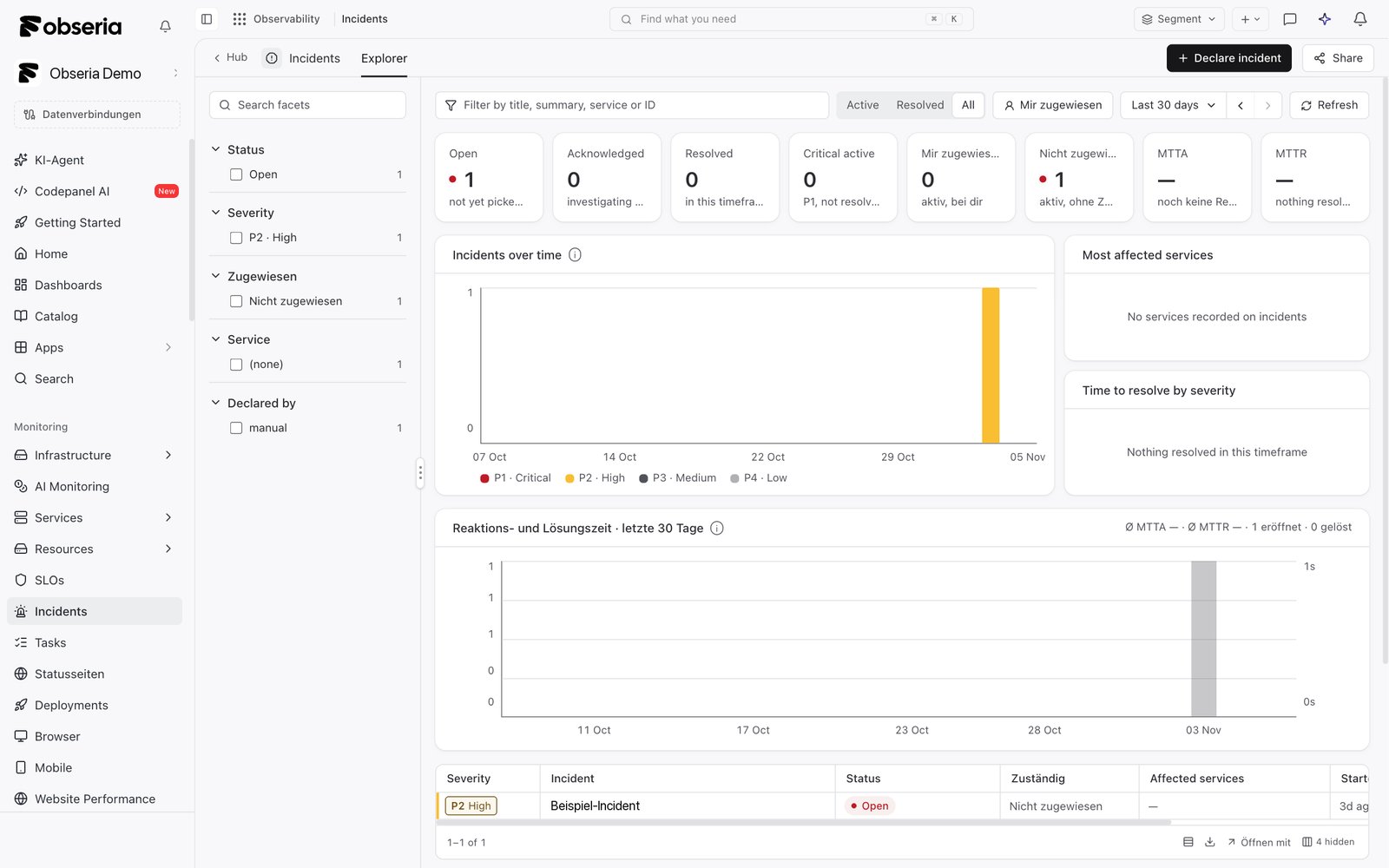
A pipeline stage for sensitive data masks emails, IBANs, card numbers, tokens, phone numbers and IPs before anything is stored.
Incidents with severity P1 to P4, status, owner and affected services, plus time to acknowledge and time to resolve for the selected period.
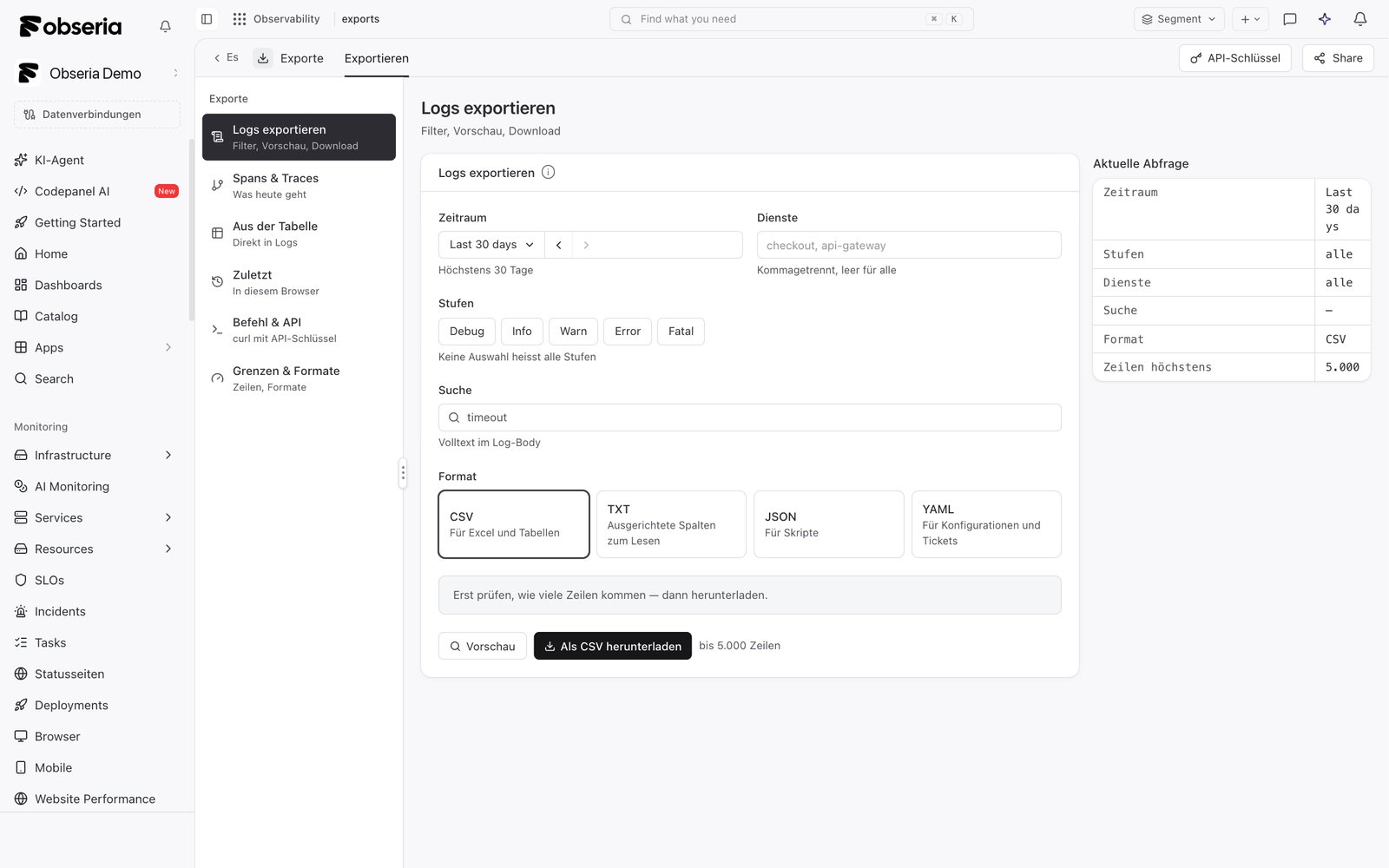
Filter by time range, services, levels and full text, preview the row count and download, or use the generated curl command with an API key.
Maps regulatory frameworks such as the GDPR as checkable controls.
Continuously checks cloud accounts against security rules and benchmarks.
Learn more →Masks email addresses, IBANs, credit cards, passwords/tokens, phone numbers and IPs in telemetry at ingest, before storage.
Learn more →Coordinates incident handling: status, owners, timeline and communication.
Learn more →Choose the data region for your organisation, with an EU region available, sign the data processing agreement and connect users via your company login.
The sensitive data scanner masks email addresses, IBANs, card numbers, tokens, phone numbers and IPs at ingest, before anything is stored.
Posture checks compare cloud accounts and clusters with security rules and benchmarks; compliance maps frameworks such as the GDPR as checkable controls.
The audit trail records who changed what and when, and incidents keep severity, status, owner and timestamps.
Export logs, results and change histories as CSV, JSON or via API and add them to your own compliance documentation.
Rules only help if you can check them. Compliance in Obseria maps regulatory frameworks such as the GDPR as checkable controls, so a requirement becomes a concrete check with a result instead of a sentence in a policy document.
Cloud security posture management checks cloud accounts against security rules and benchmarks continuously. The security posture overview shows the latest assessment results by severity, from critical to low, plus manual and passed checks. It lists the assessed systems, for example AWS accounts, Azure tenants, Google Cloud projects and Kubernetes clusters, with the number of assessed resources and configurations.
Per system you see passed, manual and failed checks and when the last assessment ran. Failed controls can be turned into tasks with an owner and due date, so they are fixed rather than only listed.
Auditors and customers often ask the same two questions: who can access the data, and who changed the configuration? Access control in Obseria covers roles and permissions, and users sign in via your company login, so access is managed where your identities already live.
The audit trail records changes in Obseria: the action, the actor, the resource and the result, including refused requests and failed ones. Facets for action, actor, resource and result narrow the list down, a chart shows changes over time and the most active actors and resources are visible at a glance.
For your documentation, the audit trail can be exported for the last 30 days, so a review can be based on the actual record rather than on a description of the process.
Telemetry often contains more personal data than intended: email addresses in error messages, IP addresses in access logs, sometimes tokens or payment data. The sensitive data scanner masks email addresses, IBANs, credit card numbers, passwords and tokens, phone numbers and IP addresses at ingest, before storage. Masked values never reach dashboards, exports or AI features.
The data region is chosen and stored per organisation, and an EU region is available. Obseria is a company based in Germany, and data is hosted in the EU.
A data processing agreement under Art. 28 GDPR is available online as a legal text, together with the list of subprocessors. That gives your data protection documentation a clear basis: what is processed, where, and under which contract.
Many policies require that incidents are documented: when they were detected, how severe they were, who handled them and when they were resolved. Incidents in Obseria have a severity from P1 to P4, a status, an owner and affected services, and the overview shows time to acknowledge and time to resolve for the selected period.
Security incidents in the Cloud SIEM add who investigates what and what was found. Together with detection rules mapped to MITRE ATT&CK, this gives a factual basis for internal and external reports.
Logs can be exported by time range, service, level and full text as CSV, TXT, JSON or YAML, or retrieved with a generated curl command and an API key. Store the exports in your own document management, where your compliance documentation lives.
 AWS
 Microsoft Azure
 Google Cloud
 Kubernetes
 OpenTelemetry
 Fluentd
 Linux
 Windows Event Log
 Slack
 Microsoft Teams
 Jira
Compliance monitoring is the continuous check of whether your systems meet the rules you have committed to: internal security policies, contractual requirements of customers or regulatory frameworks such as the GDPR. For technical teams it boils down to three recurring questions. Are our systems configured the way the rules require? Who had access to which data, and who changed what? And can we show what happened during an incident?
No tool makes an organisation compliant. Compliance depends on processes, responsibilities and your own assessment. What tools can do is provide evidence: continuous checks, records of changes and data that can be exported for a review, so that documentation is based on facts rather than on memory.
Most frameworks do not prescribe a specific tool, but many of them depend on telemetry:
This page is general information, not legal advice. Please involve your legal or compliance function for a binding assessment.
Across frameworks, the same technical building blocks come up again and again:
Continuous compliance does not have to start with every framework at once. A practical order is:
Helpful metrics are the share of passed checks per system, the number of failed controls by severity and their age, the number of manual checks still open and the time to acknowledge and resolve incidents. They make progress visible and give reviews a factual basis.
Obseria supports your own documentation with these building blocks, part of Obseria Security Enterprise and the Obseria platform:
Obseria does not hold certifications and does not make your organisation compliant with the GDPR, NIS2, DORA or any other framework. It gives you checks, records and data that your own compliance work can build on.
No. Compliance depends on your processes and your own assessment, and Obseria does not replace legal advice. Obseria supports your own documentation with checkable controls, posture checks, an audit trail, masking of personal data, an EU data region, a DPA and exportable data.
None. Obseria does not claim ISO 27001, SOC 2 or any other certification. Details on security and data protection are on the Security and Trust page.
The data region is chosen and stored per organisation, and an EU region is available. Obseria is based in Germany and data is hosted in the EU.
Yes. A data processing agreement under Art. 28 GDPR is available online as a legal text, see Data Processing (DPA), together with the list of subprocessors.
Cloud security posture management checks cloud accounts against security rules and benchmarks continuously. The overview shows assessment results by severity, assessed systems such as AWS, Azure, Google Cloud and Kubernetes, and passed, manual and failed checks per system.
The sensitive data scanner masks email addresses, IBANs, credit card numbers, passwords and tokens, phone numbers and IP addresses at ingest, before storage. Masked values are not stored.
Yes. The audit trail records action, actor, resource and result for changes in Obseria, including refused and failed requests, and can be exported for the last 30 days.
Obseria holds no certifications, does not issue compliance reports or attestations and does not file regulatory notifications for you. It does not offer immutable (WORM) archive storage; if you need a legally required archive, export the relevant data to it.
Cloud SIEM, posture checks, findings and investigations in one product.
→Security and audit logs in one place, masked at ingest and searchable.
→Detection rules across logs, metrics and spans, mapped to MITRE ATT&CK.
→Access control, SSO, EU data region and the DPA for all signals.
→Filter, mask, sample and route telemetry before it is stored.
→Incidents with severity, owner, timeline, MTTA and MTTR.
→In 30 minutes we show you how Obseria works in your environment and answer your questions on setup, privacy and pricing.
