
API
Programming interface for data, configuration and automation.
We use essential functions to operate this website. With your consent, we would also use services for statistics and marketing. You decide which categories you allow and can change your choice at any time via “Cookie settings” in the footer. More in our privacy notice.
Obseria Consent Management · Your choice is stored for 12 months
A programming interface for data, configuration and automation. Keys are managed in the app, exports run as a command, and AI assistants connect through an MCP endpoint.
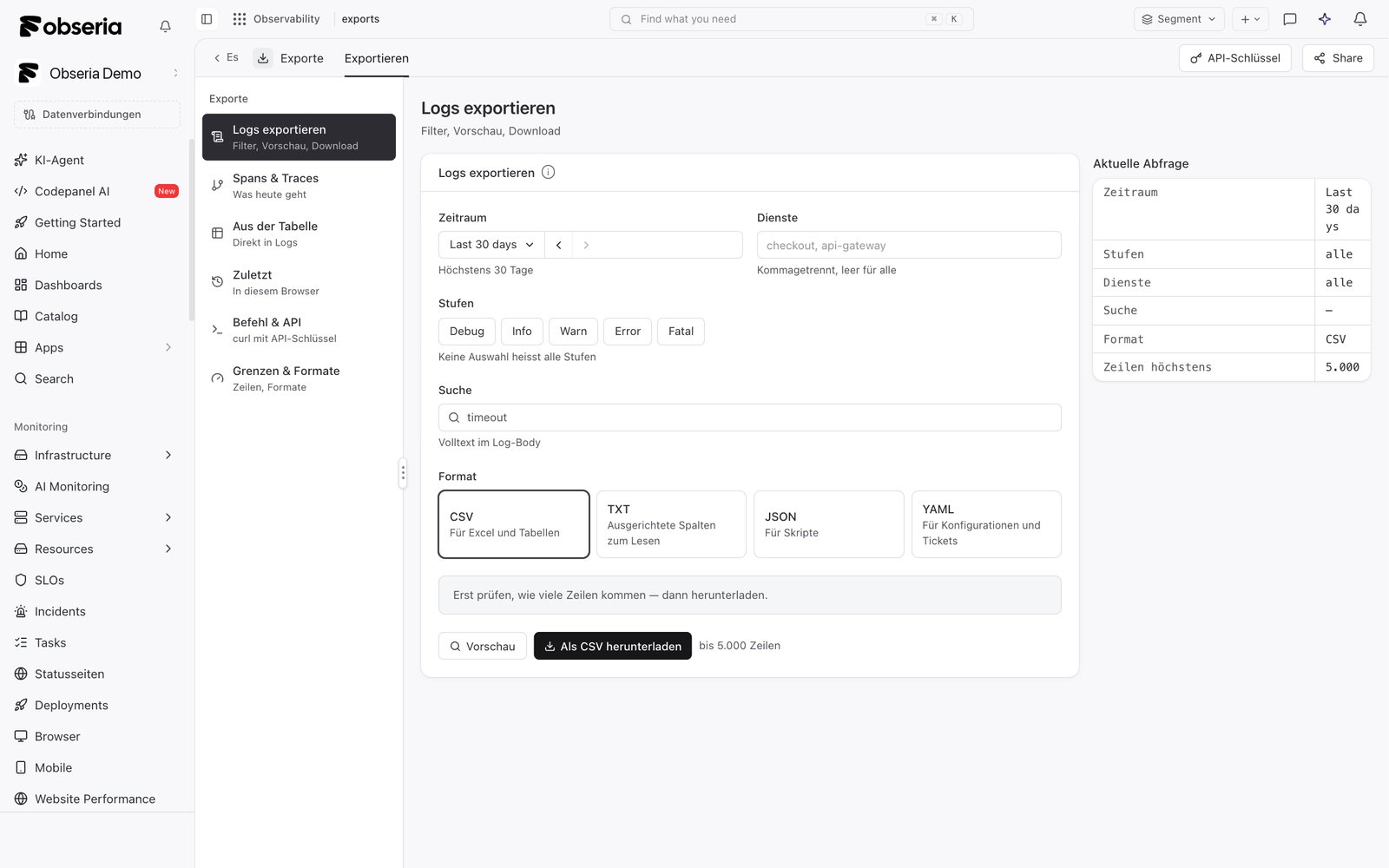
Choose a time range, services, levels and a search, check the preview and download, or run the same export as a command with curl and an API key.
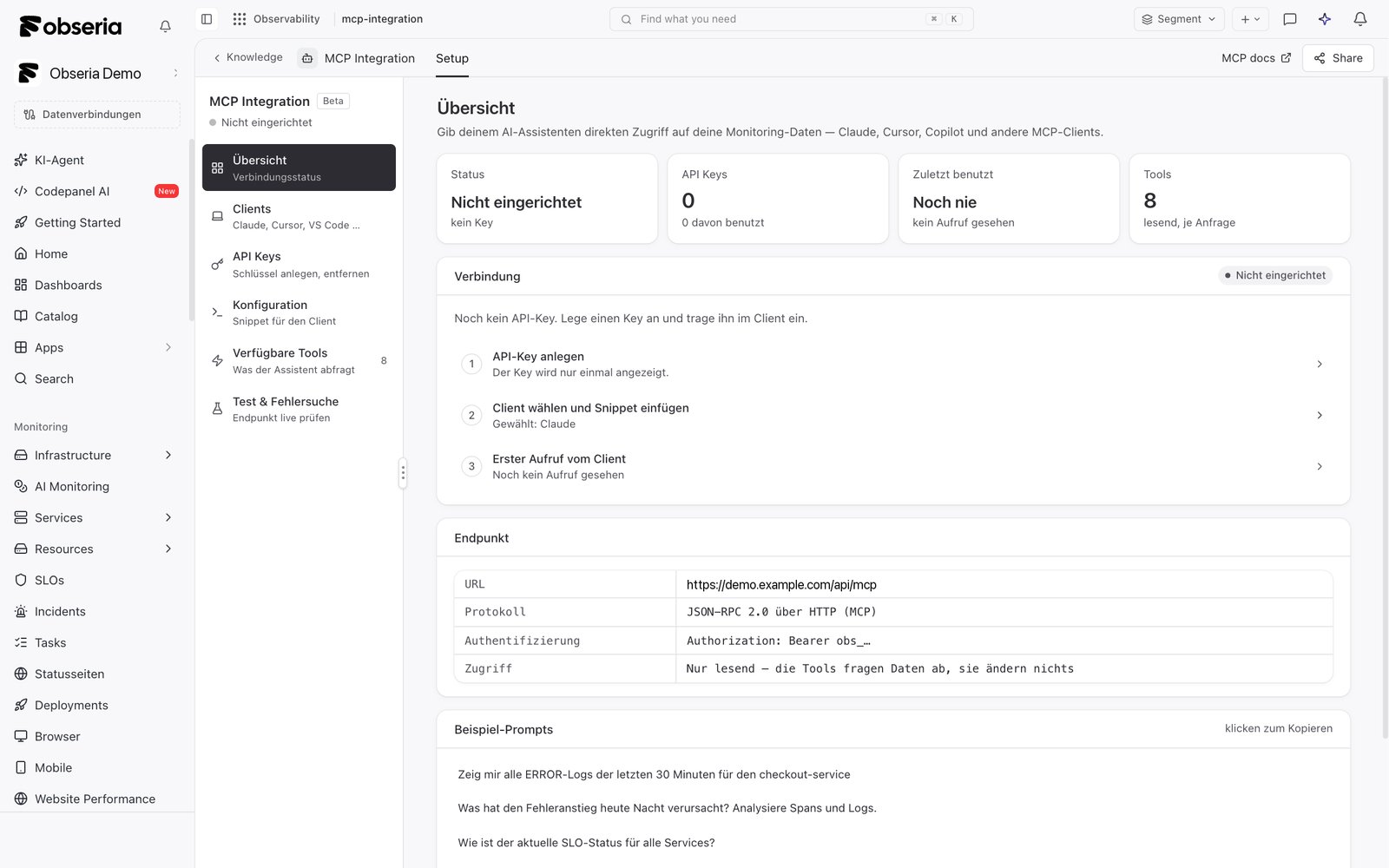
Create a key, paste the snippet into Claude, Cursor or another MCP client and watch for the first call. The endpoint uses JSON-RPC 2.0 over HTTP.
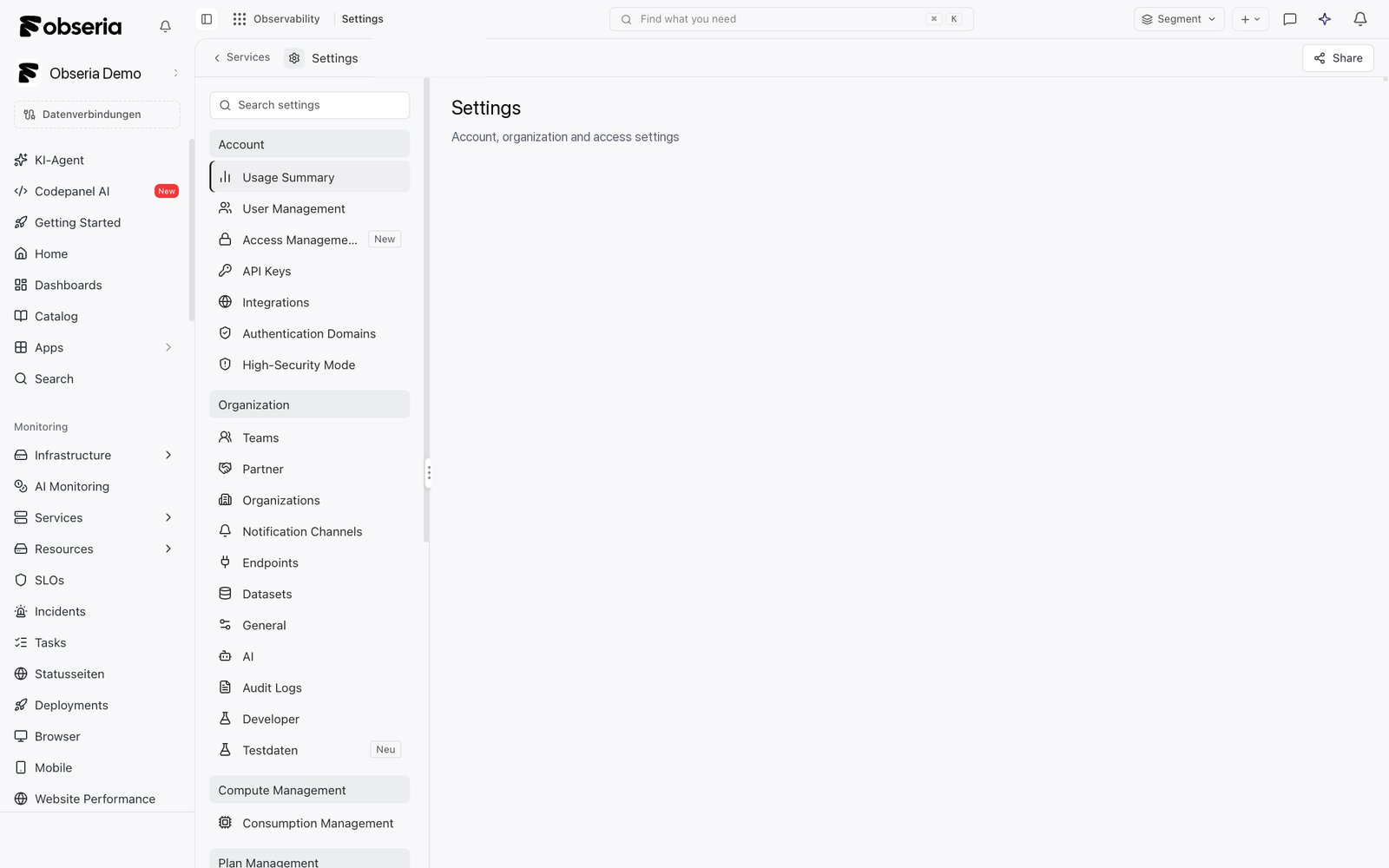
API keys live in the settings, next to user management, access management and authentication domains, so machine access follows the same rules as people.
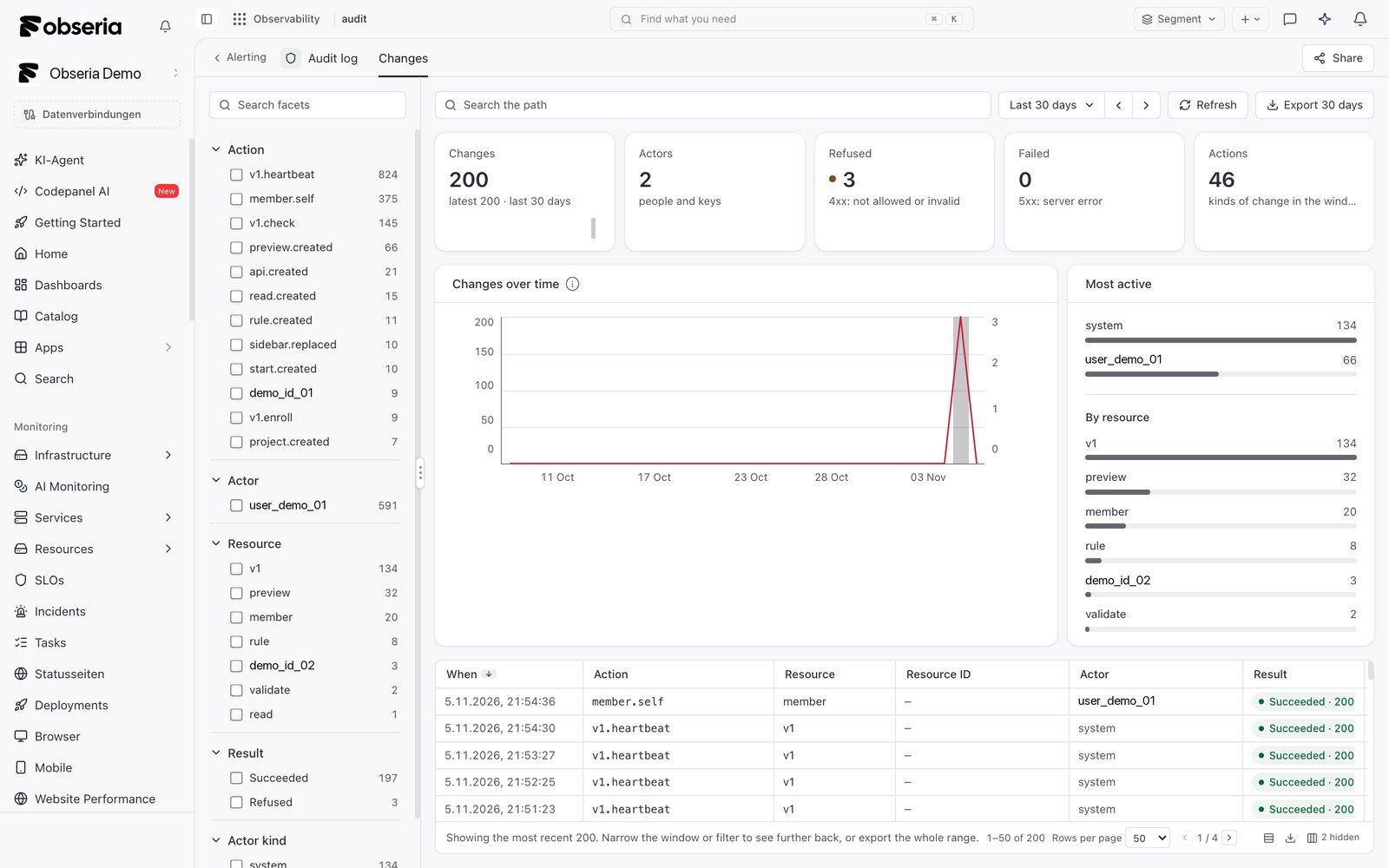
Every action is recorded with time, resource, actor and result. Refused and failed requests are counted, so a broken integration stands out.
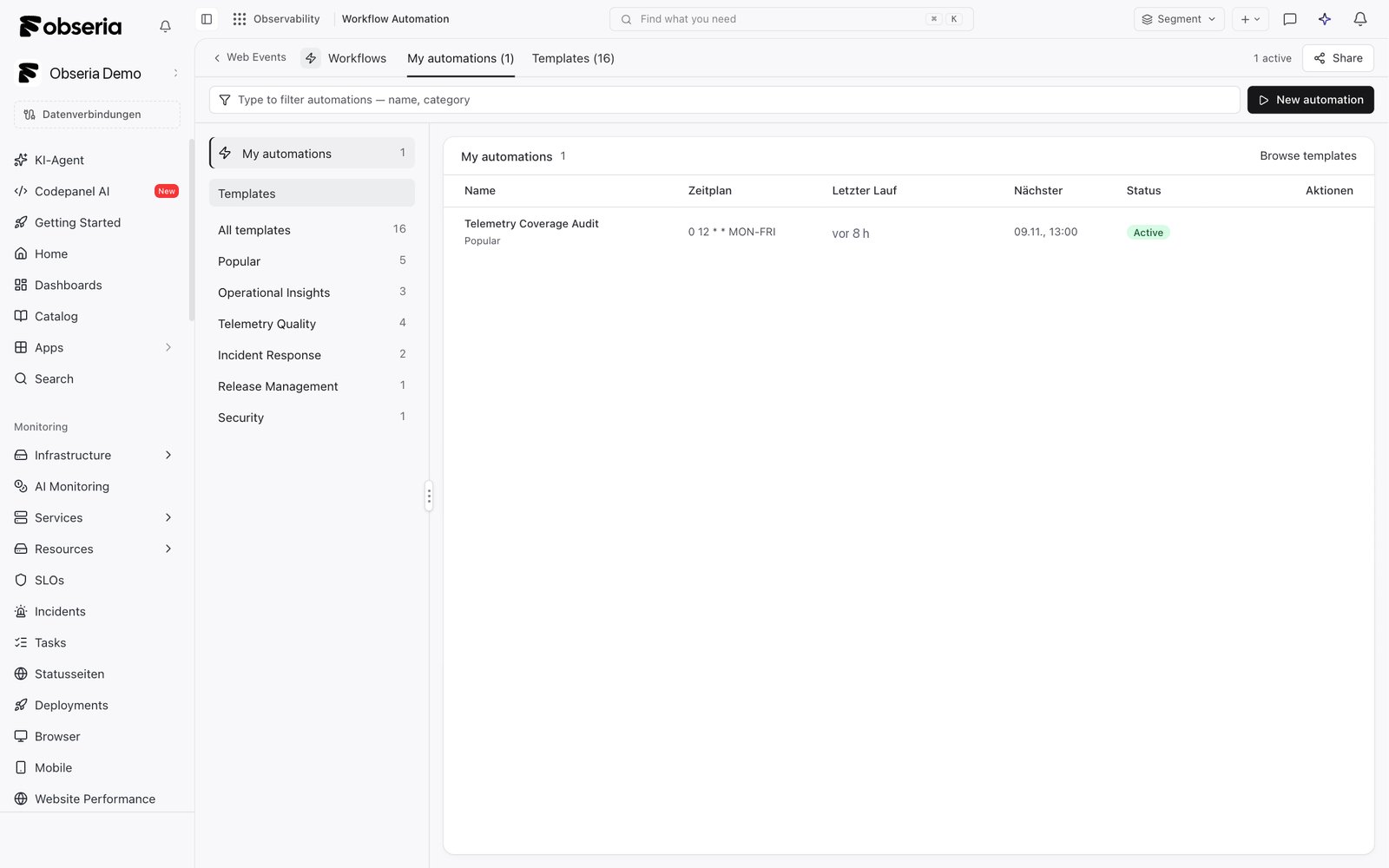
Not every automation needs a script. Workflows run on a schedule or on events, for example to create a ticket or send a message.
Programming interface for data, configuration and automation.
Provides your data to AI assistants via the Model Context Protocol.
Learn more →Build the filter in the log explorer, query builder or export first, and check the result with a preview.
Create an API key for this one job in the settings. It is shown once; store it in your secret manager.
Run the export as a command with curl and the key, or connect an AI assistant to the MCP endpoint.
Schedule the script in your CI system or a cron job, or let a workflow or webhook react to events.
Check in the audit log what the key did, and remove keys that are no longer used.
Programmatic access to Obseria starts with an API key. Keys are created and removed in the settings of your organization. A new key is shown only once, so copy it straight into a secret manager or the protected variables of your CI system.
Use one key per script, export or assistant and give it a clear name. If an integration is retired or a key may have leaked, you remove exactly that key and nothing else breaks.
Keys are part of access control: the same settings area also manages users, roles and sign-in with your company login.
The log export in Obseria takes a time range of up to 30 days, a list of services, log levels and a full-text search in the log body. A preview shows how many rows match before you download them as CSV, TXT, JSON or YAML, with a row limit per export.
Next to the download, the export offers a command and API option that uses curl with an API key. That turns a filter you tested in the app into a job that runs every night without anyone clicking.
Keep large jobs within the limits: split long periods into several smaller exports instead of asking for everything at once.
For AI assistants, Obseria provides an MCP endpoint. Clients such as Claude, Cursor or GitHub Copilot connect using JSON-RPC 2.0 over HTTP and an API key in the Authorization header. You create the key, paste a configuration snippet into the client and test the connection in the app.
The MCP tools only read data and do not change anything. The setup page shows whether keys exist, whether they have been used and when the last call happened.
For many questions this replaces a hand-written integration: instead of coding a query, you ask the assistant, and it fetches the data through the endpoint.
The audit log records actions with time, action, resource, actor and result. Keys appear as actors next to people, and refused or failed requests are counted separately. That makes it easy to see which integration did what, and to spot a key that suddenly gets refused.
Not every integration has to poll. Notification channels can call any system through a webhook when an alert fires, and workflow automation runs steps on a schedule or on events.
Together this covers both directions: your scripts ask Obseria, and Obseria tells your systems when something happens.
 Obseria MCP
 Claude
 Cursor
 GitHub Copilot
 Python
 Node.js
 Go
An observability API is the programming interface of a monitoring platform. Instead of clicking through the web interface, scripts and other systems talk to the platform over HTTP: they read data, change configuration or trigger actions. Almost every team reaches the point where the user interface is not enough on its own. Someone wants last night's error logs in a spreadsheet, a deployment pipeline should check a service before it continues, or an internal portal should show the health of the services it lists.
An API turns the platform from a place people look at into a building block other tools can use. That is also why access to it needs the same care as access to the user interface.
Most monitoring APIs use API keys for authentication. The key is sent with each request, usually in the Authorization header as a bearer token. A few rules keep this safe:
Not every task needs custom code. A good rule of thumb:
Obseria offers a programming interface for data, configuration and automation. What is visible in the app today:
Authorization header. The MCP tools only read data.Which data and settings are available through the API, and how to call them, is documented for customers. If your use case depends on a specific endpoint, ask us before you build on it.
Read data, work with configuration and automate recurring steps from your own scripts and tools. Typical uses are scheduled exports, checks from a CI/CD pipeline and connecting internal tools or AI assistants.
With an API key that you create in the settings. The key is shown only once at creation. The MCP endpoint expects it in the Authorization header as a bearer token.
Yes. The log export offers a command and API option that uses curl with an API key. The same filters apply as in the app: time range, services, log levels and a full-text search, with limits on time range and rows.
The MCP server is a separate endpoint for AI assistants. It uses JSON-RPC 2.0 over HTTP and the same kind of API key. Its tools only read data. The MCP integration is currently marked as beta.
Yes, through a webhook configured as a notification channel. When an alert fires, Obseria sends the notification to your endpoint. Workflow automation can also run steps on a schedule or on events.
The audit log lists actions with actor, resource and result. Keys appear as actors next to people, so you can filter for one integration.
The available data, settings and calls are documented for customers. If your project depends on a specific endpoint, contact us before you build on it and we will confirm what is available.
This page does not promise specific endpoints. Configuration as code through a Terraform provider is not part of Obseria today, and the MCP tools are read-only, so assistants cannot change settings. If you need something beyond exports, the MCP endpoint and webhooks, tell us about your use case.
The foundation for all products: data intake, dashboards, alerts, governance and AI access.
→Give AI assistants read-only access to your monitoring data.
→Roles, permissions, company login and API keys in one place.
→Workflows that run on a schedule or on events.
→Alert rules with notification channels, including webhooks.
→In 30 minutes we show you how Obseria works in your environment and answer your questions on setup, privacy and pricing.
