
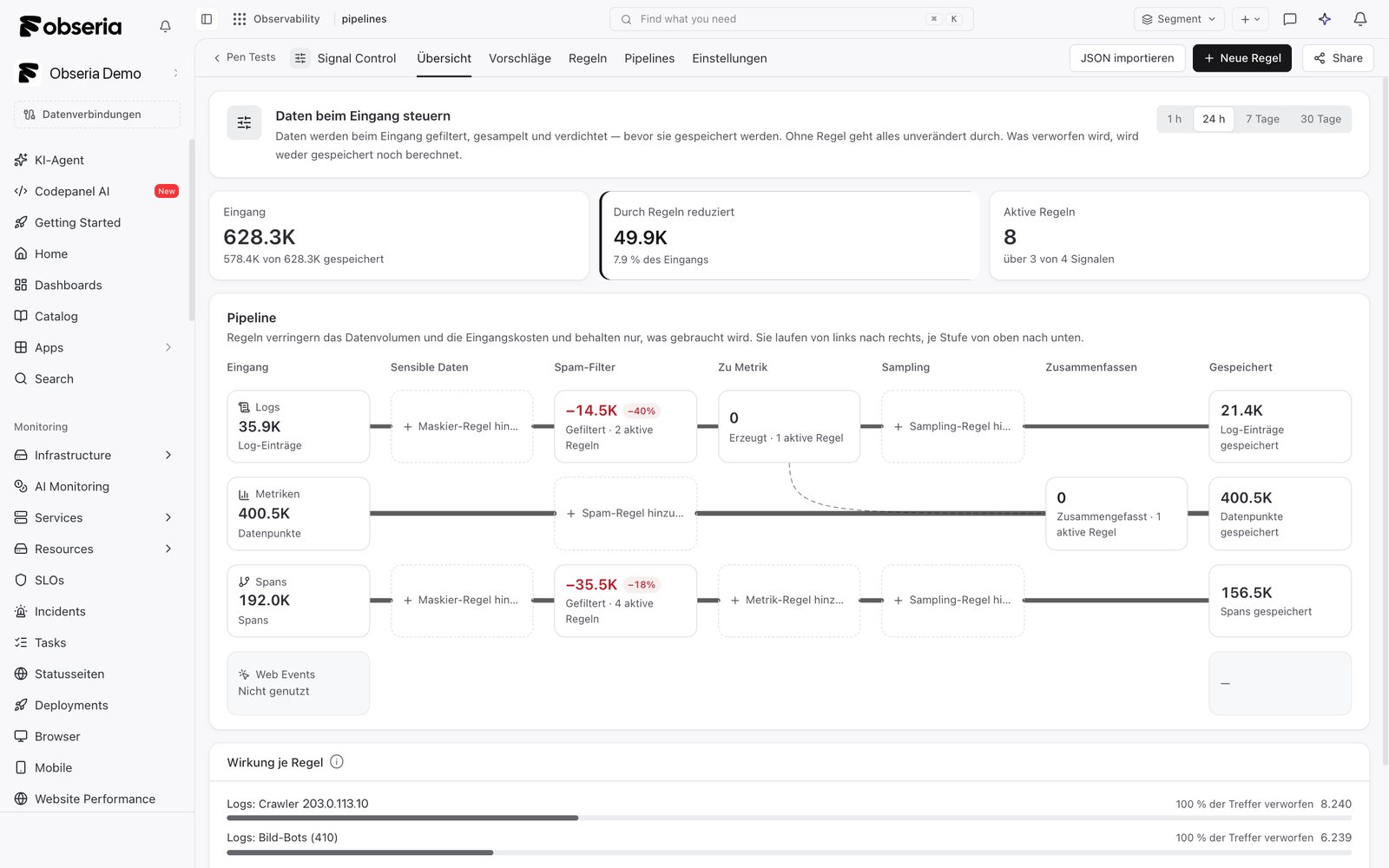
Sensitive data scanner
Masks email addresses, IBANs, credit cards, passwords/tokens, phone numbers and IPs in telemetry at ingest, before storage.
Learn more →We use essential functions to operate this website. With your consent, we would also use services for statistics and marketing. You decide which categories you allow and can change your choice at any time via “Cookie settings” in the footer. More in our privacy notice.
Obseria Consent Management · Your choice is stored for 12 months
The data region is chosen and stored per organization, with an EU region available, so logs, metrics and traces can stay in the EU, backed by a published DPA.
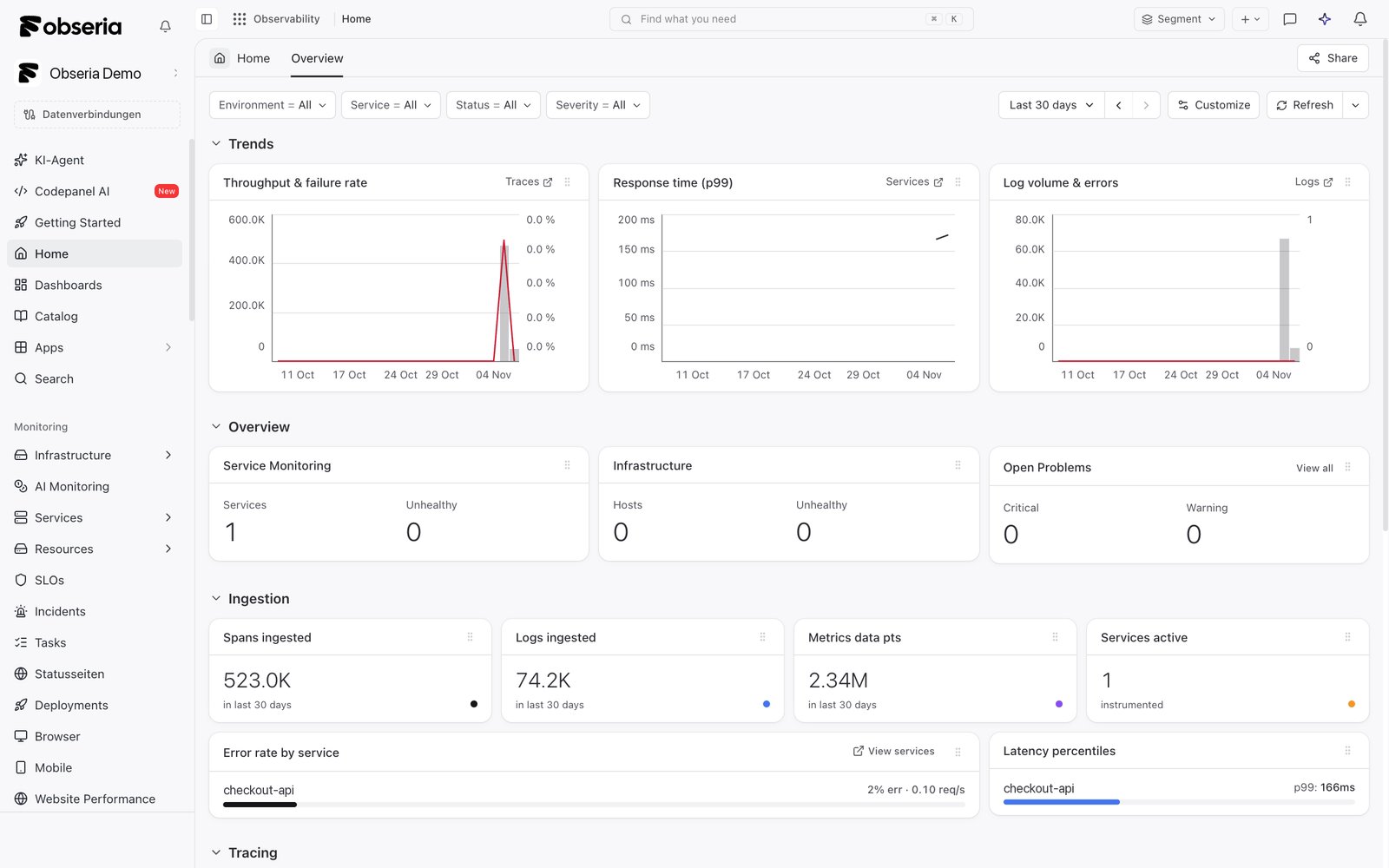
Spans, logs and metric data points arrive in the data region of your organization. The start page shows trends, health, open problems and what has been ingested.
The pipeline runs from intake through a sensitive-data stage, filters and sampling to storage. What a rule masks or drops never reaches storage.
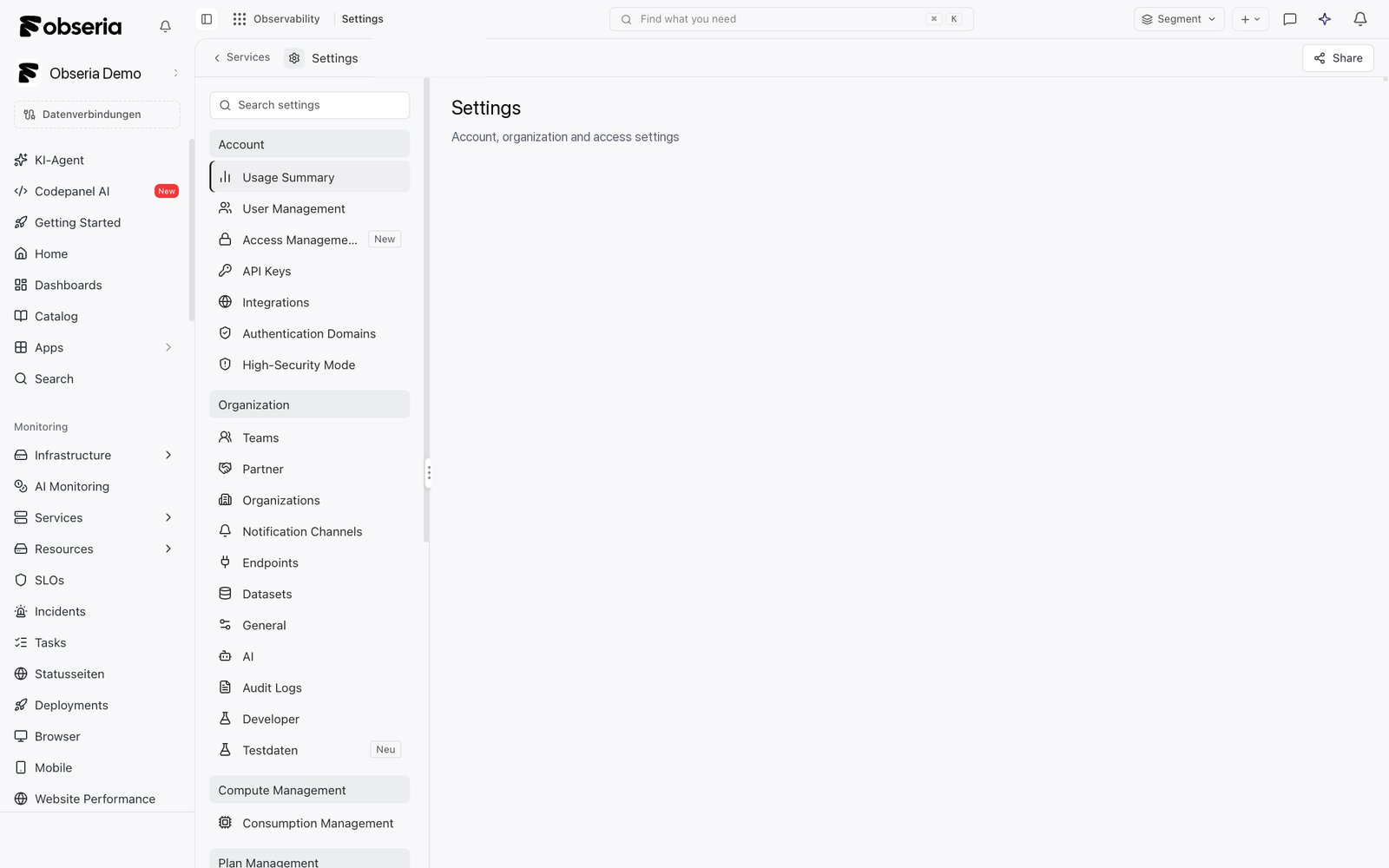
User management, access management, API keys and authentication domains for your company login sit in the settings of your organization.
Every action with time, resource, actor and result, including refused requests, filterable and exportable for the selected period.
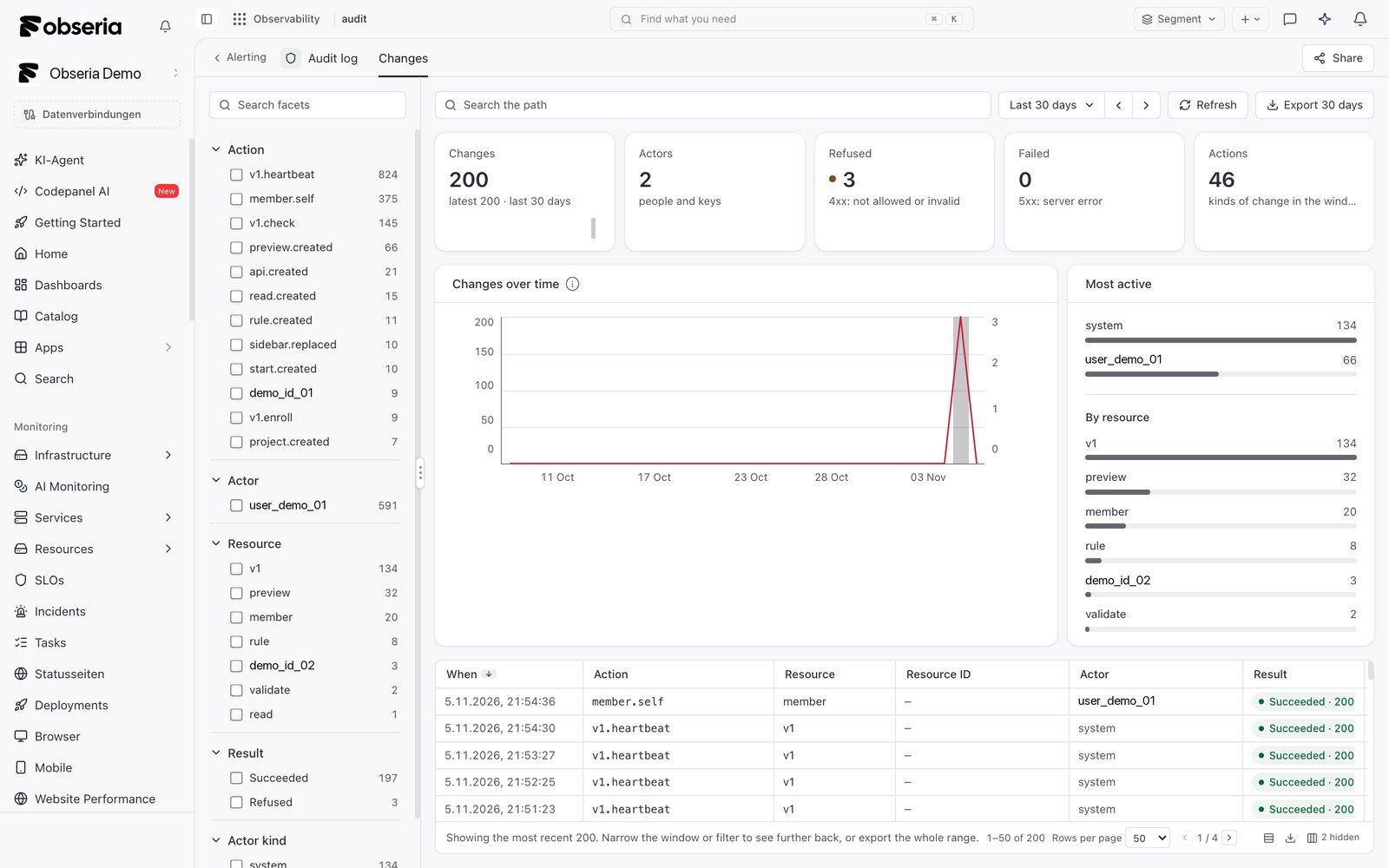
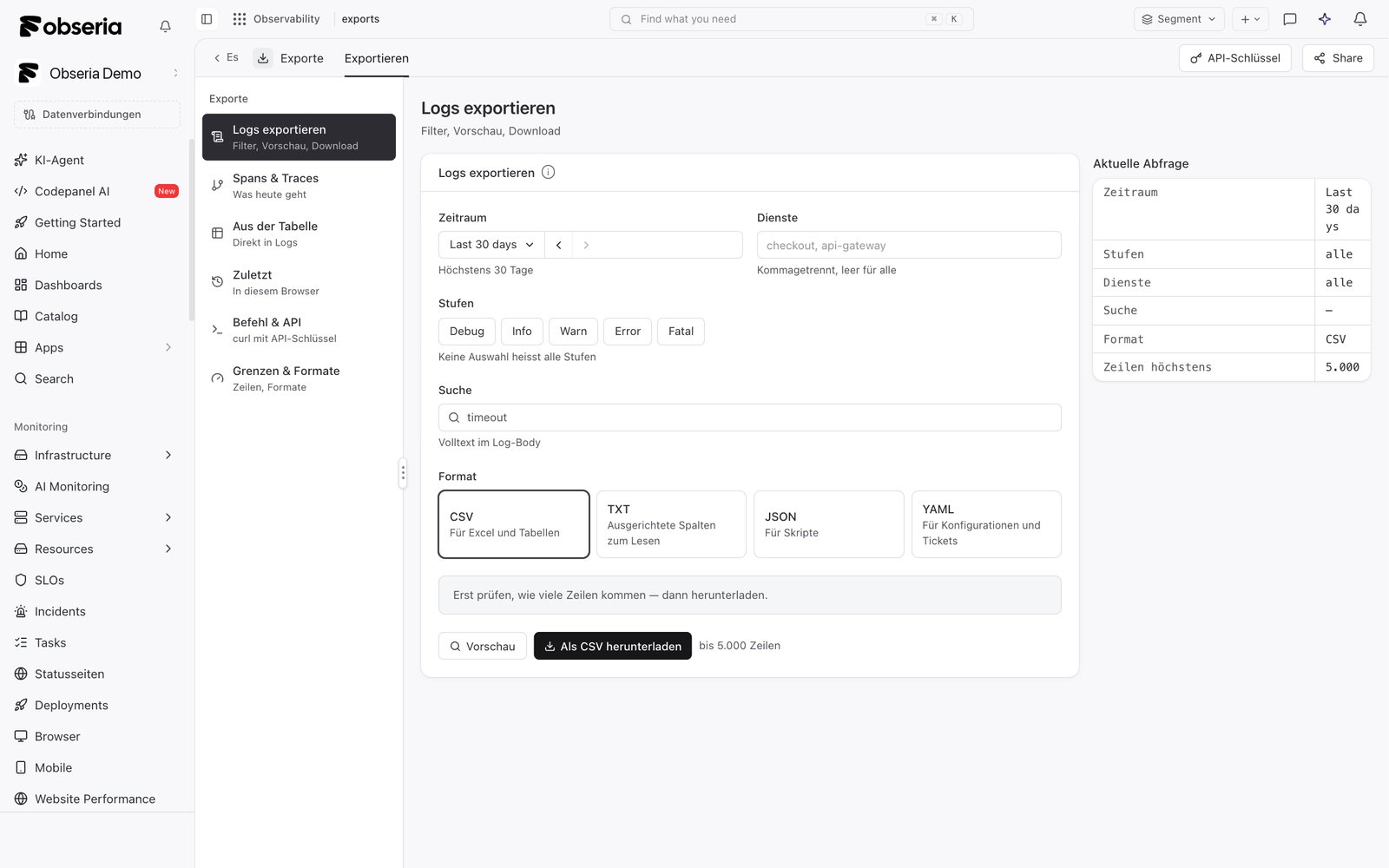
Exports are limited in time range and rows and can be previewed first. An exported file leaves the region, so decide who may export.
Masks email addresses, IBANs, credit cards, passwords/tokens, phone numbers and IPs in telemetry at ingest, before storage.
Learn more →Select the data region when your organization is set up. The choice is stored per organization, with an EU region available.




Connect OpenTelemetry, Prometheus or the host agent. Telemetry is stored in the region of your organization.
Let the sensitive data scanner mask email addresses, IP addresses, tokens and other personal data before storage.
Use roles, permissions and sign-in with your company login, and review changes in the audit log.
Attach the DPA and the list of sub-processors to your records of processing activities.
In Obseria, the data region is chosen and stored per organization. An EU region is available, so German and European customers can keep the telemetry they send in the EU.
Because the choice is made per organization, groups with different requirements can decide separately: for example a subsidiary that serves public-sector customers and one that does not.
The locations used for each region are named in the published list of sub-processors. Read it together with the data processing agreement before you sign, and add both to your GDPR documentation.
Whenever telemetry contains personal data, you are the controller and Obseria processes the data on your behalf. That relationship needs a data processing agreement under Art. 28 GDPR.
Obseria publishes its DPA online as a legal text, together with a list of sub-processors. You can review both before you sign and hand them to your data protection officer without waiting for a sales process.
The data region and the DPA belong together: one says where the data is, the other governs how it may be processed there.
The best protection for personal data in logs is not to store it. The sensitive data scanner masks email addresses, IBANs, credit card numbers, passwords and tokens, phone numbers and IP addresses in telemetry at ingest, before storage.
Masking is part of the intake pipeline, which also filters, samples and condenses data. The pipeline overview shows how much data comes in, how much the rules reduce and how much is stored per signal.
Masked values never reach storage, so they also do not appear in searches, dashboards, exports or answers to AI assistants.
Data in the right region still needs the right access. Roles and permissions decide who can see and change what, people sign in with their company login, and scripts and AI assistants use API keys that you create and remove.
The audit log records actions with time, resource, actor and result, including refused requests. That gives your data protection officer and internal auditors a clear trail.
Exports are worth a rule of their own: an exported file leaves the region you chose, so decide who may export and where those files are kept.
OpenTelemetry OpenTelemetry CollectorPrometheusKubernetesDockerLinux
 AWS
 Microsoft Azure
 Google Cloud
Data residency describes where data is physically stored and processed. For an observability platform that means the location of your logs, metrics, traces and events: the servers that receive them, the storage that keeps them and the systems that answer your queries. EU data residency means this happens in a region inside the European Union.
The term is often mixed up with related ideas. Data sovereignty is about which laws apply to data and who can compel access to it. Data protection is about how personal data is handled at all, wherever it is. Data residency is the most concrete of the three: it answers the question "where is it?" and is the basis for many of the other answers.
Telemetry is not as anonymous as it looks. Logs regularly contain personal data: IP addresses in access logs, user IDs and email addresses in error messages, session IDs in traces, names in request parameters. As soon as that is the case, the GDPR applies to your monitoring data just as it does to your customer database.
For many organisations in Germany and the rest of the EU, an EU storage location is therefore a requirement rather than a preference:
A storage location in the EU is a strong foundation, but it does not make monitoring data compliant on its own. A sound setup combines several measures:
In Obseria, the data region is chosen and stored per organization, and an EU region is available. That lets German and European customers keep their telemetry in the EU, and lets organisations with different requirements choose per organization.
The region works together with the rest of the platform:
Obseria is developed by a company based in Germany. More on how we handle security and privacy is on the security and trust page and in the privacy notice. Obseria does not claim certifications on this page; the measures above support your own GDPR documentation.
Yes. The data region is chosen and stored per organization, and an EU region is available.
The locations used for each region are named in the published list of sub-processors. Please check it there; this page does not repeat it so that there is only one current source.
Yes. A data processing agreement under Art. 28 GDPR is published online as a legal text, so you can review it before you sign.
Yes, the region is stored per organization. Groups with several organizations can decide separately for each.
The sensitive data scanner masks email addresses, IBANs, credit card numbers, passwords and tokens, phone numbers and IP addresses at ingest, before storage. Intake rules can also drop data you do not need.
No single measure does. An EU region, a DPA, masking at ingest, access control and an audit log support your own GDPR documentation; the assessment of your processing remains your responsibility.
This page does not claim any certifications. For questions about security measures, see the security and trust page or contact us.
The region is chosen per organization; moving data that is already stored from one region to another is not described as a self-service feature. Exported files leave the region you chose, and certifications are not claimed here. If you have specific requirements, for example from a public-sector tender, talk to us before you commit.
The foundation for all products: data intake, dashboards, alerts, governance and AI access.
→A data processing agreement under Art. 28 GDPR, published online.
→Roles, permissions, company login and API keys in one place.
→How Obseria supports your own compliance documentation.
→Filter, sample and mask data at ingest, before it is stored.
→In 30 minutes we show you how Obseria works in your environment and answer your questions on setup, privacy and pricing.
