
Fleet automation
Manages and updates many agents centrally.
We use essential functions to operate this website. With your consent, we would also use services for statistics and marketing. You decide which categories you allow and can change your choice at any time via “Cookie settings” in the footer. More in our privacy notice.
Obseria Consent Management · Your choice is stored for 12 months
Install the Obseria host agent with one command, see every host with its version and coverage in one list, and update agents centrally instead of server by server.
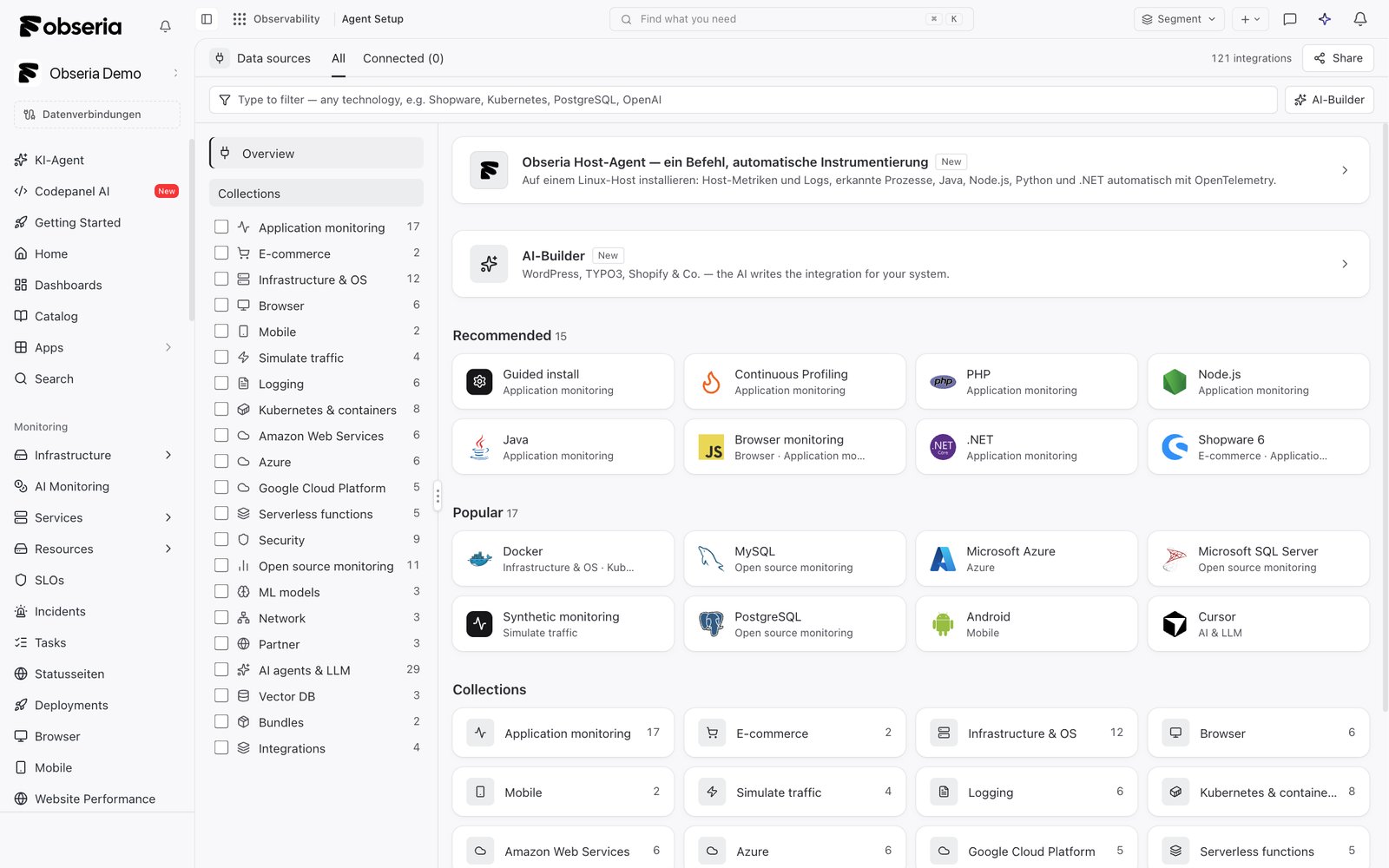
The host agent installs on Linux with one command and instruments Java, Node.js, Python and .NET automatically. Further sources come from the catalog.
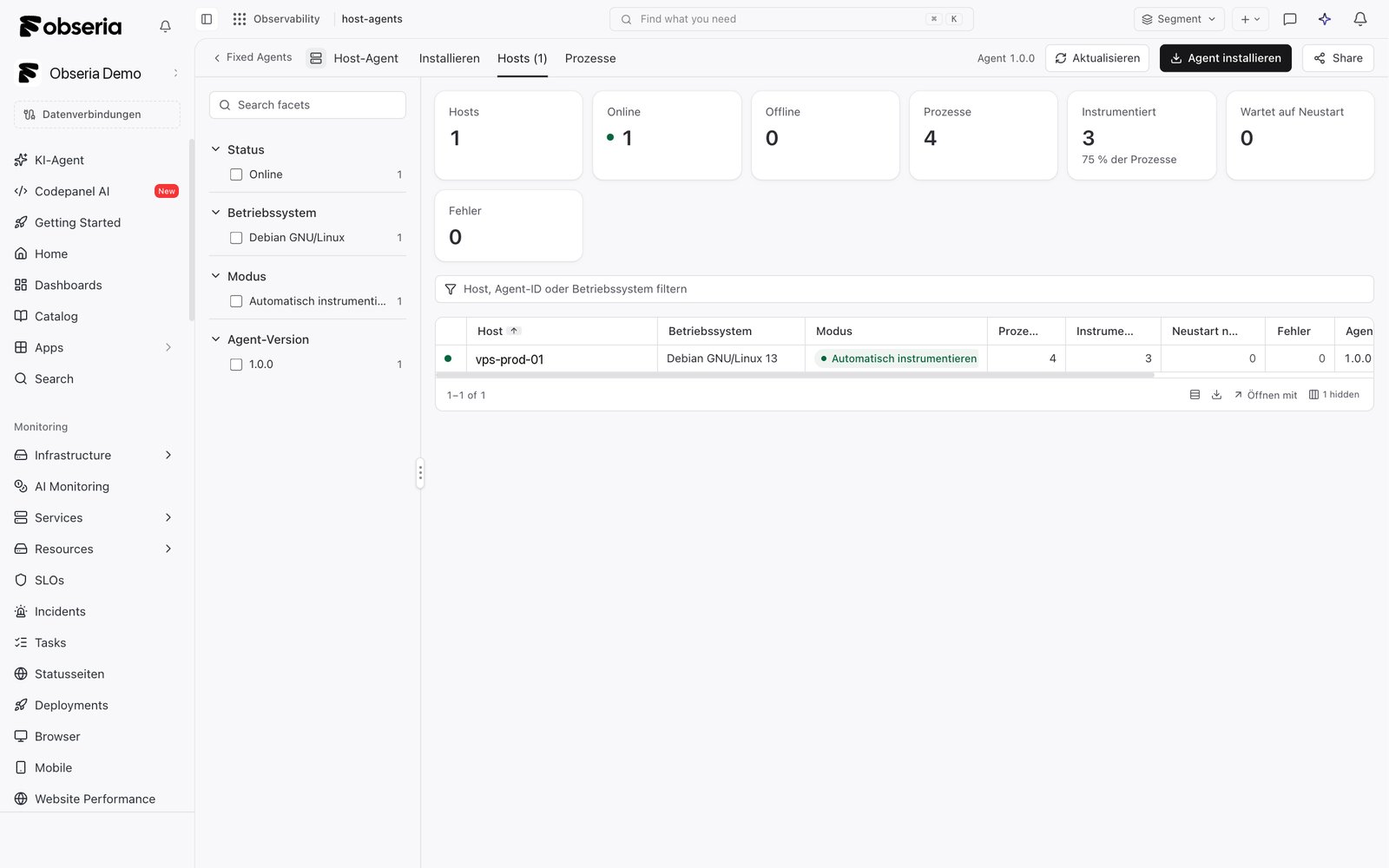
Hosts online and offline, processes, instrumented processes, pending restarts, errors and agent version, managed centrally.
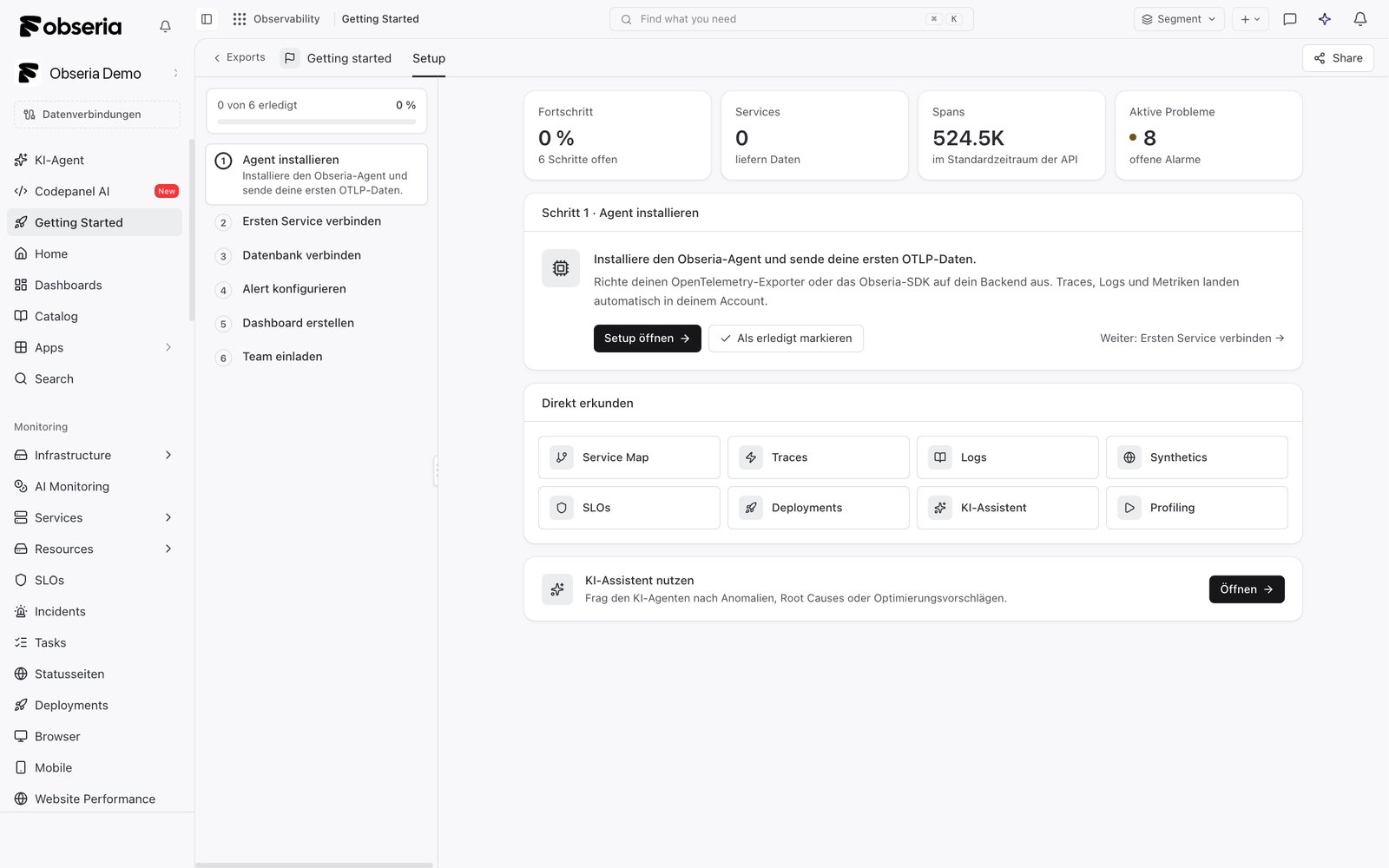
Install the agent and send the first OTLP data, connect a service and a database, configure an alert and build a dashboard, with progress in one place.
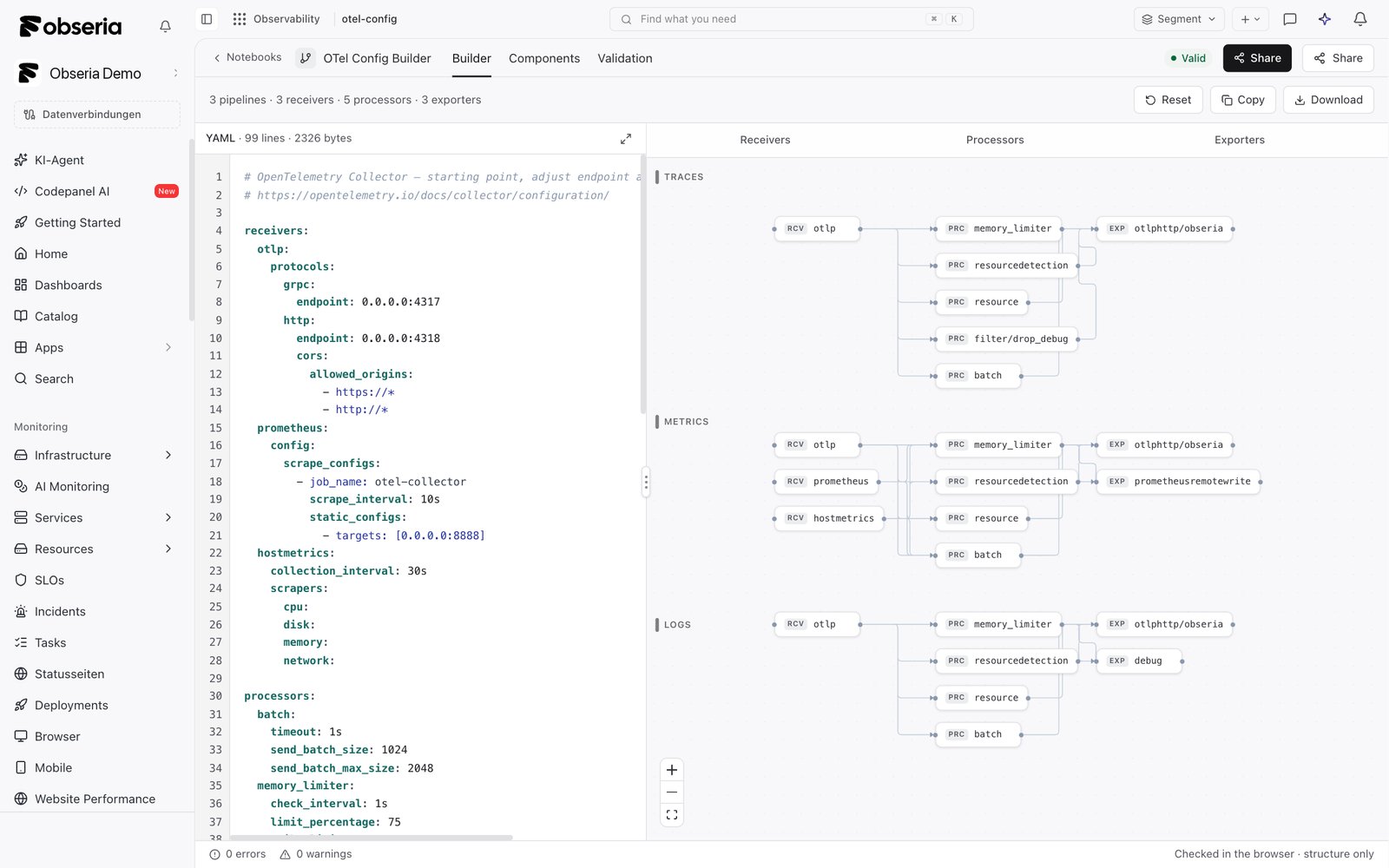
Receivers, processors and exporters per pipeline as a graph next to the YAML, validated in the browser, ready to copy or download.
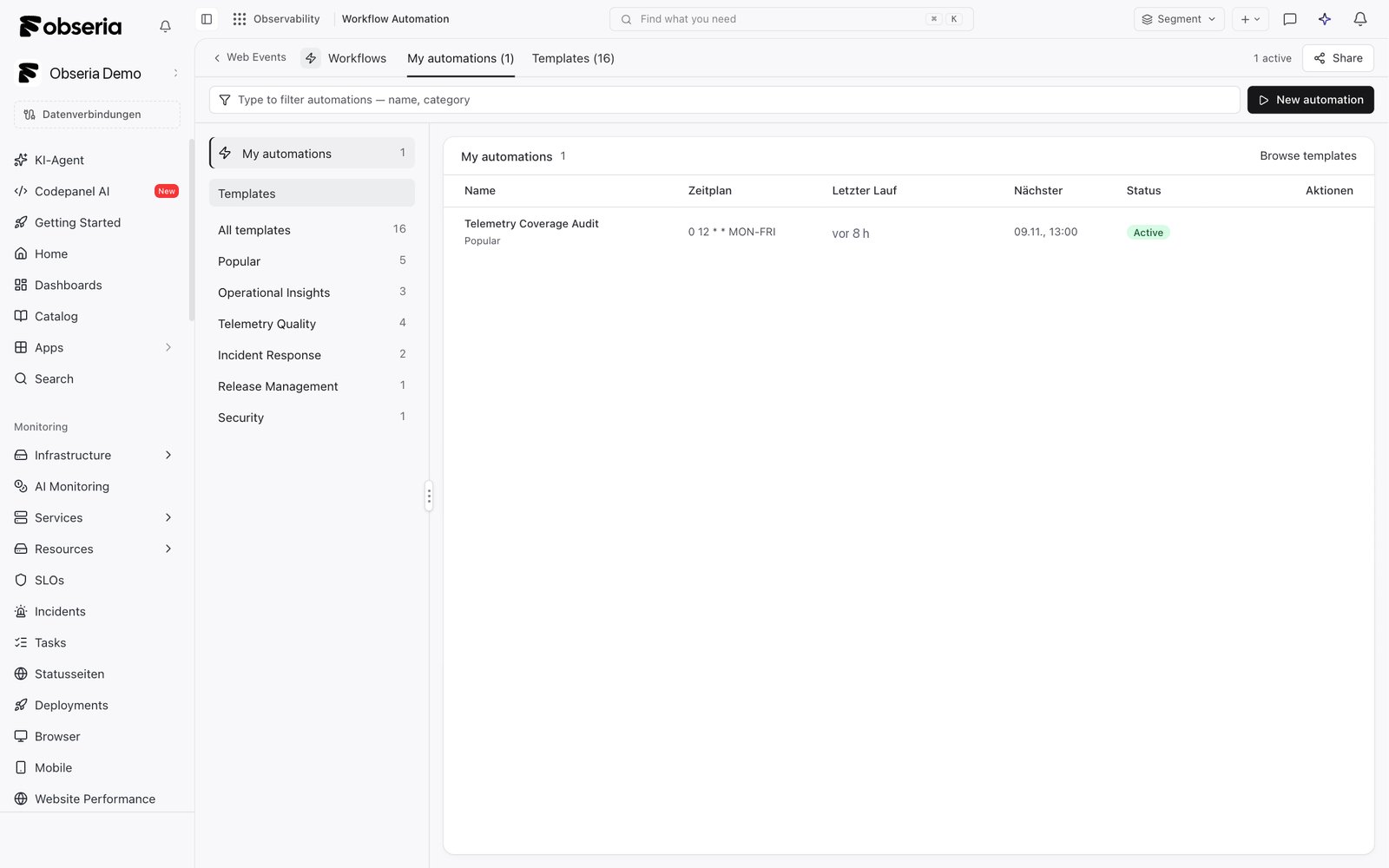
Workflows run on a schedule or on events, for example to send a message or create a ticket. The list shows schedule, last and next run and status.
Manages and updates many agents centrally.
Shows health, version and data flow of the installed data collection agents and collectors.
Learn more →Accepts data in the open OpenTelemetry standard, without a proprietary agent.
Automates processes: trigger actions on an event, e.g. create a ticket, restart or send a message.
Install the host agent on each Linux host with one command, ideally as part of how your hosts are built.
The host list shows which hosts came online, how many processes were found and how many are instrumented.
Processes waiting for a restart are counted per host, so you can plan restarts to activate instrumentation.
Host agents are managed and updated from Obseria instead of logging into each server.
Filter by agent version to find hosts that lag behind, and automate recurring follow-up with workflows.
The Obseria host agent is installed on a Linux host with one command. Because the step is the same on every machine, it fits into a provisioning script or image, so new hosts come up with monitoring already in place.
Once running, the agent collects host metrics and logs, detects running processes and instruments Java, Node.js, Python and .NET automatically with OpenTelemetry. Applications do not need code changes; processes that were already running pick up the instrumentation after a restart.
Other sources, SDKs for further languages and integrations, are set up from the data source catalog, and the getting started checklist walks through the first host, service, database, alert and dashboard.
The host view summarises the fleet: hosts, online and offline, processes, instrumented processes with their share, processes waiting for a restart and errors. Below, each host is listed with operating system, mode, process counts, pending restarts, errors and agent version.
Facets for status, operating system, mode and agent version answer the typical fleet questions in one click: which hosts are offline, which still run an older version, where automatic instrumentation is not active.
Because every host is in the same list, the state of the fleet is no longer spread across terminals and spreadsheets.
Fleet automation manages and updates many Obseria host agents centrally. Instead of connecting to every machine and repeating the same steps, you start the update from Obseria and check the result in the host list.
After an update, filter by agent version to confirm that every host reports the new one, and look at the pending restarts: processes that need a restart to pick up instrumentation are counted per host.
When risk is high, update in small batches by choosing the hosts yourself, starting with non-critical ones. Obseria does not stage rollouts in rings automatically.
Collectors are part of many fleets. The OTel Config Builder shows receivers, processors and exporters per pipeline as a graph next to the YAML, validates the structure in the browser and lets you copy or download the configuration for your own rollout.
Recurring follow-up belongs in a workflow. Workflow automation in Obseria runs on a schedule or on events and can, for example, send a message or create a ticket; templates help you start.
Fleet automation does not replace configuration management tools. If you already use Ansible, Terraform or images, put the one-line install there and use Obseria to see and update the result.
 Linux
 Java
 Node.js
 Python
 .NET
 OpenTelemetry
 OTel Collector
 Slack
 Microsoft Teams
 Jira
In observability, the fleet is the set of agents that collect telemetry across your hosts. With five servers, installing and updating an agent by hand is a small chore. With fifty or five hundred, it becomes a project: someone has to log into each machine, run the same steps, check that the agent came back, and remember the hosts that were offline that day.
Fleet automation, often called agent fleet management, replaces that manual work with central control. Agents are rolled out with a repeatable step, their state is visible in one list, and updates are started from one place instead of on every server. The goal is a fleet that is consistent: the same agent version, the same mode and the same coverage everywhere it should be.
Agents that drift apart collect different data. One host on an older version may miss a metric the dashboards rely on; another may still wait for a restart and deliver no traces from its processes. Comparisons between hosts become unreliable, and troubleshooting starts with the question of whether the data is even comparable.
A consistent fleet also matters for security and support. Outdated agents are harder to reason about, and every version you keep alive is one more combination to test. Keeping the fleet on a known version is basic hygiene, like patching the operating system.
Useful indicators are the share of hosts on the target version, the number of hosts offline, the share of instrumented processes, the number of processes waiting for a restart and the number of agents reporting errors. Watched over weeks, they show whether the fleet is converging or drifting apart.
Before you update the fleet, check three things: which hosts are currently offline and will need a second pass, which processes already wait for a restart, and which hosts run critical workloads that should come last. Afterwards, compare the version filter with the host count and plan the remaining restarts.
Fleet automation in Obseria covers the Obseria host agent on Linux. It does not replace configuration management tools such as Ansible or Terraform, and it does not manage collectors or agents you run yourself.
It manages and updates many Obseria host agents centrally. You install the agent with one command per Linux host, see every host with status, version and coverage in one list and update agents without logging into each server.
With one command on a Linux host. The same command works in a provisioning script or image, so new hosts come up with monitoring in place.
Host metrics and logs, and traces from processes it instruments automatically with OpenTelemetry: Java, Node.js, Python and .NET.
Filter the host list by agent version. Each host shows the version it runs, along with status, operating system, mode, processes and pending restarts.
Automatic instrumentation of a running process usually takes effect when it starts again. The host view counts these processes per host so you can plan restarts.
No. Use your provisioning tools to run the install command on new hosts; Obseria shows the result and updates the Obseria host agents centrally.
Agent management shows health, version and data flow of your agents. Fleet automation acts on them: rollout and central updates for many hosts.
Staged rollouts in rings, automatic rollbacks and update schedules are not part of fleet automation today. The host agent runs on Linux only, and collectors or agents you run yourself are not managed by Obseria.
Workflows for routine work and fleet automation for your agents.
→Health, version and data flow of every agent.
→Every service via SDK or eBPF, without code changes.
→SDKs, collectors and the OTel Config Builder.
→Services, endpoints and traces from the processes your agents instrument.
→In 30 minutes we show you how Obseria works in your environment and answer your questions on setup, privacy and pricing.
