
Sensitive data scanner
Masks email addresses, IBANs, credit cards, passwords/tokens, phone numbers and IPs in telemetry at ingest, before storage.
We use essential functions to operate this website. With your consent, we would also use services for statistics and marketing. You decide which categories you allow and can change your choice at any time via “Cookie settings” in the footer. More in our privacy notice.
Obseria Consent Management · Your choice is stored for 12 months
Email addresses, IBANs, card numbers, passwords and tokens, phone numbers and IPs are masked in logs and spans at ingest. What never reaches storage cannot leak from it.
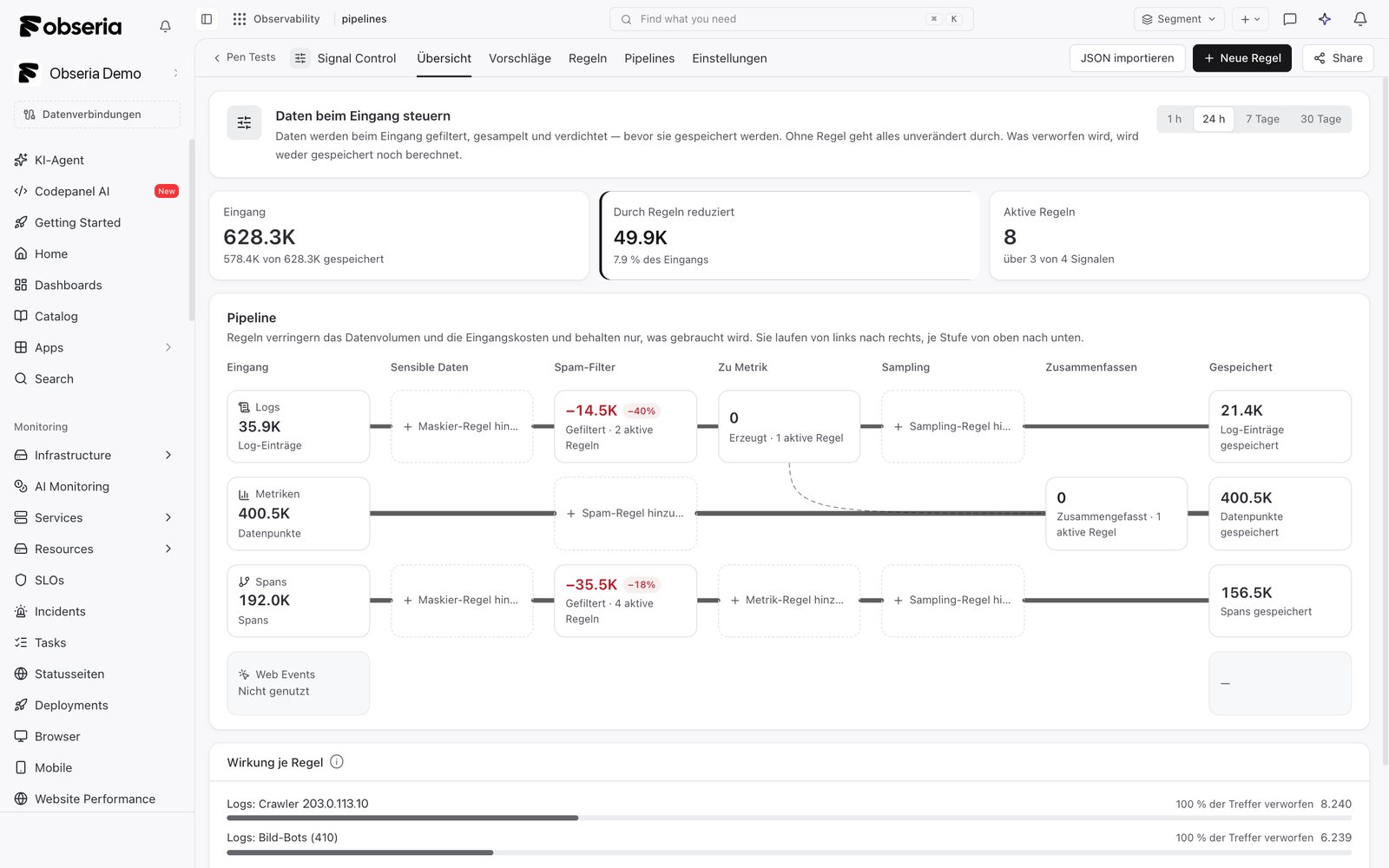
Add masking rules for logs and spans in the sensitive-data stage. They run before spam filters, metrics and sampling.
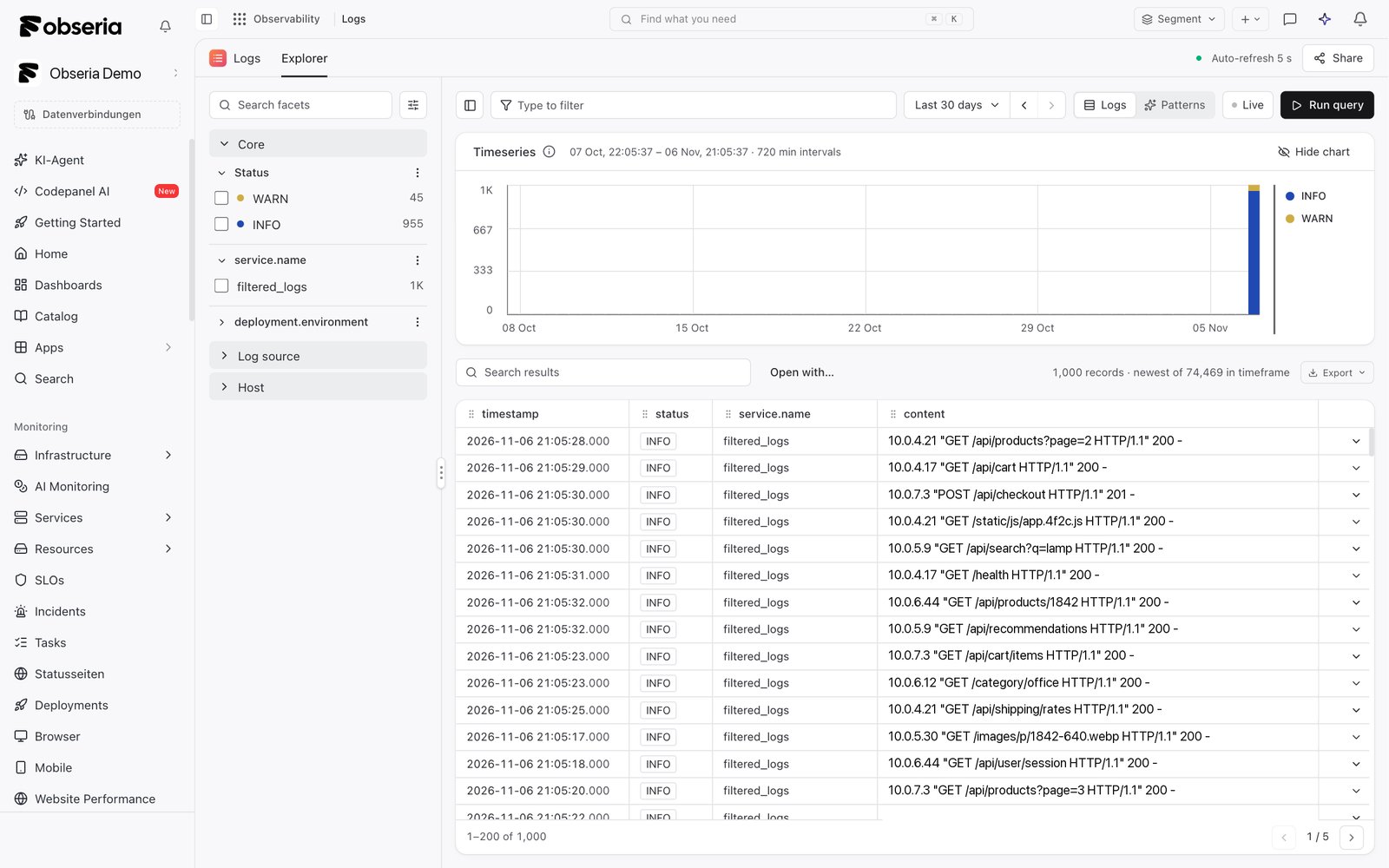
Search stored logs for patterns you expect to be masked, filtered by service, environment, source and host.
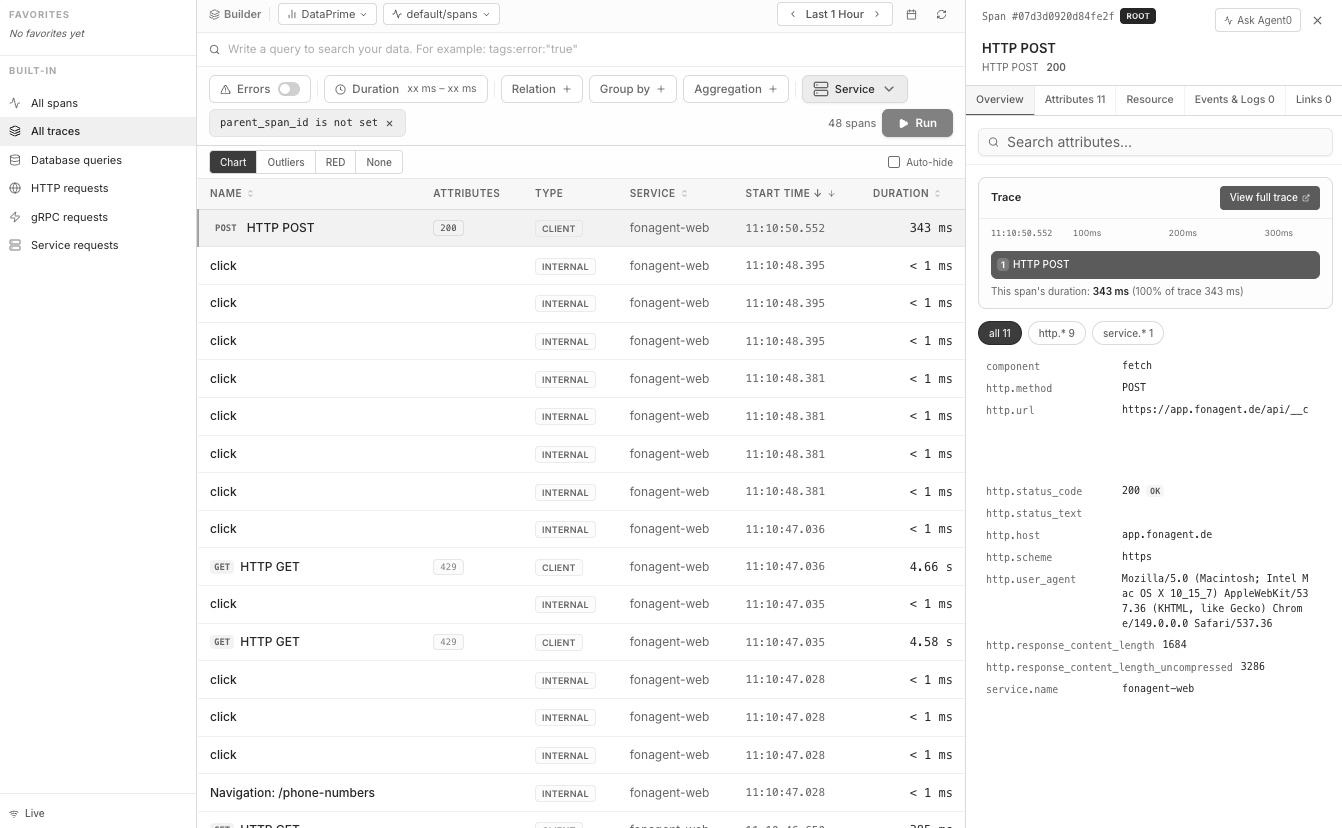
Span attributes such as URLs, user agents or client addresses are covered by the masking stage for spans.
Because masking happens at ingest, files exported as CSV, TXT, JSON or YAML never contain the original values.
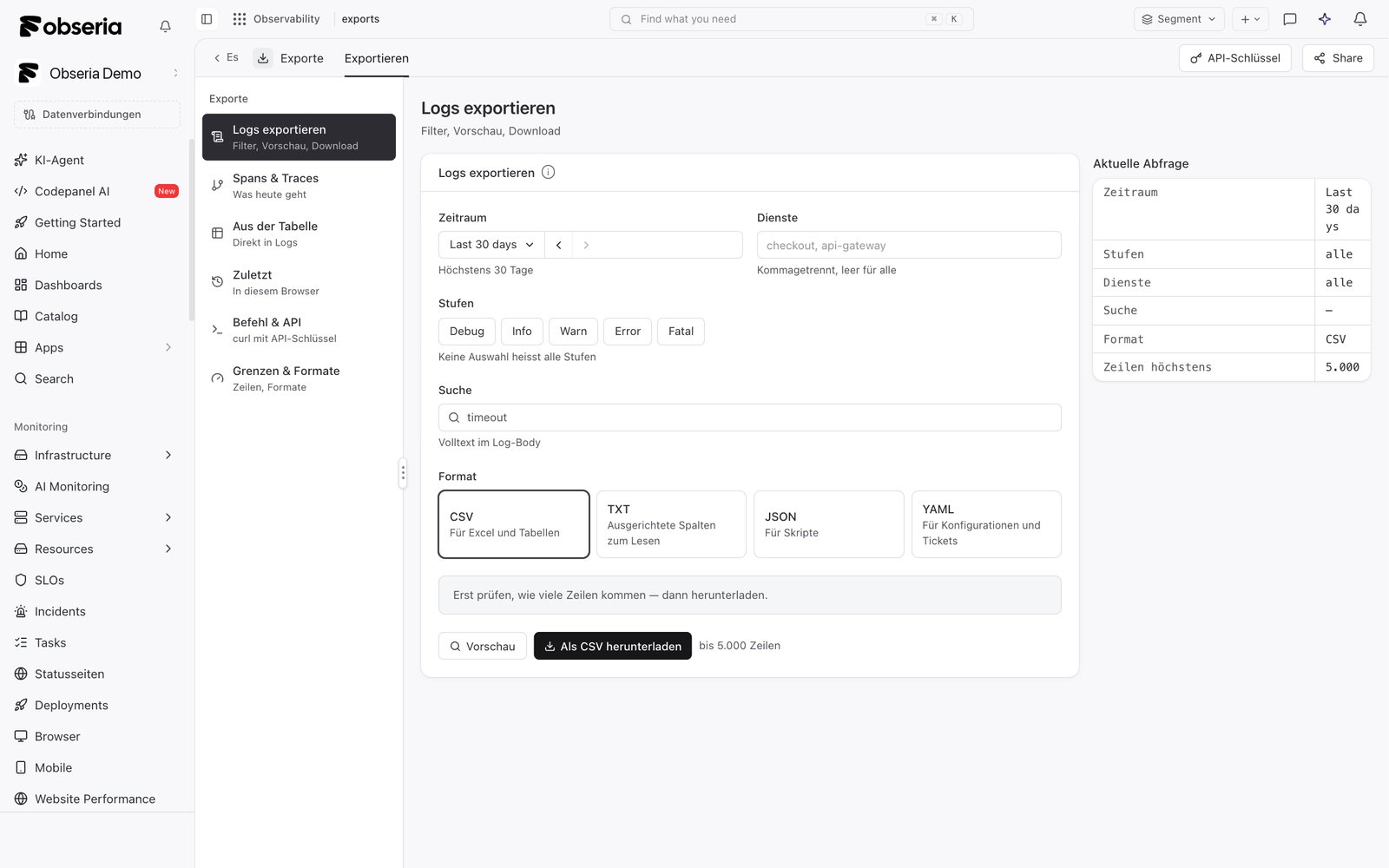
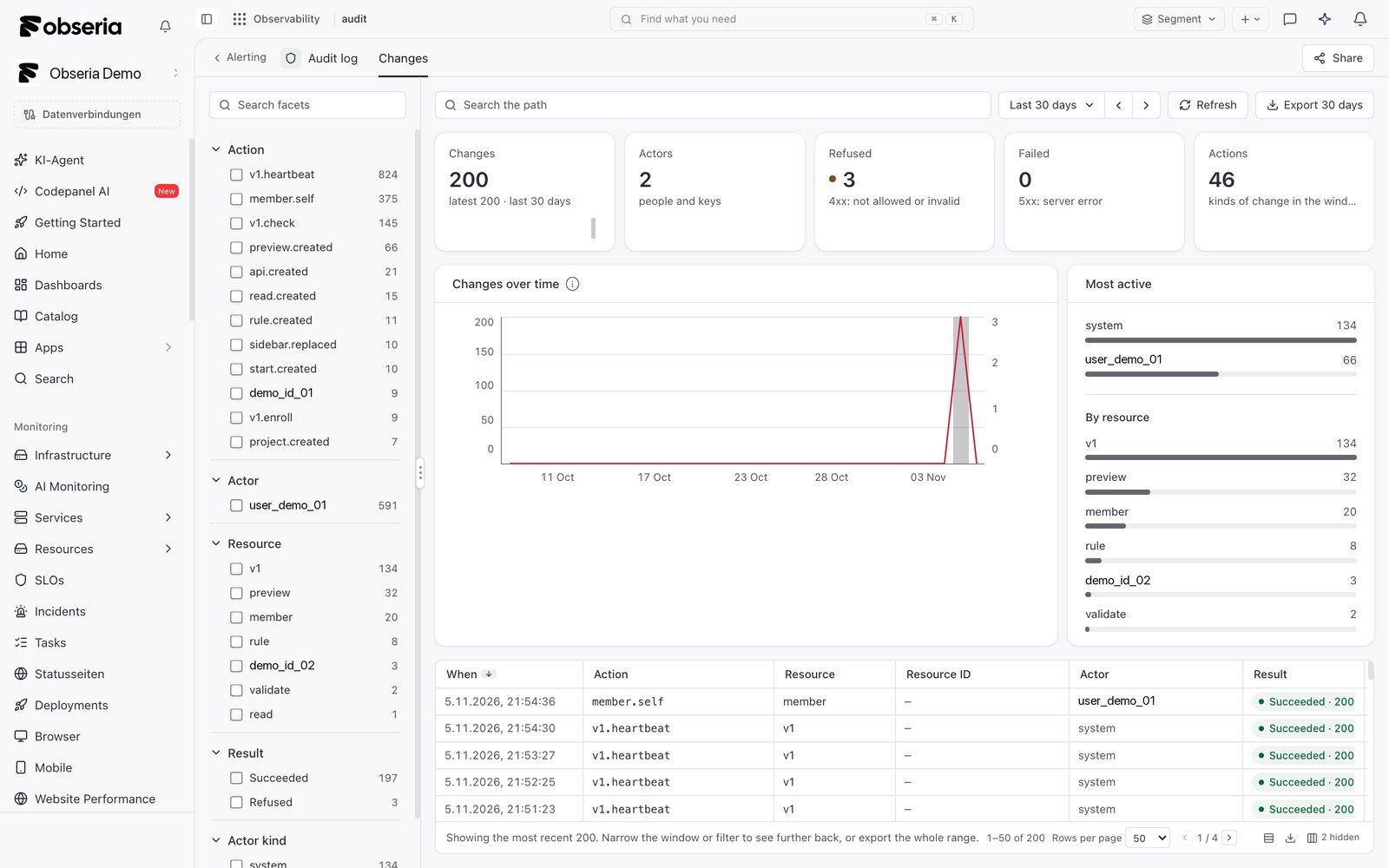
The audit trail records actions, actors, resources and results, so changes to rules remain traceable.
Masks email addresses, IBANs, credit cards, passwords/tokens, phone numbers and IPs in telemetry at ingest, before storage.
Logs and spans arrive via OpenTelemetry or log collectors, sometimes with personal data or tokens inside.
The first pipeline stage looks for email addresses, IBANs, card numbers, passwords and tokens, phone numbers and IPs.
Matches are replaced by a mask before any other rule runs and before anything is written to storage.
Search, notebooks, dashboards and exports work on the masked data only.
Search stored data for patterns that should be masked, and check rule changes in the audit trail.
The scanner looks for values with a clear structure that often end up in telemetry by accident: email addresses, IBANs, credit card numbers, passwords and tokens, phone numbers and IP addresses.
These cover the two big risks in logs. Contact and payment data are personal data under the GDPR. Passwords, API keys and tokens are secrets that would give anyone reading the logs access to other systems.
Matches are replaced with a mask. The rest of the log line or span stays intact, so the record remains useful for debugging.
Masking at display time only hides values in the interface; they remain in storage, in backups and in exports. Obseria masks at ingest, so the original value is never stored.
Sensitive data is the first stage of the Signal Control pipeline. Rules run from left to right, so masking happens before spam filters, before conversion to metrics and before sampling. No later rule, metric or sample ever sees the original value.
Everything downstream benefits automatically: log search, trace views, notebooks, dashboards and file exports all contain the masked value only.
Personal data does not only appear in log messages. URLs with query parameters, HTTP headers and custom attributes on spans are just as common. The pipeline therefore has a sensitive-data stage for logs and one for spans.
The overview shows the input of each signal, how much the rules changed and how much was stored, for the last hour, 24 hours, 7 or 30 days. Masking rules are added directly in the stage where they belong.
Rules can be created in the interface or imported as JSON, which makes it easy to keep the same configuration across several organisations.
Masking at ingest is a technical measure you can describe in your data protection documentation. Obseria adds further building blocks: a data processing agreement under Art. 28 GDPR, the choice of an EU data region per organisation and an audit trail that records who changed which configuration.
Be precise about what masking does. It catches structured values reliably. It does not recognise names, postal addresses or other personal data written in free text, and it does not make your processing compliant on its own.
Combine it with clean logging in your code, access control in Obseria and sensible retention, and the amount of personal data in your telemetry drops considerably.
 OpenTelemetry
 OTel Collector
 Fluentd
 Vector
 Logstash
 Kubernetes
 Docker
 Linux
 NGINX
Nobody plans to write credit card numbers into log files. It happens anyway. A developer logs a full request body while debugging and forgets to remove the line. An error message contains the email address of the user who triggered it. A URL carries a token as a query parameter, and the web server logs every URL. A span attribute stores the client IP. Over time, logs and traces collect a surprising amount of personal data and secrets.
That is a problem for two reasons. Personal data in logs falls under the GDPR like any other personal data: it needs a purpose, a retention period and protection. And secrets such as passwords or API tokens in logs are a security risk, because far more people can read logs than should know those secrets.
A sensitive data scanner inspects telemetry for patterns that look like sensitive values and replaces them with a mask before the data is stored. Typical categories are:
The crucial word is before. Masking at display time hides values on screen, but they are still in storage, in backups and in exports. Masking at ingest means the original value never reaches storage at all.
Pattern-based scanning is reliable for values with a clear structure: an IBAN, a card number or an email address look the same everywhere. It cannot reliably recognise free-form personal data such as names, postal addresses or health information written in a sentence. For those, the fix has to be in the code that writes the log. Be honest about this in your documentation: a scanner reduces risk, it does not guarantee that no personal data is stored.
Introducing masking in an existing environment works best in a few steps:
In Obseria, the sensitive data scanner is the first stage of the Signal Control pipeline, which processes telemetry at ingest. It masks email addresses, IBANs, credit card numbers, passwords and tokens, phone numbers and IP addresses before the data is stored.
The pipeline overview shows a "Sensitive data" stage for logs and for spans, where you add masking rules. Because it is the first stage, the values are masked before any later rule runs: before spam filters, before conversion to metrics, before sampling. What is stored, searched, exported or shown in a notebook afterwards contains the masked value only.
The same overview shows input, reduction and stored volume per signal, so masking sits next to the other ingest rules instead of in a separate tool. Rules can be created in the interface or imported as JSON.
Together with the data processing agreement under Art. 28 GDPR, the choice of an EU data region and the audit trail that records configuration changes, masking at ingest is one building block for your own GDPR documentation. It does not make your use of Obseria compliant on its own; that depends on your processes as well.
Email addresses, IBANs, credit card numbers, passwords and tokens, phone numbers and IP addresses.
At ingest, before the data is stored. It is the first stage of the pipeline, so the original value is never written to storage and no later rule sees it.
Yes. The pipeline has a sensitive-data stage for logs and one for spans.
No. The original value is not stored, so it cannot be recovered from Obseria. If you need a value for debugging, find it in the source system instead.
No. Masking applies to data arriving after the rule is active. Data stored before remains as it is until it reaches the end of its retention.
Not on its own. Masking at ingest is a technical measure you can document. Together with the DPA, the EU data region, access control and your own processes it supports your GDPR documentation.
Configuration changes are recorded in the audit trail with action, actor, resource and result.
Recognition of names, postal addresses or other free-text personal data, scanning of already stored data, and reversible tokenisation of masked values are not part of the scanner. Metrics are not covered by the masking stage.
Search, pipelines, export and audit trail for all your telemetry.
→EU data region, DPA and the building blocks for your GDPR documentation.
→Filter, enrich, route and reduce telemetry before it is stored.
→Who changed which rule, and when.
→Exports contain the masked values only.
→In 30 minutes we show you how Obseria works in your environment and answer your questions on setup, privacy and pricing.
