
Threat intelligence
Indicators from public threat feeds plus a built-in library of detection rules.
We use essential functions to operate this website. With your consent, we would also use services for statistics and marketing. You decide which categories you allow and can change your choice at any time via “Cookie settings” in the footer. More in our privacy notice.
Obseria Consent Management · Your choice is stored for 12 months
Obseria loads indicators from public threat feeds, matches them against your events and shows which host talked to which known-bad address, together with a built-in library of detection rules.
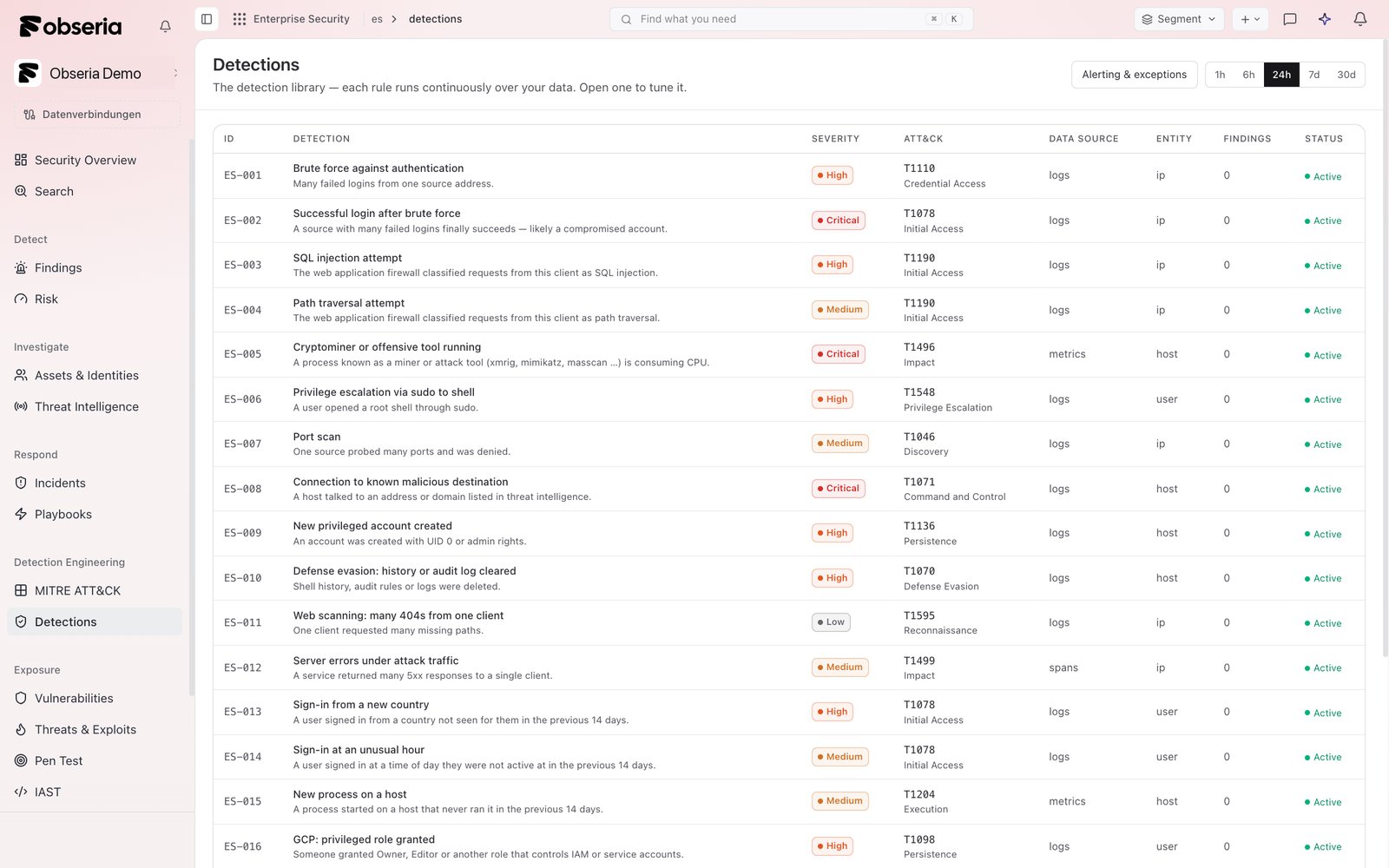
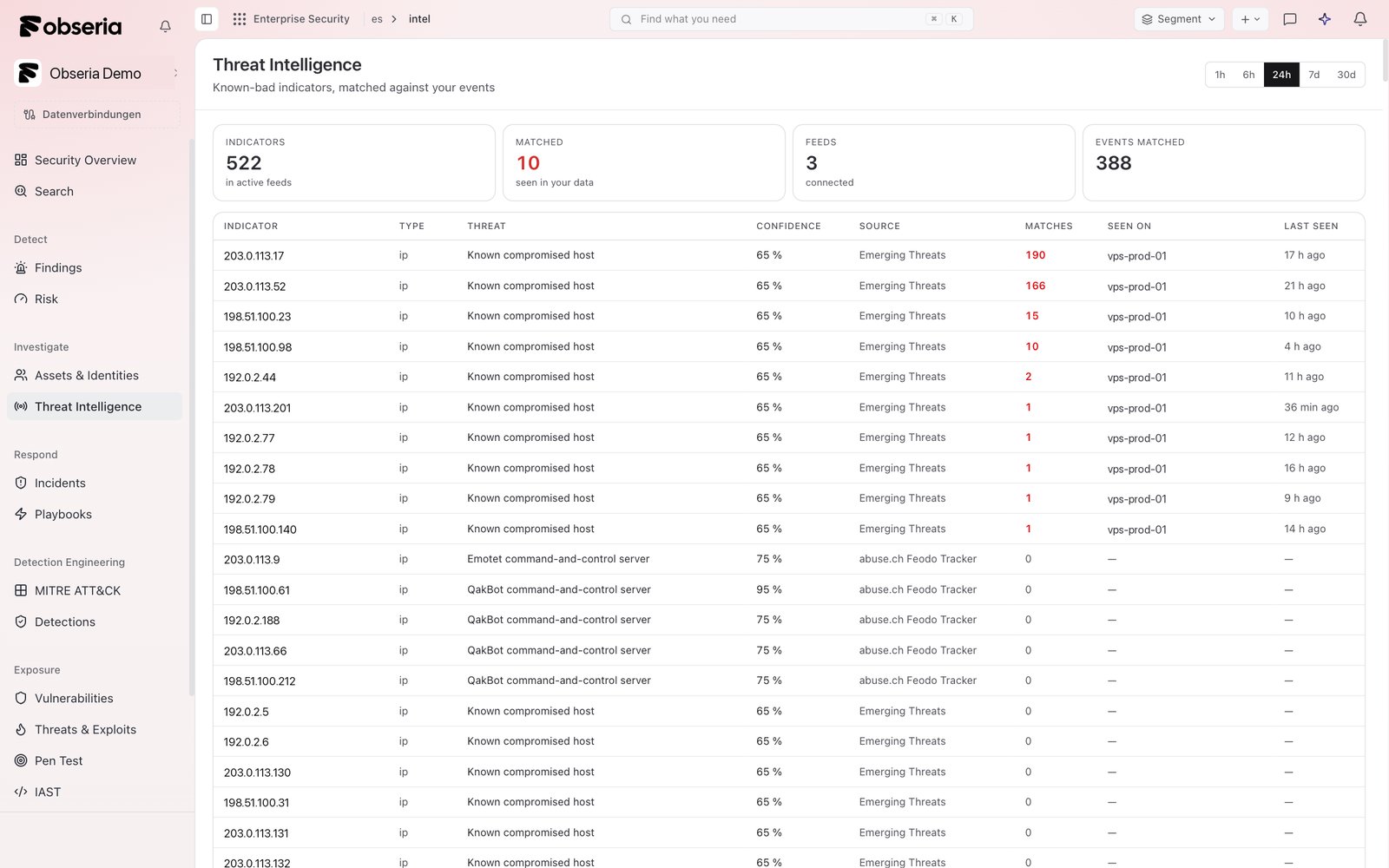
Each indicator with type, threat, confidence and source feed, plus matches, the host it was seen on and when it was last seen.
The rule “Connection to known malicious destination” reports hosts that talked to listed addresses or domains, next to rules for brute force, scans and more.
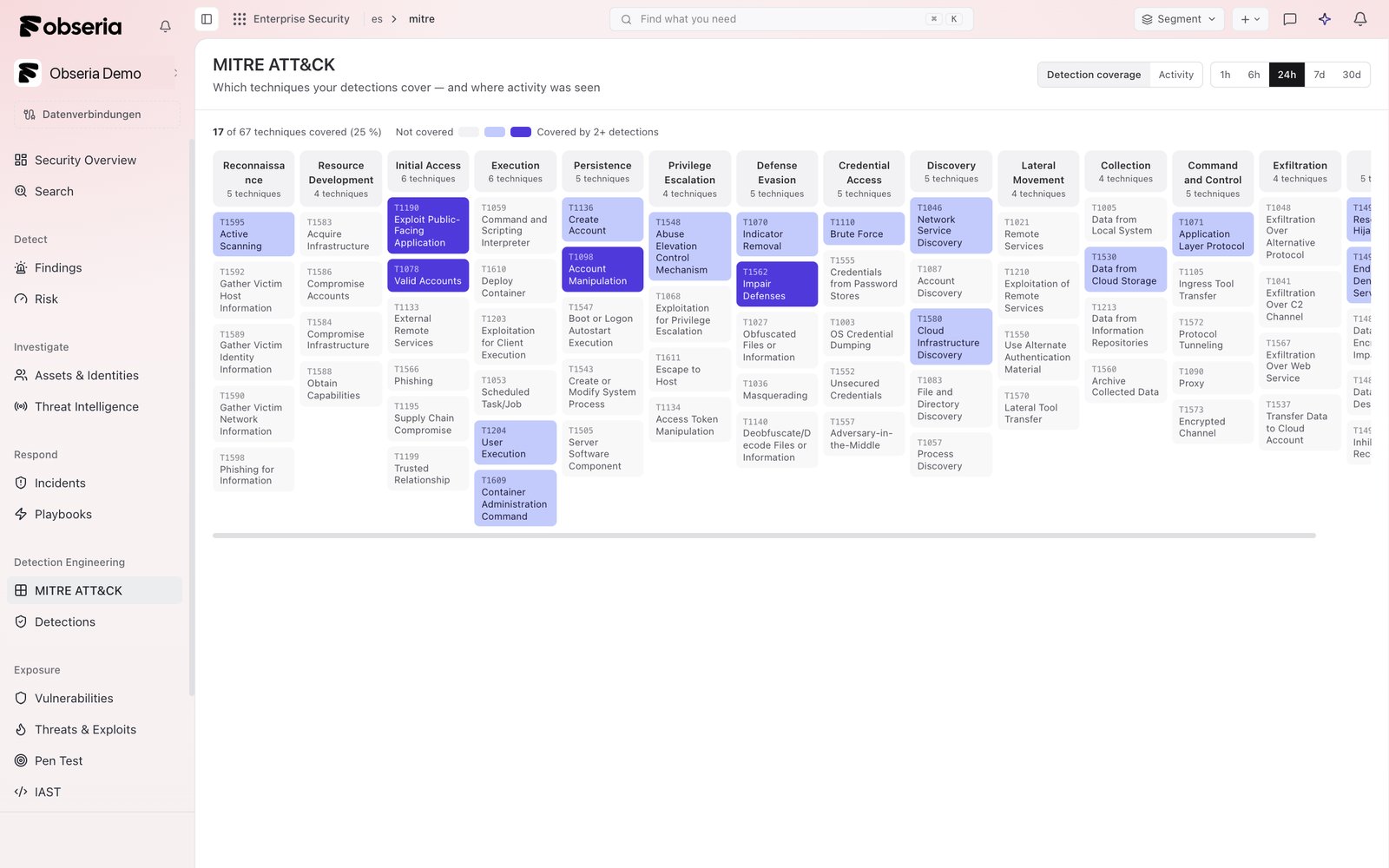
The ATT&CK matrix shows which techniques your detections cover and where activity was seen.
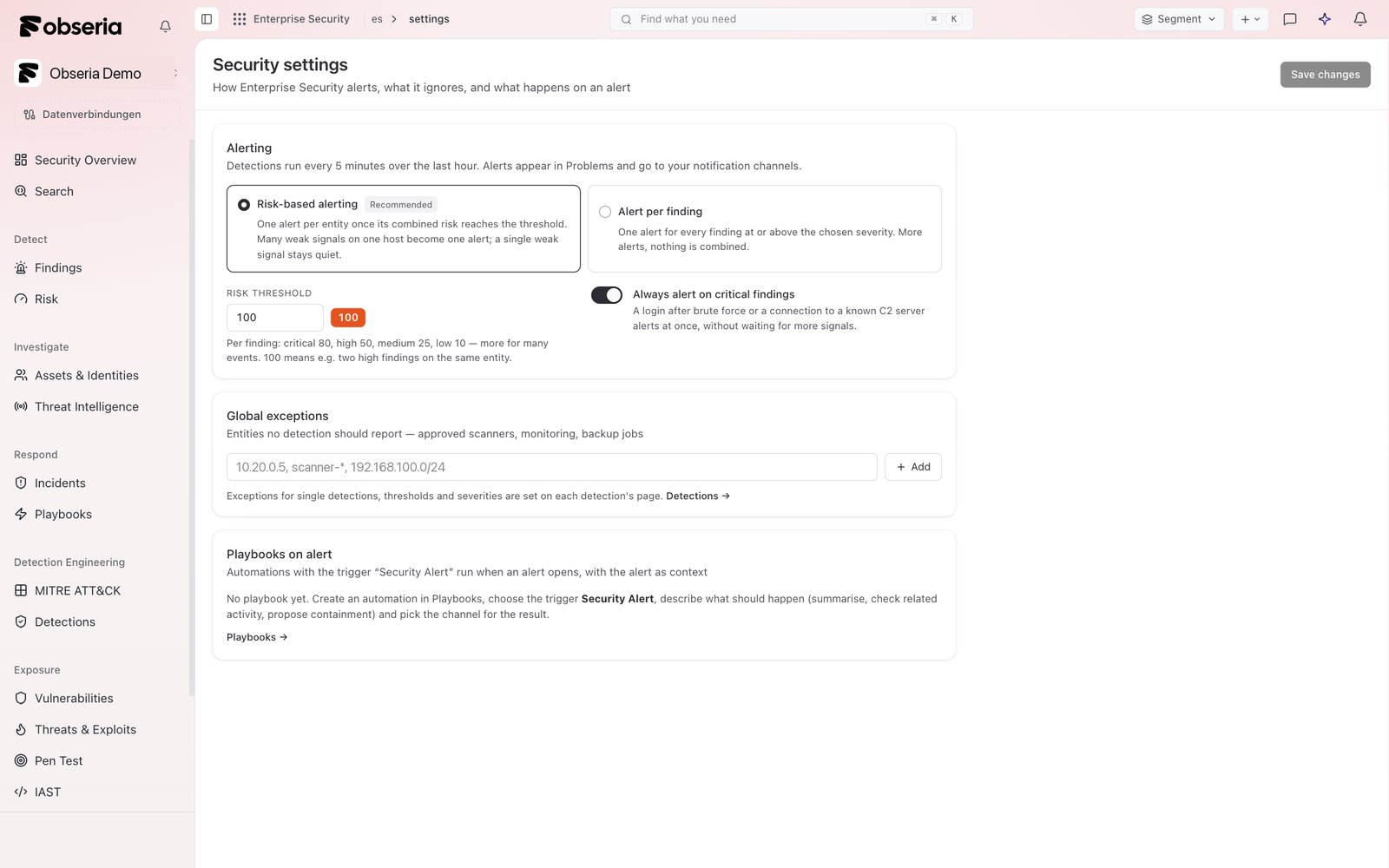
Critical findings can alert without waiting for more signals; everything else adds up as risk per entity.
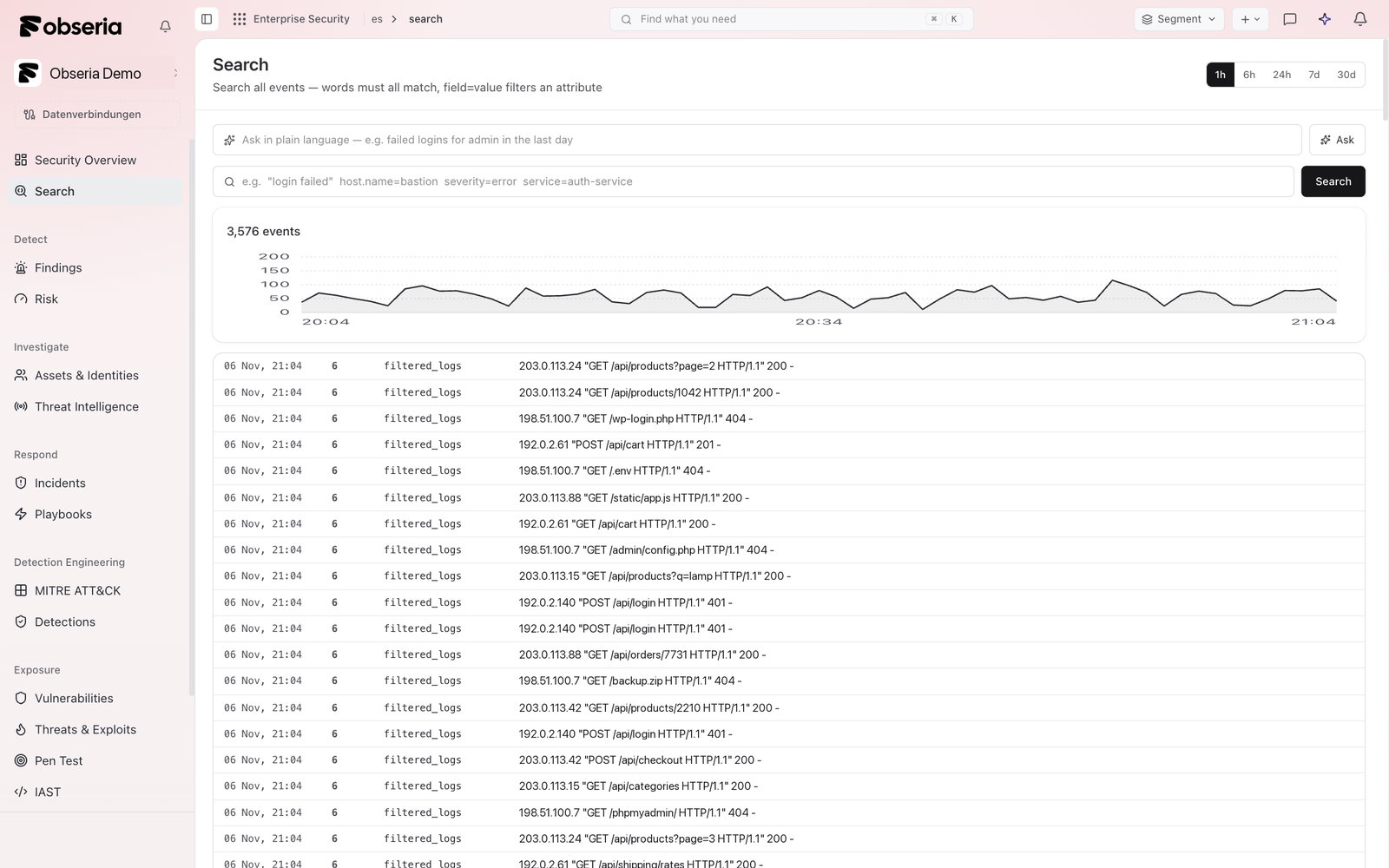
Search all security events for the address and see what else it did: requests, logins and the hosts involved.
Indicators from public threat feeds plus a built-in library of detection rules.
Indicators from public threat feeds are kept up to date, each with type, threat, confidence and source.
Your access, firewall, authentication and host logs are compared with the active indicators.
For each matched indicator Obseria shows the number of matches, the host it was seen on and when it was last seen.
The rule “Connection to known malicious destination” turns a match into a critical finding that can alert at once.
Search the related events, check the host and decide on the next steps, such as rotating credentials.
The Threat Intelligence view lists indicators from public threat feeds. For each indicator you see its type, the threat it belongs to, for example a known compromised host or the command-and-control server of a malware family, a confidence value and the feed it comes from.
Key figures at the top show how many indicators are in active feeds, how many of them were seen in your data, how many feeds are connected and how many of your events matched. The time range can be switched from the last hour to 30 days.
Because confidence and source are visible, you can judge a match yourself instead of trusting a black box.
Indicators only become useful when they meet your data. Obseria matches them against the events you send and shows, for each indicator, the number of matches, the host it was seen on and when it was last seen.
That turns an abstract list into a concrete question: why did this host communicate with this address? Sorting by matches shows the most frequent contacts first, while last seen tells you whether the activity is ongoing.
Matching needs events that contain addresses, such as web server access logs, firewall logs, authentication logs and host logs sent via OpenTelemetry or the Obseria host agent.
Threat intelligence in Obseria includes a library of ready-made detection rules. Each rule has an ID, severity, MITRE ATT&CK technique, data source and entity and runs continuously over your data.
One rule ties the indicators directly to findings: Connection to known malicious destination reports a host that talked to an address or domain listed in threat intelligence, as a critical finding mapped to T1071 (Application Layer Protocol, command and control). Other rules cover attack patterns such as brute force, web scanning, port scans, privilege escalation and cleared audit logs.
The ATT&CK matrix shows which techniques your rules cover and where activity was seen.
Findings from indicator matches flow into the same alerting as all other security findings. With risk-based alerting, findings add up per host, user or IP until a threshold is reached. A connection to a known command-and-control server is critical, and with the option “always alert on critical findings” it alerts at once instead of waiting for more signals.
Alerts appear in Problems and go to your notification channels. Global exceptions keep approved scanners or partner systems out of the findings.
Obseria reports what it sees. It does not block connections; your team decides how to respond.
 NGINX
 Apache HTTP Server
 Linux auth, auditd, firewall
 Windows Event Log
 AWS CloudTrail
 Google Cloud Audit Logs
 Microsoft Entra ID
 OpenTelemetry Collector
 Slack
 Microsoft Teams
 PagerDuty
Threat intelligence is knowledge about attackers and their infrastructure that helps you recognise an attack in your own data. In day-to-day operations it mostly means indicators of compromise (IOCs): IP addresses, domains, URLs or file hashes that are known to belong to botnets, malware command-and-control servers, scanners or phishing sites. Threat intelligence also includes knowledge about how attackers work, which is captured in detection rules and frameworks such as MITRE ATT&CK.
Indicators are collected and published in threat intelligence feeds. Some feeds are commercial, many are public and free, for example lists of known botnet controllers or compromised hosts maintained by security projects.
A connection from your web server to an unknown IP address looks harmless. The same connection to an address listed as a command-and-control server of a banking trojan is a strong sign that the server is compromised. Threat intelligence adds this context automatically. It also helps to separate noise from danger: a request from an address known for mass scanning deserves less attention than a successful login from an address on a list of compromised hosts.
Each type has its own shelf life. Hashes stay valid for a long time, IP addresses often only for days or weeks.
Indicators age quickly. Attackers change IP addresses, and cloud addresses are reused by other customers within days. Good practice is to weigh matches by confidence, prefer feeds that are maintained actively and look at last seen before acting. An IP address alone is rarely proof; combined with other findings on the same host it becomes meaningful. This is why indicator matches work best as one input into risk-based alerting rather than as single alerts.
Indicators answer the question “is this address known to be bad?”. Detection rules answer “does this behaviour look like an attack?”. A ready-made rule library encodes current attack patterns such as brute force, web scanning or a new privileged account, and maps each rule to a MITRE ATT&CK technique. Together, indicators and rules cover both known infrastructure and known techniques.
Check which feeds are included and how often they update, whether matches show host, count and last seen, whether matches feed into detection and alerting, and whether you can follow a match into the raw events. For smaller teams, built-in public feeds and a ready-made rule library are often more useful than a large platform that first needs to be filled and maintained.
Threat intelligence in Obseria is part of Security Enterprise and works together with the Cloud SIEM:
Obseria detects and reports matches; it does not block connections.
Knowledge about attackers and their infrastructure that helps you recognise attacks. In practice mostly indicators of compromise such as known malicious IP addresses and domains, plus detection rules that describe attack techniques.
Public threat feeds. In the example view, indicators come from feeds such as Emerging Threats and abuse.ch Feodo Tracker. The view shows how many feeds are connected and the source of each indicator.
Against the events you send, for example web server access logs, firewall logs, authentication logs and host logs. For each matched indicator you see the number of matches, the host and when it was last seen.
Not necessarily. The rule “Connection to known malicious destination” creates a critical finding. With risk-based alerting, findings add up per entity; with “always alert on critical findings” switched on, such a finding alerts at once.
Check confidence, source and last seen of the indicator, and look at the host and the related events. Approved systems can be excluded with global exceptions or with exceptions on the rule.
No. Obseria detects and reports matches. Blocking stays with your firewall, WAF or provider.
Threat intelligence is one input of the Cloud SIEM. Matches become findings, findings add up to risk per entity, and alerts and incidents are handled in the SIEM.
Obseria uses public feeds; commercial feeds, importing your own indicator lists or exchanging indicators via STIX/TAXII are not part of the feature today. Matching focuses on network indicators such as IP addresses and domains in your events, not on scanning files for malware hashes. If you need a specific feed, tell us.
The security product threat intelligence belongs to.
→Detection rules, findings, risk-based alerting and security incidents.
→Follow an indicator match across all security events.
→Cryptominers, root shells and new processes on your hosts. Detection only.
→Threat detection with observability context.
→In 30 minutes we show you how Obseria works in your environment and answer your questions on setup, privacy and pricing.
