
AI integrations
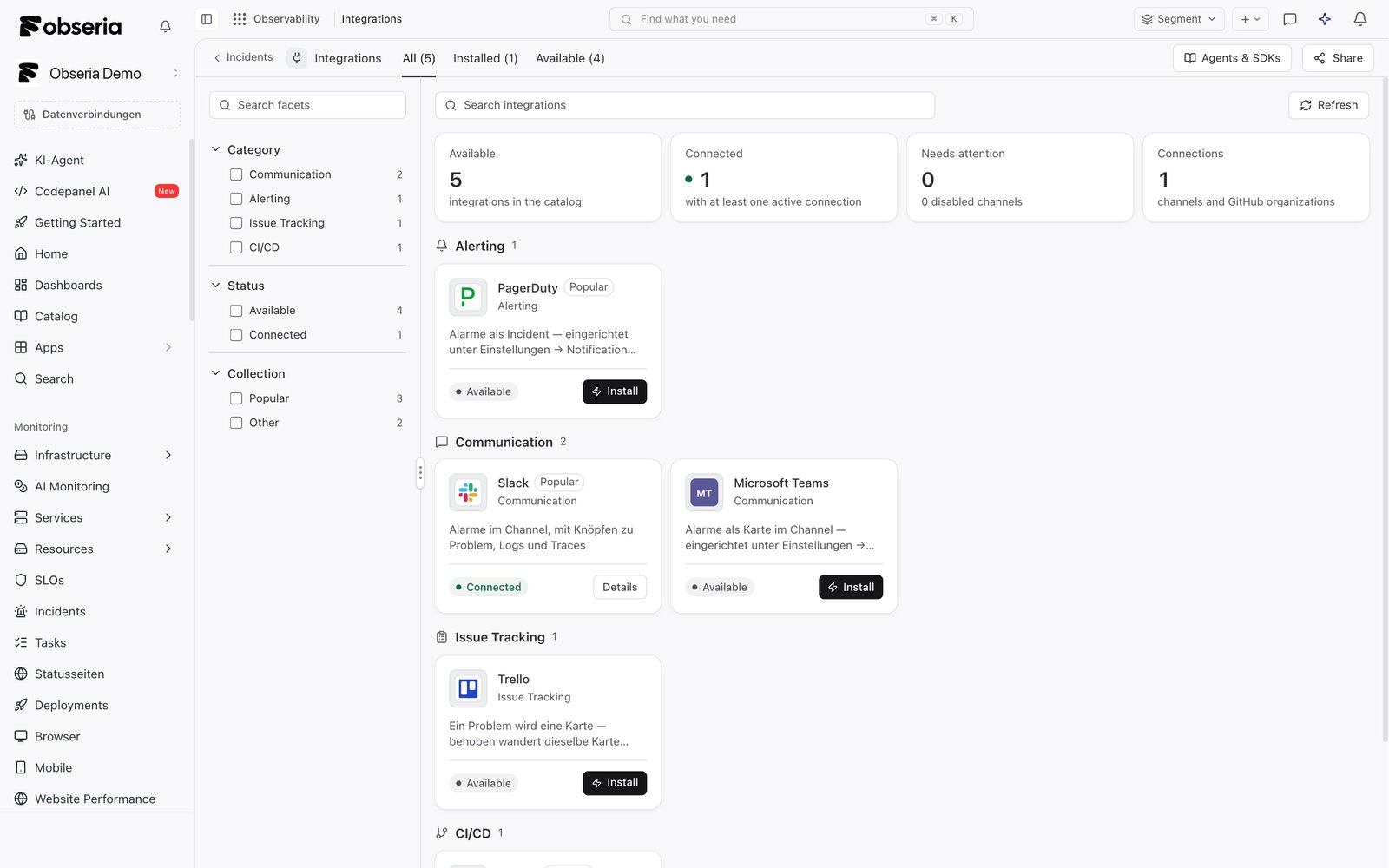
Connections for AI workflows; the catalog currently covers Slack, Trello, PagerDuty, Teams and GitHub.
We use essential functions to operate this website. With your consent, we would also use services for statistics and marketing. You decide which categories you allow and can change your choice at any time via “Cookie settings” in the footer. More in our privacy notice.
Obseria Consent Management · Your choice is stored for 12 months
Connect Slack, Microsoft Teams, PagerDuty, Trello and GitHub without custom code, so alerts, problems and workflow results land in the tools your team uses every day.
Slack, Microsoft Teams, PagerDuty, Trello and GitHub, each with its category, status and an install button.
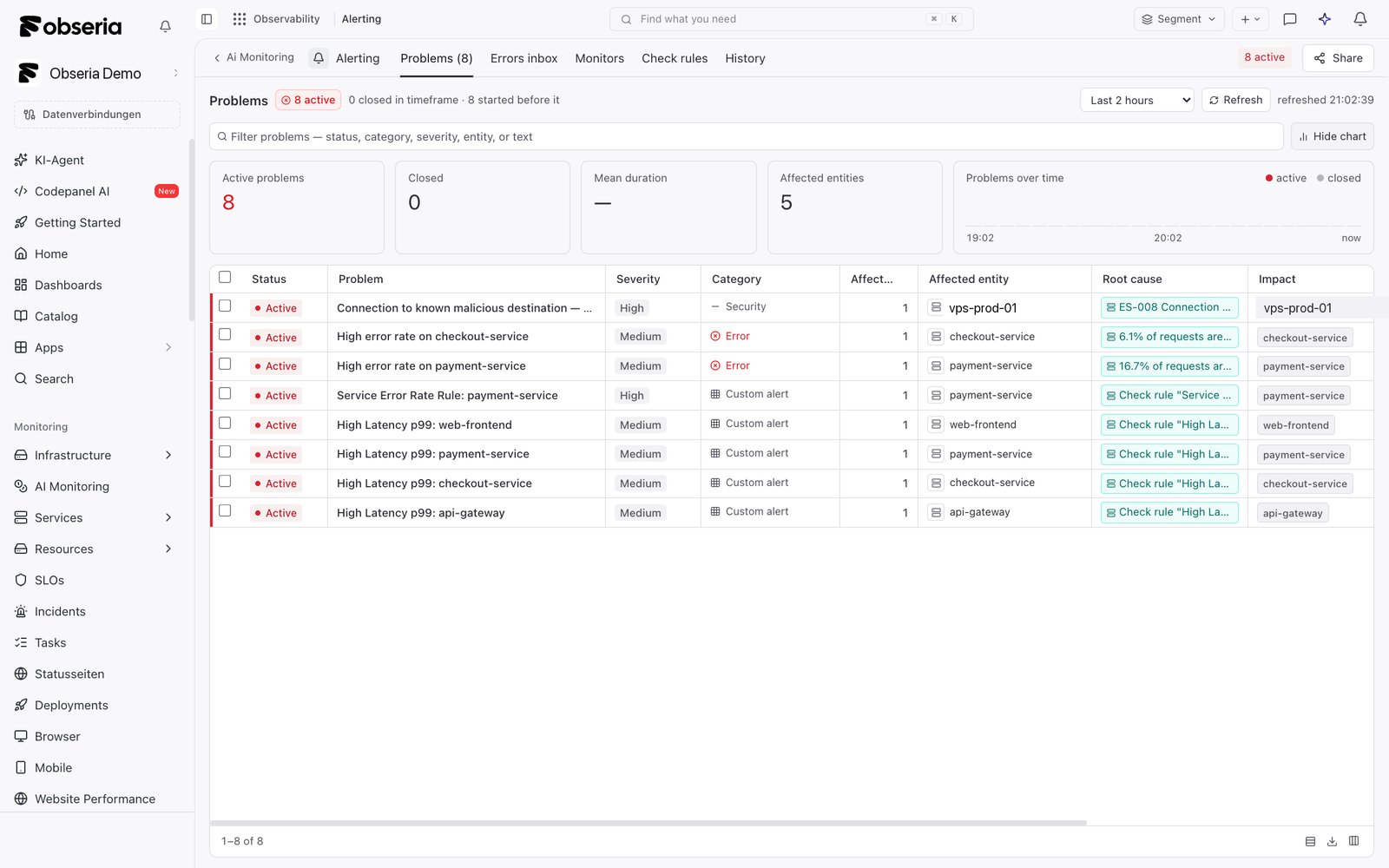
Alert rules create problems with severity, affected entity and root cause, and send them to the connected destinations.
Channel, problem, automation and incident events with severity and time, including automations that failed and why.
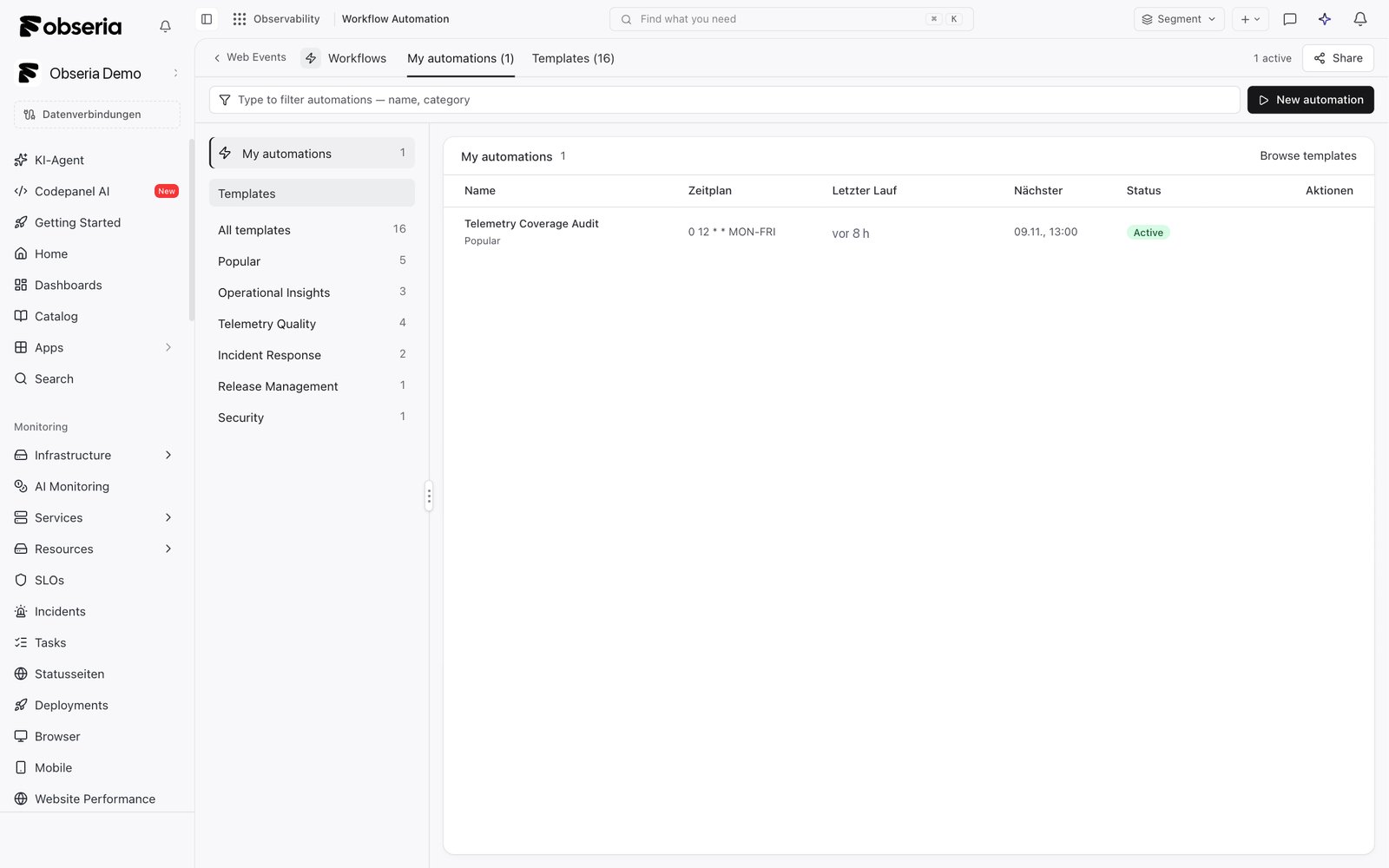
Automations run on a schedule or on events, for example to create a ticket or send a message, starting from templates.
Claude, Cursor, Copilot and other MCP clients get read-only access, with an API key per client and a live endpoint test.
Connections for AI workflows; the catalog currently covers Slack, Trello, PagerDuty, Teams and GitHub.
Destinations for alerts such as email, Slack, Teams, PagerDuty or webhooks.
Learn more →Automates processes: trigger actions on an event, e.g. create a ticket, restart or send a message.
Provides your data to AI assistants via the Model Context Protocol.
Learn more →



Choose Slack, Microsoft Teams, PagerDuty, Trello or GitHub from the catalog, filtered by category or status.
Install the integration. Teams and PagerDuty are set up as notification channels; GitHub is connected per organization.
Alert rules send problems to the right destination: chat for awareness, PagerDuty for urgent ones, Trello for follow-up.
Slack messages link to the problem, its logs and traces, and a Trello card moves on when the problem is resolved.
The overview shows connections that need attention, and the notification inbox lists failed automations.
The integrations catalog covers Slack and Microsoft Teams for communication, PagerDuty for alerting, Trello for issue tracking and GitHub for CI/CD. Each card shows its category, a short description of what it does and whether it is available or connected, with an install button.
Filters by category, status and collection keep the list manageable, and a search finds an integration by name. From the same page, a link leads to the agents and SDKs that send data into Obseria.
Because the connections are maintained in the product, there is no webhook script to keep alive when an API changes.
Slack receives alerts in the channel with buttons to the problem, its logs and its traces, so the first click leads to the details. Microsoft Teams receives alerts as a card in the channel. PagerDuty turns alerts into incidents with its own escalation.
Trello handles follow-up: a problem becomes a card, and when the problem is resolved the same card moves on, so the board reflects the actual state.
Teams and PagerDuty are set up as notification channels, next to email, Google Chat, Discord, Opsgenie, Jira Service Management, incident.io and webhooks. Alert rules decide which problems go where.
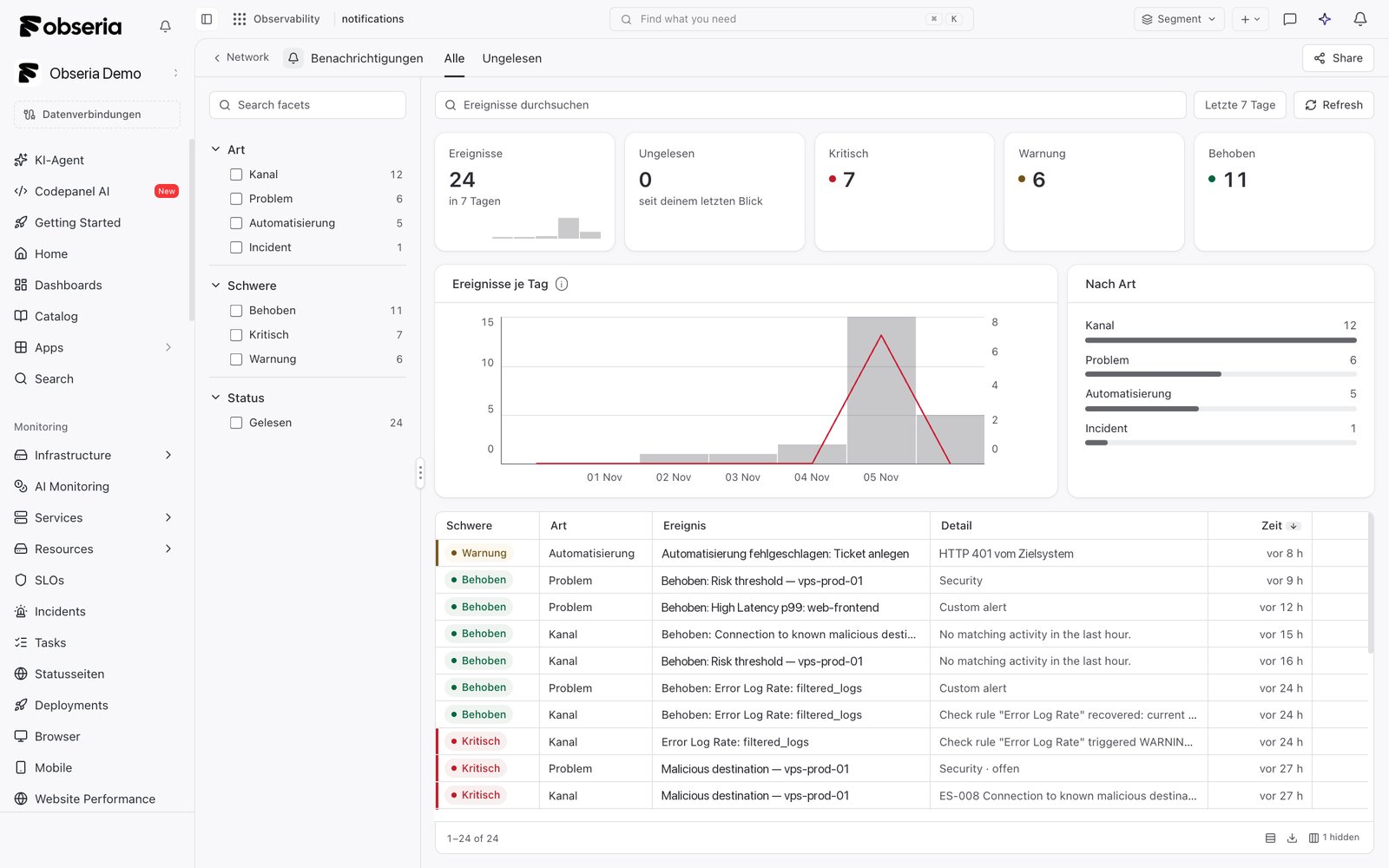
A broken integration is dangerous because it fails silently. The overview shows how many integrations are available, how many are connected, how many need attention because a channel was disabled, and how many connections exist, including channels and GitHub organizations.
The notification inbox lists channel, problem, automation and incident events with severity and time. A failed automation, for example a ticket that could not be created because the target system rejected the request, shows up there with the reason.
That way you find out about a broken connection before the next important alert depends on it.
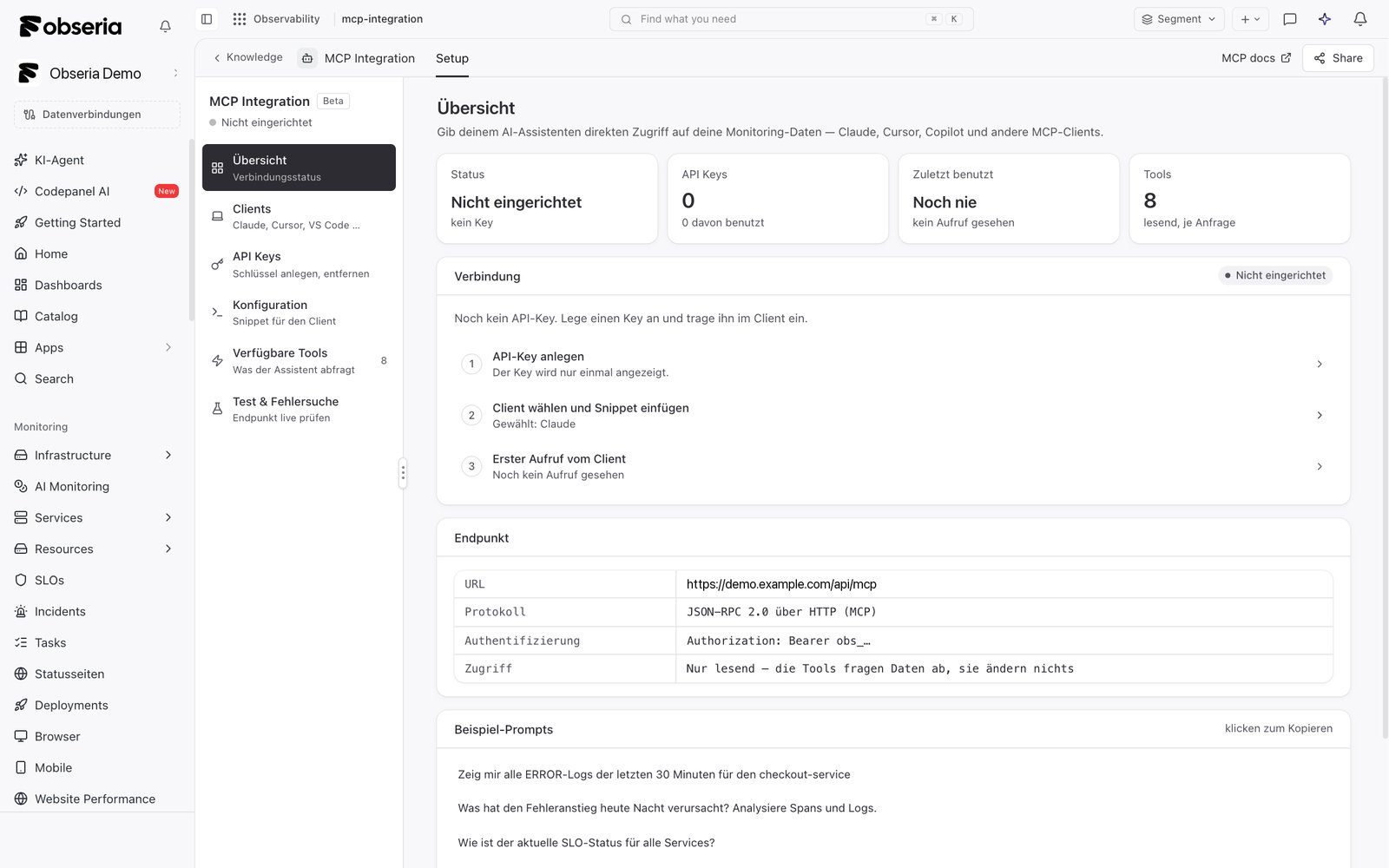
The other direction matters too. The Obseria MCP server gives AI assistants such as Claude, Cursor, Copilot and VS Code access to your monitoring data. Access is read-only: the eight tools query data and change nothing, and each client gets its own API key.
Workflow automation reacts to events, for example by creating a ticket or sending a message, and can run on a schedule. Templates cover operational insights, telemetry quality, incident response, release management and security.
Together, the integrations decide where results end up, the MCP server lets assistants read the context, and workflows take the routine steps.
SlackMicrosoft TeamsPagerDutyGitHub Obseria MCP server
 Claude Code
 Cursor
 GitHub Copilot
AI integrations connect an observability or AI platform to the tools a team already works in: chat, on-call, issue tracking and source control. They decide where the results of monitoring, automation and AI-assisted analysis end up. An alert that only lives in a dashboard is easy to miss; the same alert as a message in the team channel, an incident in the on-call tool or a card on the board gets handled.
The term is used for two directions. Outbound integrations send alerts, problems and workflow results to tools such as Slack or PagerDuty. Inbound access lets AI assistants read monitoring data, for example through the Model Context Protocol (MCP). Both matter, and both should work without custom glue code.
AI workflows produce many small results: an anomaly, a suggested cause, a failed model call, an unusual increase in tokens. Their value depends on reaching the right people quickly and in a form they can act on. Good integrations:
The integrations catalog currently covers five tools, grouped by category:
The overview shows how many integrations are available and connected, how many need attention because a channel was disabled, and how many connections exist, including channels and GitHub organizations. Filters by category, status and collection help once the list grows. A notification inbox lists channel, problem, automation and incident events, including failed automations such as a ticket that could not be created.
For the inbound direction, the Obseria MCP server gives assistants such as Claude, Cursor, Copilot or VS Code read-only access to monitoring data through eight tools, secured with an API key per client. Workflow automation can trigger actions on events, for example creating a ticket or sending a message.
A team running an online shop and a support bot could route like this. A critical error rate on the checkout service goes to PagerDuty and wakes the on-call person. Latency warnings and rising failures of the support bot's model go to a Slack or Teams channel during working hours, with links to the problem, logs and traces. Problems that need a code change, such as a slow query or a growing prompt, become Trello cards that move on once the problem is resolved. A workflow posts a weekly summary to the same channel. The MCP server lets the developer who picks up the card ask an assistant for the last error logs of the service, without copying data by hand.
Connect the chat tool your team already uses and send one important alert there. Add PagerDuty only for the alerts that need someone immediately, and Trello for problems that need follow-up. Check the integration overview after a week: nothing should need attention, and every connection should have an owner.
The catalog currently covers Slack, Microsoft Teams, PagerDuty, Trello and GitHub. Notification channels additionally reach email, Google Chat, Discord, Opsgenie, Jira Service Management, incident.io and webhooks.
Alerts in the channel with buttons that lead to the problem, its logs and its traces.
Both are set up as notification channels. Teams receives alerts as a card in the channel; PagerDuty turns alerts into incidents.
A problem becomes a Trello card, and when the problem is resolved the same card moves on, so the board stays in sync with the actual state.
GitHub is listed in the CI/CD category and connected per GitHub organization; the overview counts these organizations among the connections.
The overview shows integrations that need attention, for example because a channel was disabled, and the notification inbox lists failed automations with the reason.
No. The MCP server for assistants such as Claude or Cursor is read-only: its eight tools query data and change nothing.
The integrations catalog is small, with five tools; further destinations such as Opsgenie or Jira Service Management are available as notification channels, and anything else through webhooks. There is no ServiceNow integration. Slack, Teams and the other integrations deliver alerts and cards; there is no chatbot that answers questions inside these tools, and Obseria does not manage on-call schedules.
LLM calls, coding agents and AI costs on one platform.
→Workflows that react to events, for example by creating a ticket or sending a message.
→Read-only access to your monitoring data for Claude, Cursor and other assistants.
→Rules that create problems and notify your channels.
→Tokens, duration and error rates per model from OpenTelemetry spans.
→In 30 minutes we show you how Obseria works in your environment and answer your questions on setup, privacy and pricing.

 Opsgenie
 Jira Service Management
 Google Chat
 Discord
 incident.io