
Recommendations
Suggests concrete improvements: missing alerts, cost savings and configuration errors.
We use essential functions to operate this website. With your consent, we would also use services for statistics and marketing. You decide which categories you allow and can change your choice at any time via “Cookie settings” in the footer. More in our privacy notice.
Obseria Consent Management · Your choice is stored for 12 months
Obseria looks at your live telemetry and suggests concrete improvements: missing alerts, cost savings, configuration errors and reliability issues. Your team sets the status and decides what to do.
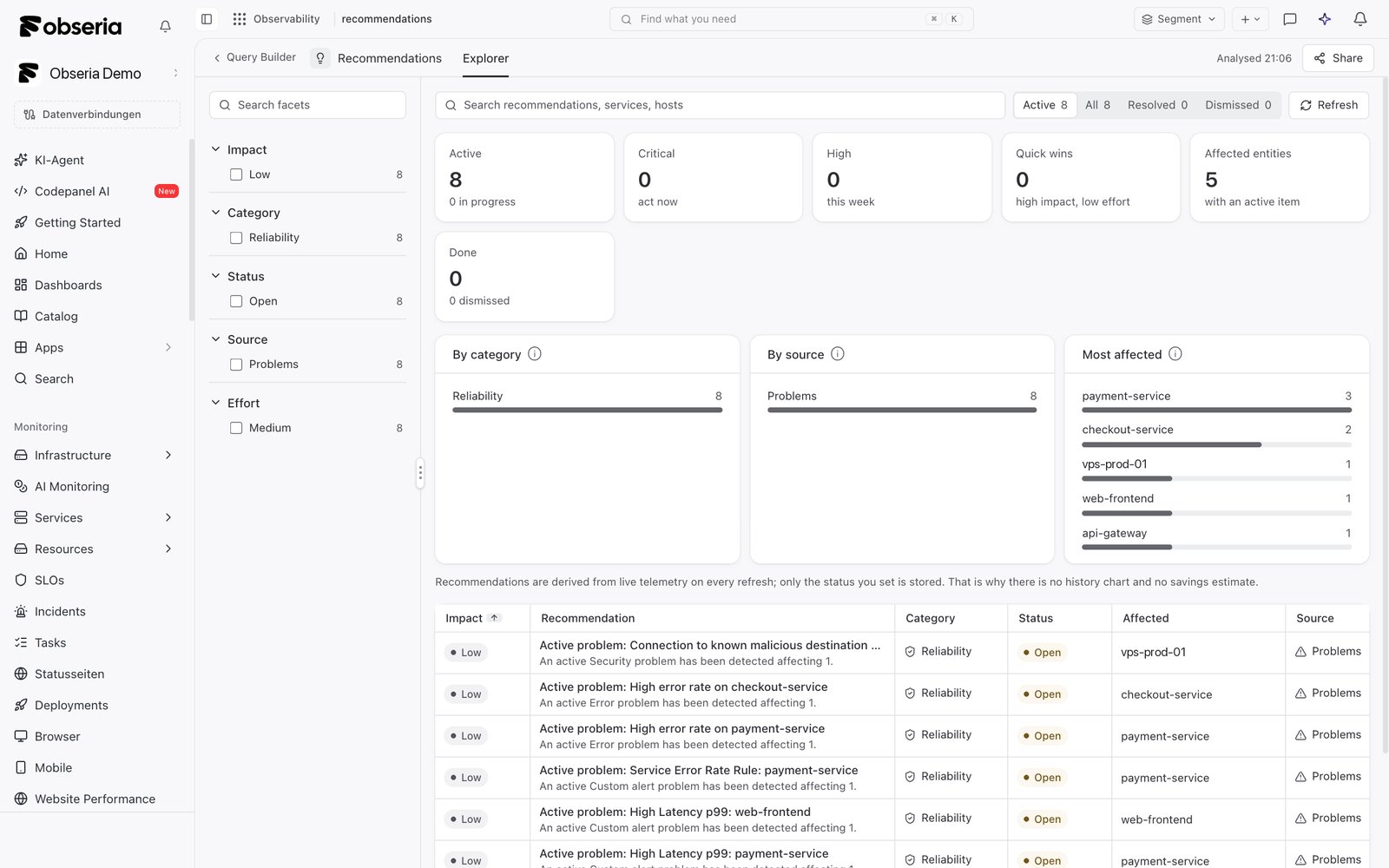
Recommendations come from live telemetry and name the affected service or host. Counters show critical and high items, quick wins and affected entities.
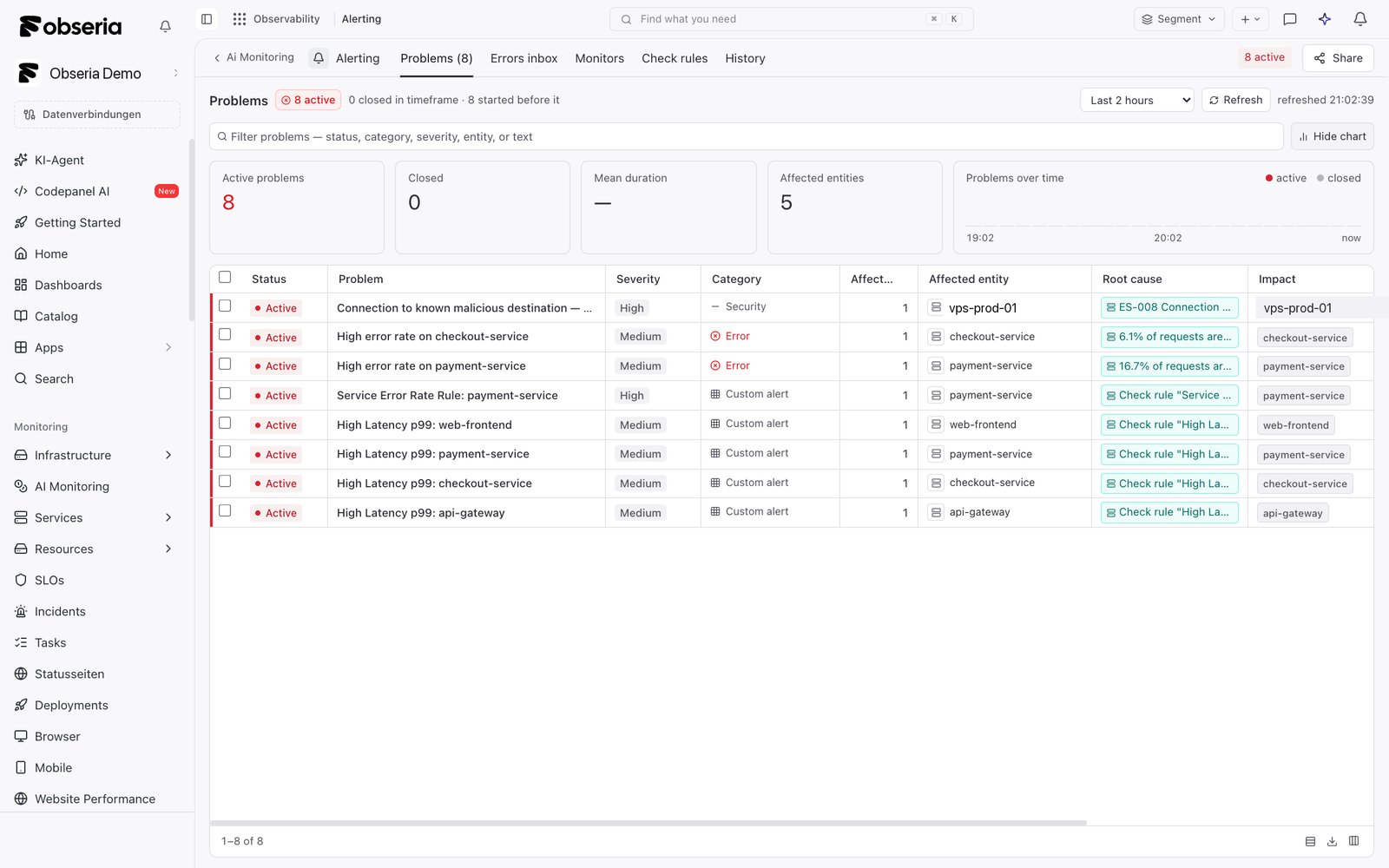
Reliability recommendations point to active problems. Open the problem to see severity, affected entity, impact and the likely root cause.
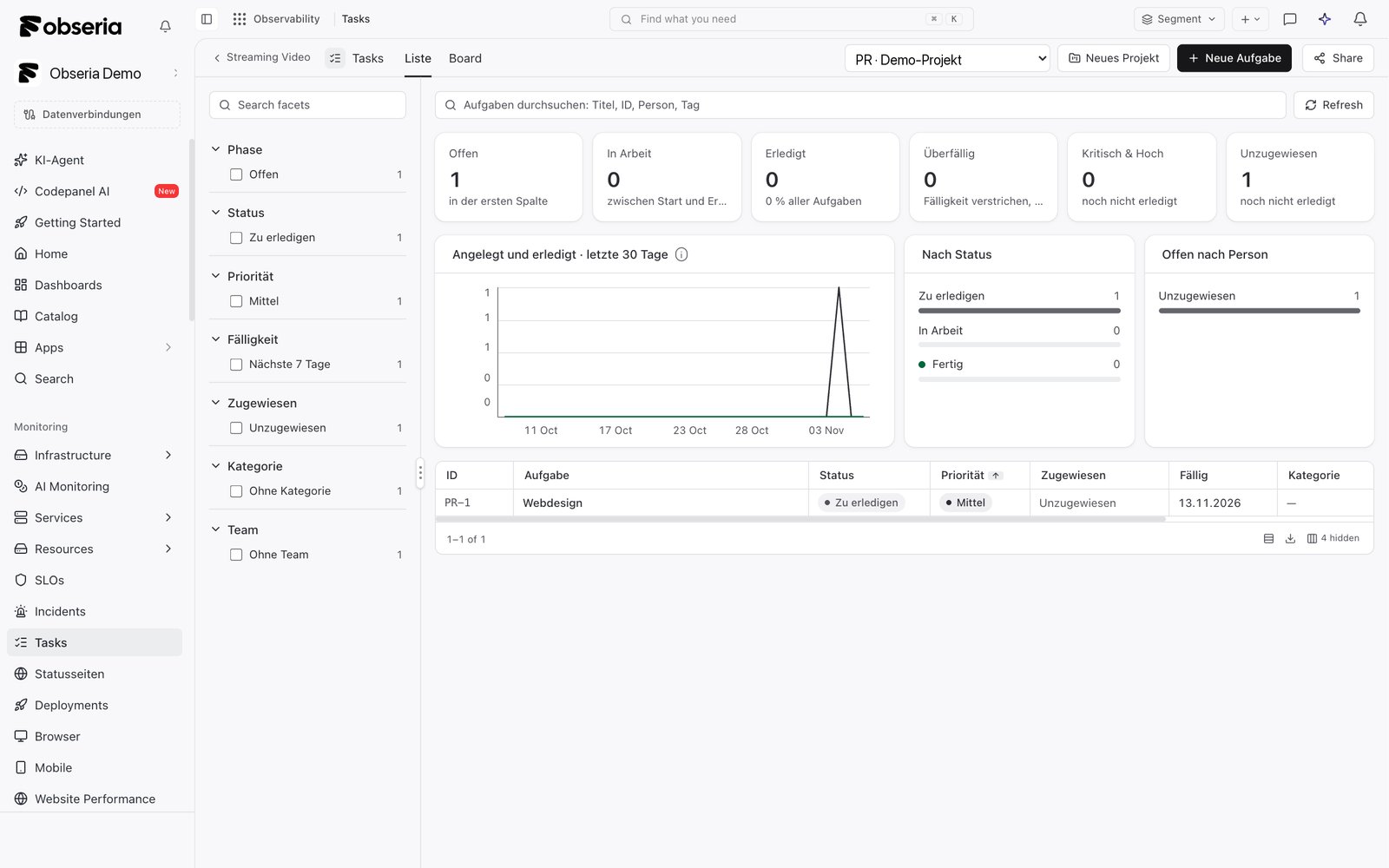
Record the work as a task with priority, assignee and due date, and follow it in a list or on a board until it is done.
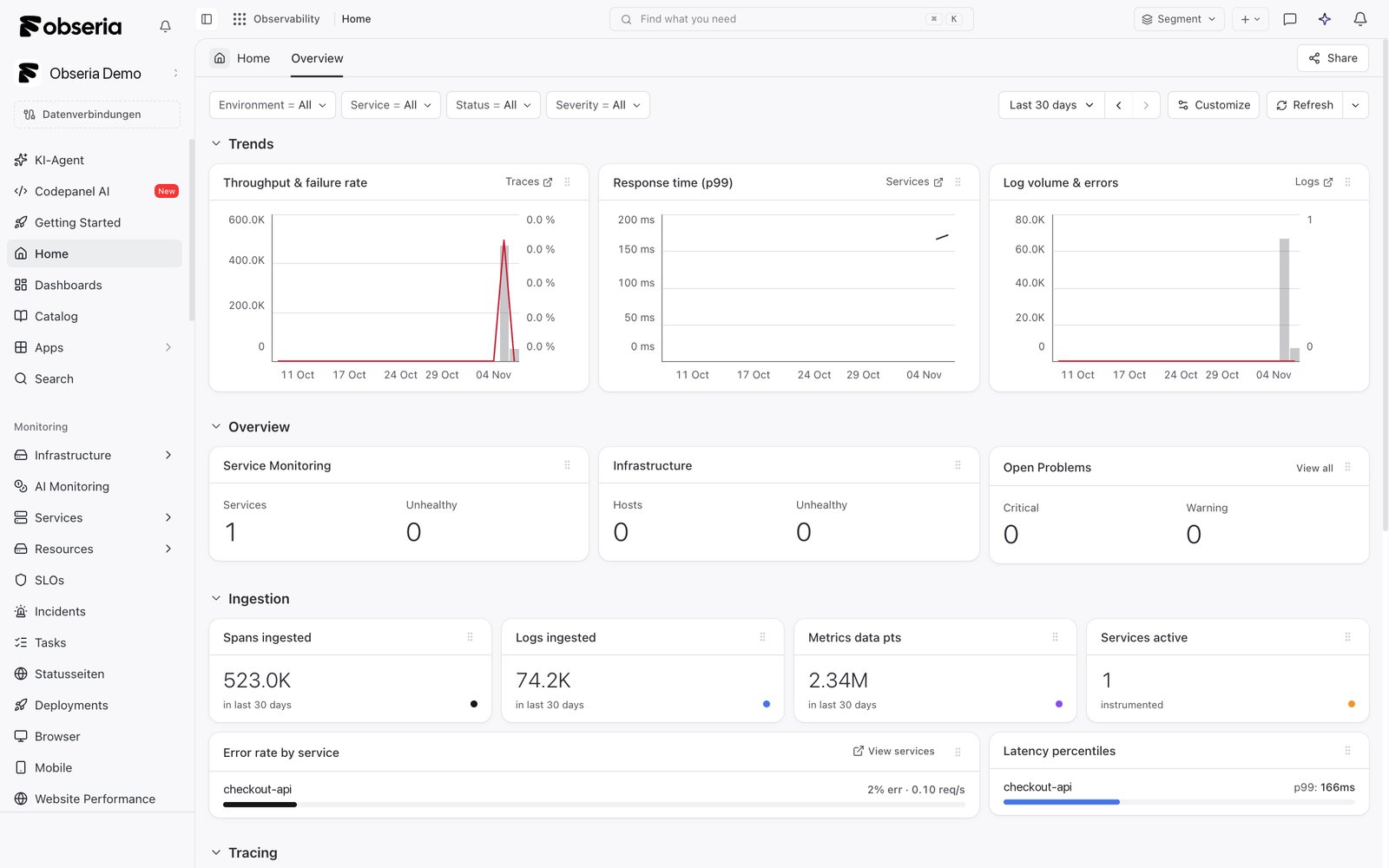
The home overview shows throughput, response time, log errors and open problems, so you can check the effect of a fix on the same platform.
Anomaly detection compares services or operations on p99 latency, error rate and throughput, as a second view next to the recommendations.
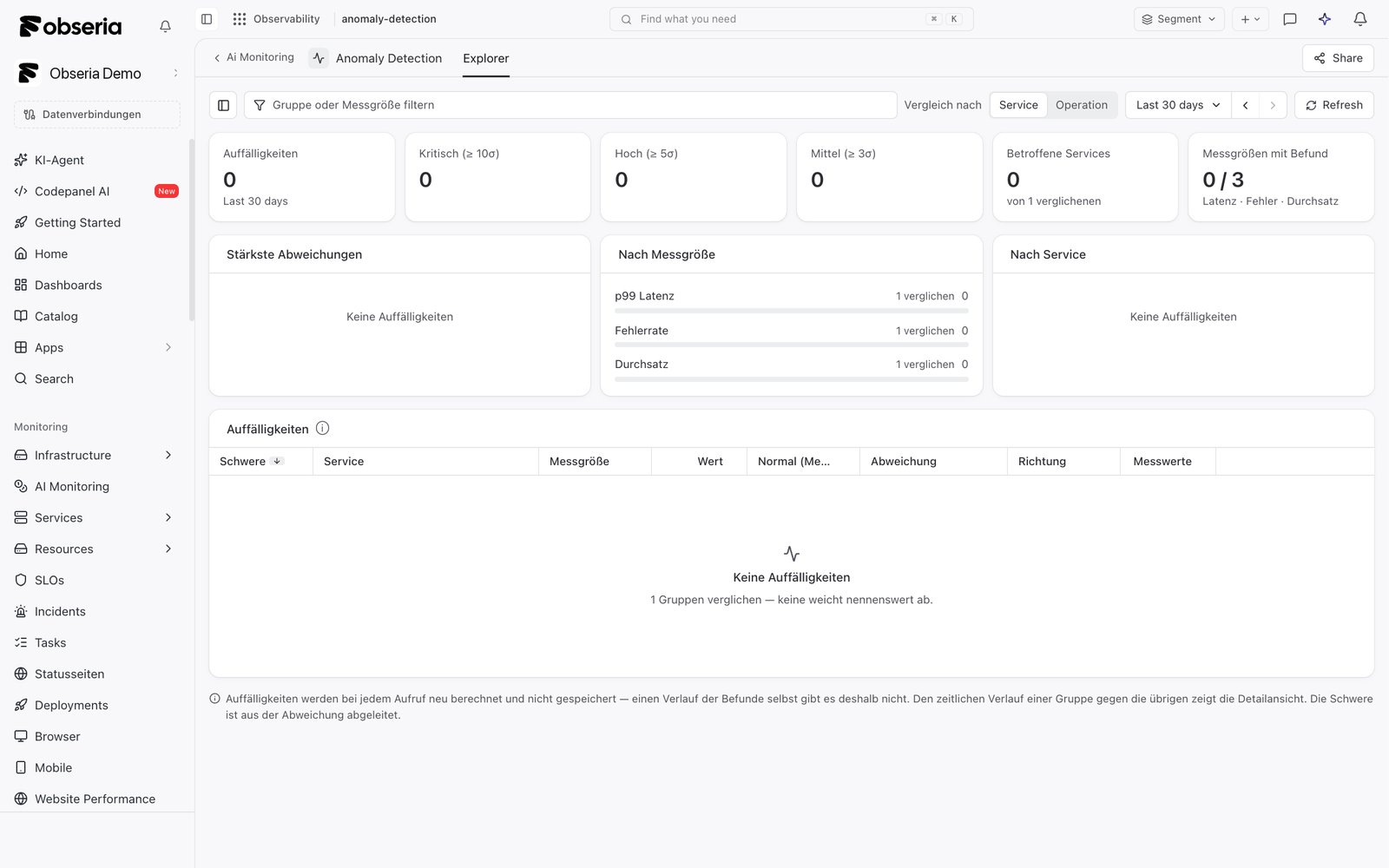
Suggests concrete improvements: missing alerts, cost savings and configuration errors.
Groups related anomalies into one problem and names the likely root cause.
Learn more →



On every refresh Obseria derives recommendations from live telemetry and active problems; the time of the last analysis is shown.
Each recommendation gets a category, an impact and an effort rating, and names the affected service or host and its source.
Start with critical items and quick wins: high impact, low effort. Facets narrow the list by impact, category, status, source or effort.
Set each item to in progress, resolved or dismissed. Only the status you set is stored.
Record accepted work as a task with an owner, add a missing alert or fix the configuration, and check the list again next week.
Recommendations collect the things worth doing that would otherwise need a dedicated analysis. Reliability items come from active problems, for example a high error rate on a checkout service or a latency rule that keeps firing. Alerting items point to gaps, such as entities that send data without a rule watching them. Cost items show savings potential, and configuration items flag settings that are probably wrong.
Every item names the affected service or host and its source, so you can see at once where it comes from and who should look at it.
The panels by category and by source show where most suggestions come from; the most affected entities show which services or hosts need a closer look.
Each recommendation carries an impact and an effort rating. The overview counts active items and how many are in progress, critical items that need action now, high items for this week, quick wins with high impact and low effort, the number of affected entities, and items done or dismissed.
That makes planning straightforward. Pick the quick wins for the current week, schedule the critical and high items with an owner, and dismiss what does not apply to your system with a clear decision.
Facets for impact, category, status, source and effort, plus a search across recommendations, services and hosts, help to cut the list down to what one team is responsible for.
Recommendations are suggestions, not changes. Obseria does not apply anything to your systems. Your team sets each item to open, in progress, resolved or dismissed, and only this status is stored.
The recommendations themselves are derived from live telemetry on every refresh. When the underlying situation changes, for example because a problem is closed, the list reflects that the next time it is analysed. The header shows when the last analysis ran.
For the same reason there is no history chart and no savings estimate. What you see is the current state, combined with the decisions your team has recorded.
A recommendation is only useful when someone acts on it. In Obseria the next steps are on the same platform: open the related problem to see severity, affected entity and likely cause, add the missing check rule in alerting, or record the work as a task with priority, assignee and due date.
Tasks can be linked to a service, a host, an incident or a trace, so the context of the recommendation stays attached to the work. When the task is done, set the recommendation to resolved.
A short weekly review of new critical items and open quick wins is usually enough to keep the list under control.
OpenTelemetryPrometheusKubernetes DockerLinux
 AWS
 Azure
 Google Cloud
Every observability setup drifts over time. New services go live without alerts, a check rule stays noisy for months, a host is oversized, a configuration value is left at a default nobody chose on purpose. Each of these is small, and that is exactly why they are rarely fixed: finding them takes analysis time that nobody has.
Monitoring recommendations turn that analysis into a list. The tool looks at the telemetry and configuration it already has and suggests concrete improvements, for example a missing alert on a busy service, a cost saving on a resource that is barely used, or a configuration error that will cause trouble later. The team then decides which suggestions to follow.
A list of fifty suggestions is not helpful on its own. What makes it usable is a clear rating of impact (how much does it matter?) and effort (how much work is it?). Combining the two gives a simple priority order:
Dismissing is a valid outcome. A recommendation that does not apply to your system should be closed with a reason, not left open forever.
Useful indicators are the number of active recommendations, the number of critical and high items, the number of quick wins still open, the number of affected entities and how many items were resolved or dismissed in a period. A shrinking count of critical items and a stable or falling number of affected entities show that the team is getting ahead of problems.
The first time a team opens a recommendation list, it is often longer than expected. Do not try to clear it in one go. A practical first session takes about an hour:
After that, the weekly review only has to deal with what is new.
Ask whether recommendations are based on your live telemetry or on a static checklist, whether each item names the affected service or host, whether impact and effort are shown, and whether the tool changes anything on its own. For most teams, suggestions should stay suggestions until a person decides.
Because recommendations are recalculated each time, there is no history chart and no savings estimate. Obseria does not apply recommendations itself; your team decides what to change.
Recommendations cover reliability issues from active problems, missing alerts, cost savings and configuration errors. Each item names the affected service or host, its category, its source, the expected impact and the effort.
They are derived from live telemetry and active problems on every refresh. The header shows when the last analysis ran, and each item shows its source, for example problems.
A recommendation with high impact and low effort. Obseria counts open quick wins separately, so you can start with the work that pays off fastest.
No. Recommendations are suggestions. Your team decides and sets each item to open, in progress, resolved or dismissed. Nothing changes in your systems without a person acting.
Recommendations are recalculated from live telemetry on every refresh, and only the status you set is stored. A history of recommendations and a calculated savings figure are therefore not available.
Yes. Set it to dismissed. Dismissed items have their own tab and counter, so the decision stays visible.
Recommendations show what is worth doing; tasks track the actual work with priority, assignee and due date. Record accepted recommendations as tasks and set them to resolved when the work is done.
There is no history of recommendations, no savings estimate and no automatic implementation. Recommendations reflect the current telemetry; which categories appear depends on the data Obseria receives from your environment.
Problems, anomaly detection and recommendations in one product.
→Related signals grouped into one problem with a likely cause.
→Close the alert gaps that recommendations point out.
→Turn accepted recommendations into tasks with an owner.
→Spot services that behave unusually without a threshold for each.
→In 30 minutes we show you how Obseria works in your environment and answer your questions on setup, privacy and pricing.
