
SSL certificate expiry
Warns you in good time before a TLS certificate expires.
We use essential functions to operate this website. With your consent, we would also use services for statistics and marketing. You decide which categories you allow and can change your choice at any time via “Cookie settings” in the footer. More in our privacy notice.
Obseria Consent Management · Your choice is stored for 12 months
Obseria scans your URLs on a schedule, shows whether each TLS certificate is valid and when it expires, and lists every certificate that expires within the next 30 days.
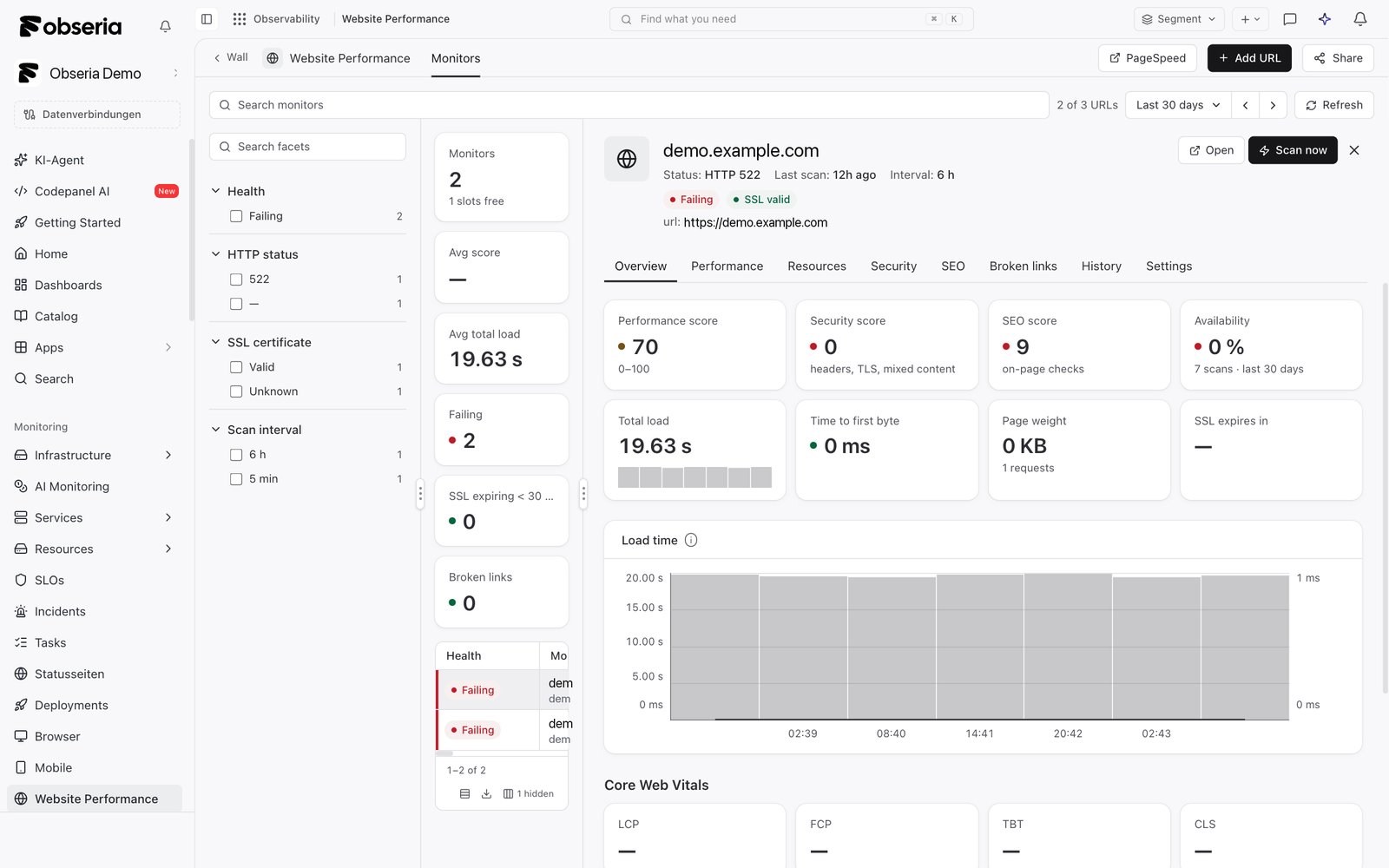
Each monitored URL shows whether its certificate is valid and when it expires; the overview counts certificates that expire within 30 days.
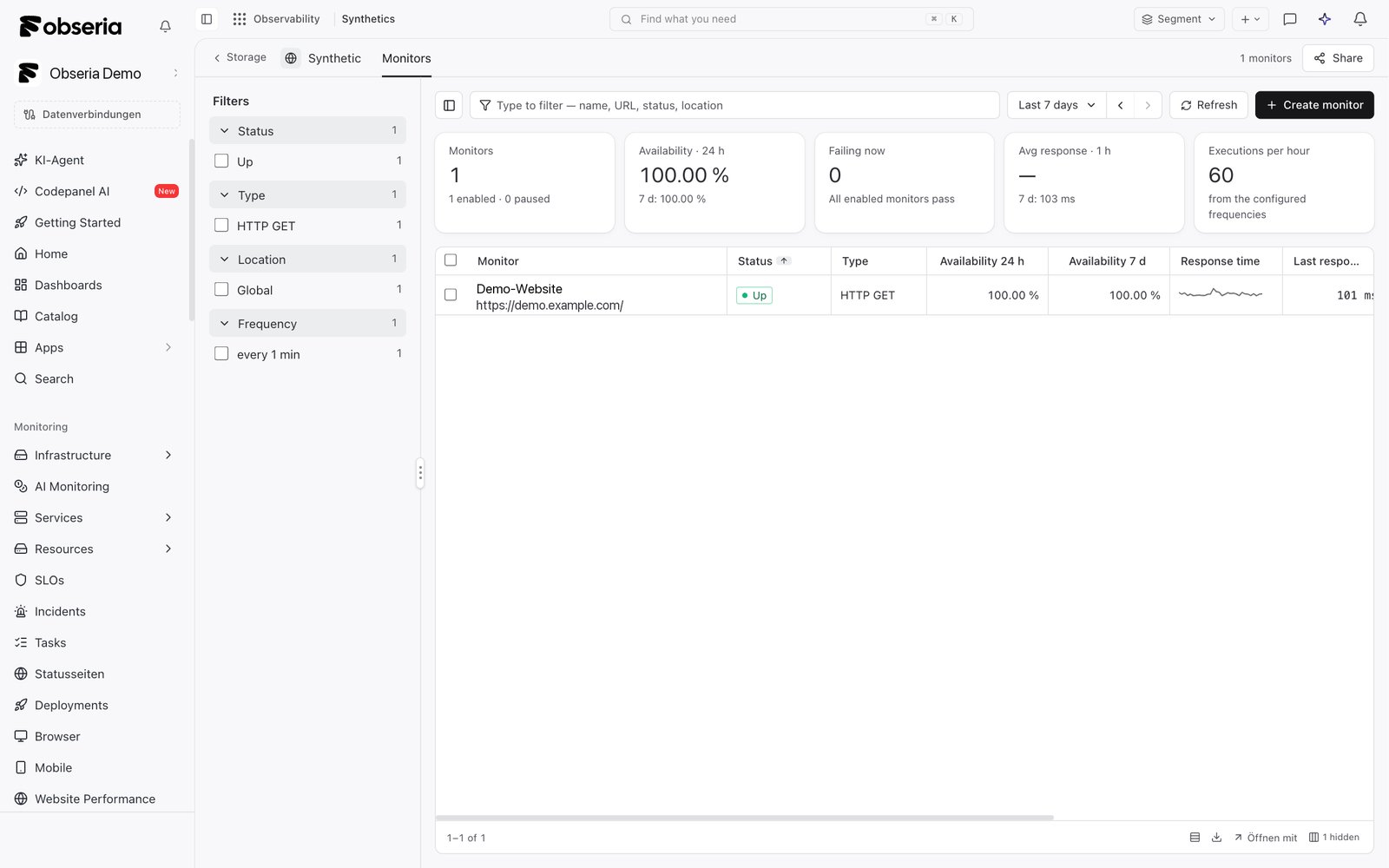
Synthetic monitors call websites and APIs on a schedule and show availability over 24 hours and 7 days, failing monitors and response time.
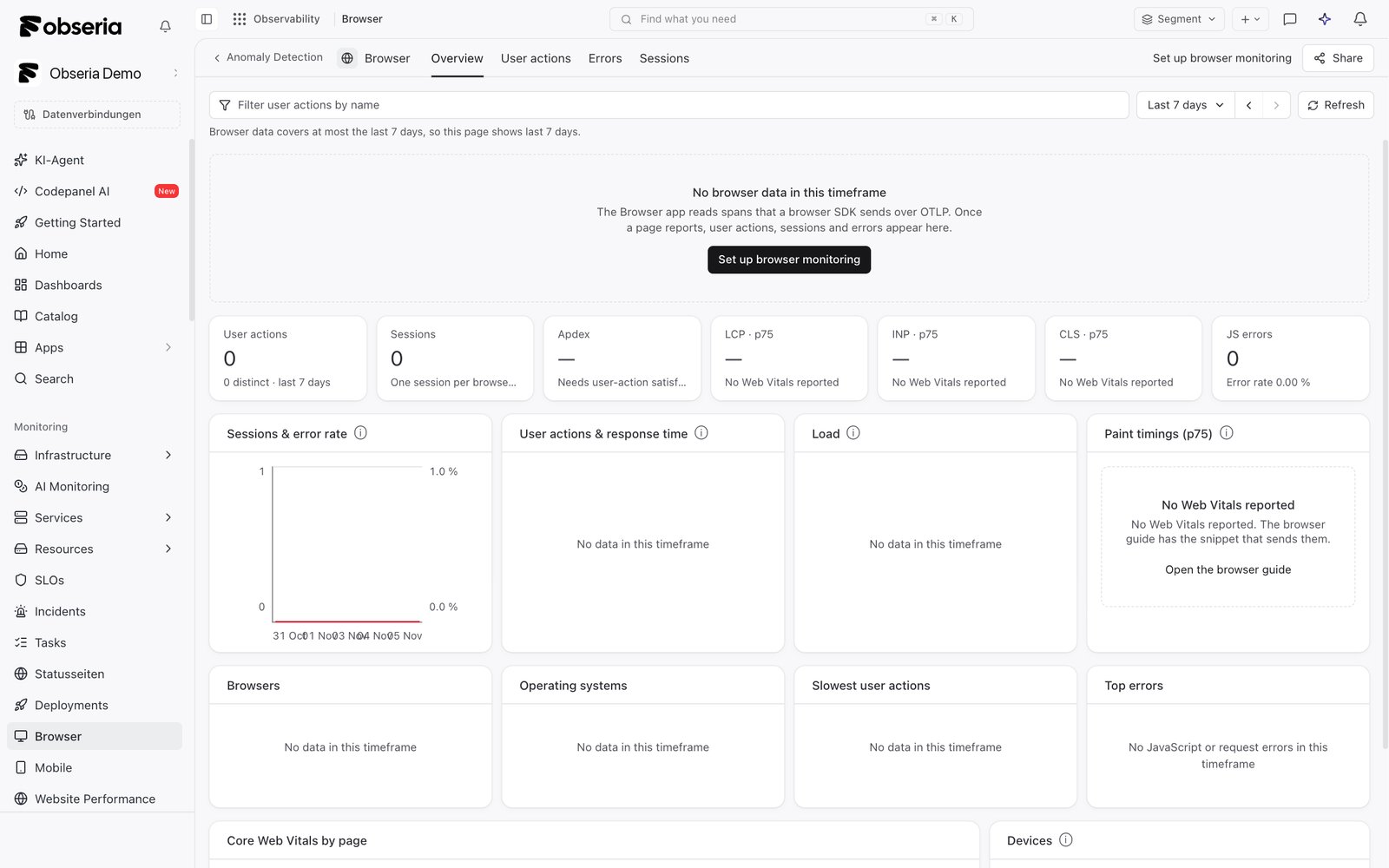
Browser RUM shows Core Web Vitals, sessions and JavaScript errors, so you see how a problem affects people on the site.
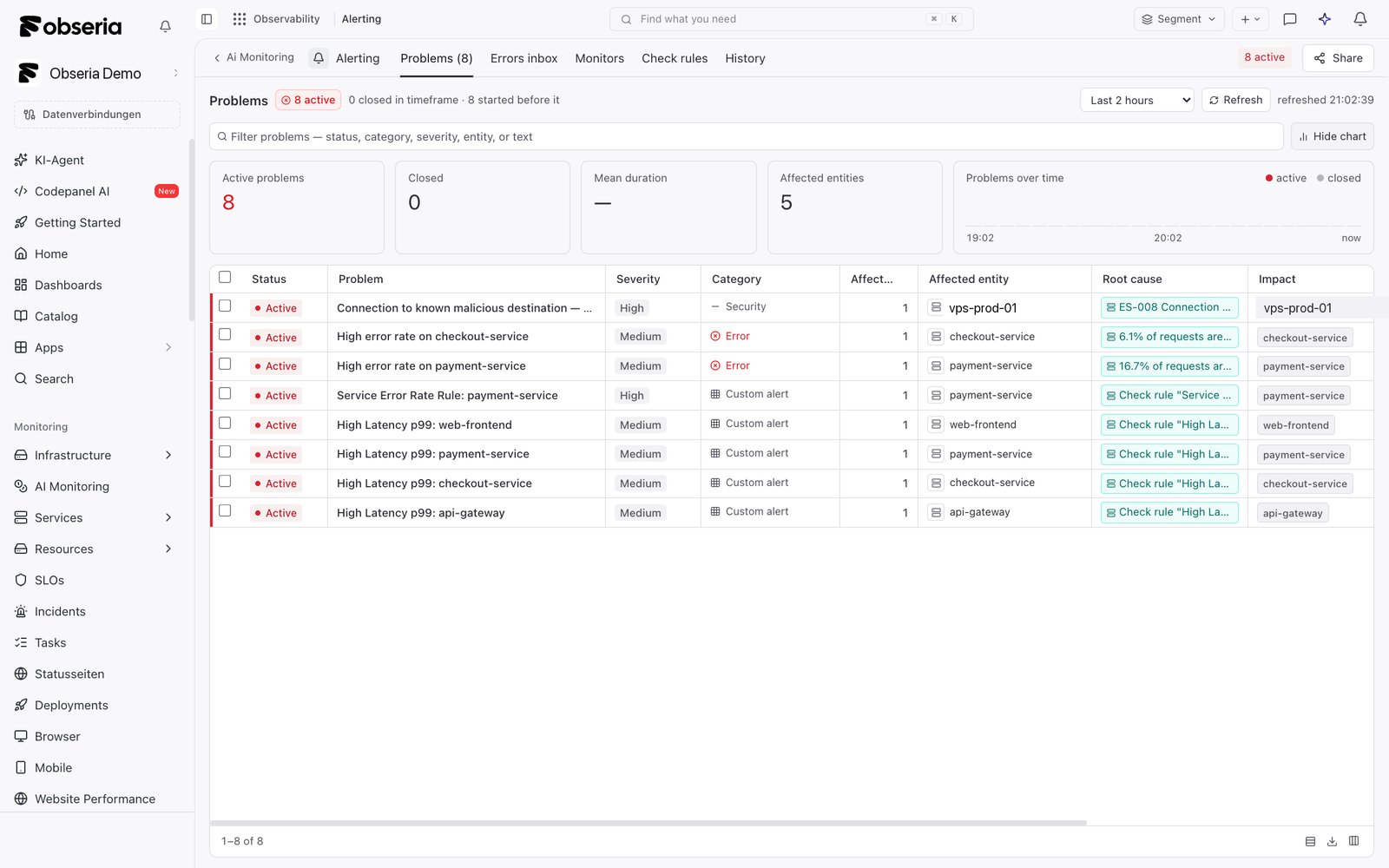
Problems in Obseria show status, severity, affected entity and likely cause, and reach your team through the notification channels.
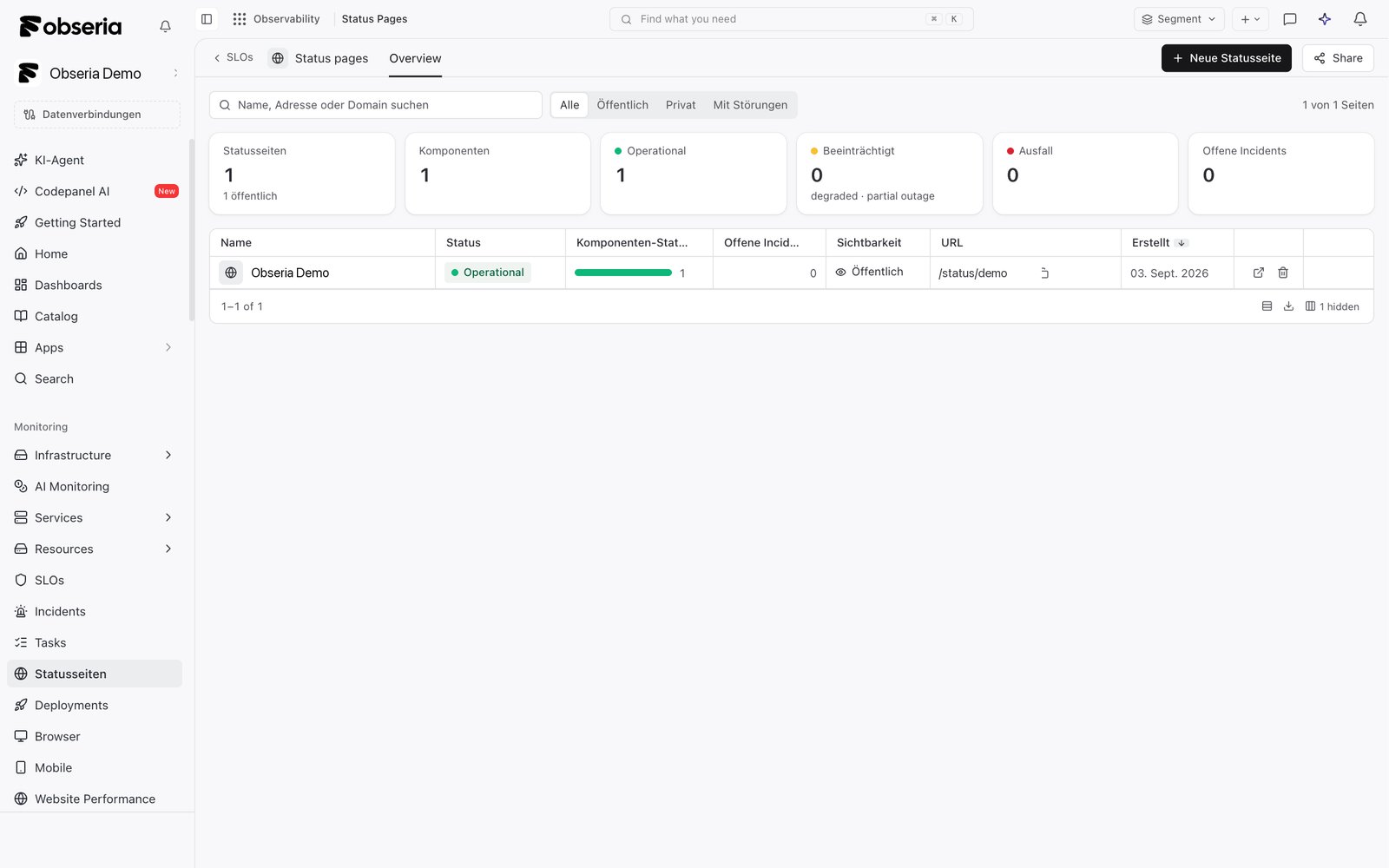
If something does break, a status page shows customers the state of each component: operational, degraded or outage, with open incidents.
Warns you in good time before a TLS certificate expires.
Regularly calls websites and APIs from outside and checks availability and flows.
Learn more →Add every public URL you want to monitor in Website Performance: main site, API, login, shop and older domains.
Obseria scans each URL at its interval, for example every five minutes or every six hours, and you can start a scan at any time.
Each scan records whether the TLS certificate is valid and when it expires, plus a security score for headers, TLS and mixed content.
The overview counts certificates that expire within 30 days, and a facet lists monitors by certificate status.
Renew the certificate, run a new scan and check that the monitor shows the new expiry date.
Every monitor in Website Performance shows the state of its TLS certificate directly under the URL, for example "SSL valid", and a tile with the time until the certificate expires. You see at a glance which sites are fine and which need attention.
Because the scan calls the public URL, it checks the certificate that is actually served. A certificate that was renewed on disk but never loaded by the web server or load balancer still shows its old expiry date, which is exactly the case you want to catch.
A facet in the sidebar filters monitors by certificate status, for example valid or unknown, so URLs without a readable certificate are easy to find.
The monitor overview has its own figure for certificates that expire within 30 days. As long as it shows zero, every monitored certificate has at least a month left. When it rises, you know there is work to do while there is still time for it.
Thirty days is long enough to repair a renewal job that stopped, to fix a failed domain validation or to buy a certificate through a purchasing process. It is much more relaxed than discovering the problem from a customer's screenshot of a browser warning.
Treat a rising number as a task: assign it to the team that owns the domain, and run a new scan after the renewal to confirm the result.
Each scan also calculates a security score from the response headers, the TLS setup and mixed content, meaning resources that a secure page loads over plain HTTP. A low score points to missing headers or insecure resources that browsers may block or flag.
The scan detail is organised in tabs for overview, performance, resources, security, SEO, broken links, history and settings, so the certificate is never looked at in isolation.
The security score describes the transport security of a public page. It is not a penetration test and does not replace a review of your application.
Certificate problems rarely come alone. In the same monitor you see HTTP status, availability over the selected period, total load time, time to first byte, page weight and broken links, together with a load-time chart and Core Web Vitals when data is available.
For uptime from outside, synthetic monitors call your websites and APIs on their own schedule, as often as every minute, and record availability and response time. Browser real user monitoring adds the view of real visitors.
Together they answer the question that matters during an incident: is the site down, slow, insecure, or all three?
 Browser
 OpenTelemetry
 NGINX
 Apache
 Slack
 Microsoft Teams
 PagerDuty
 Opsgenie
SSL certificate monitoring checks the TLS certificates of your websites and APIs and warns you before one expires. Strictly speaking, today's certificates are TLS certificates, but "SSL certificate" is still the common term. Every certificate has a fixed validity period. Once it ends, browsers show a full-page security warning, API clients refuse the connection and mobile apps stop working. For most visitors, an expired SSL certificate is as effective at taking a site offline as a server failure.
The frustrating part is that this outage is completely predictable. The expiry date is written in the certificate from the day it is issued. SSL expiry monitoring turns that date into a warning with enough lead time to renew.
Automatic renewal has made expiry rarer, but not rare enough. Common causes are:
In all of these cases, the certificate on disk or in the vault is not what matters. What matters is the certificate the public endpoint actually serves. That is why good SSL monitoring checks from the outside, the same way a browser does.
The expiry date is the most important value, but a scan of a public URL can tell you more about its transport security:
Many standalone SSL checker tools check a certificate once on request. For operations, you want scheduled checks of all relevant URLs, a list of certificates that expire soon, and the results next to availability and performance of the same site. It also helps when the tool is the one your team already uses for monitoring, so the warning does not end up in yet another inbox.
Certificate lifetimes have become shorter over the years, and browser vendors and certificate authorities have agreed to shorten them further. Free certificates from ACME-based authorities are often valid for only 90 days. Shorter lifetimes limit the damage of a leaked key, but they also mean that renewal has to work reliably several times a year for every hostname. Manual renewal does not scale under these conditions, and automatic renewal needs an independent check. A certificate expiration monitor that looks at the public endpoint is exactly that check: it does not care how the certificate was issued, only whether a valid one is served and how long it remains valid.
A practical routine looks like this: automatic renewal for every certificate that allows it, a list of all public URLs in your monitoring, a warning window of 30 days, and a clear owner for each domain. When a warning appears, the owner checks the renewal job, fixes it and confirms with a fresh scan.
In Obseria, certificate expiry is part of Website Performance in Obseria Digital Experience. You add the URLs you want to monitor, and Obseria scans them on a schedule, for example every five minutes or every six hours, or on demand with "Scan now".
Synthetic monitors and real user monitoring complete the picture: synthetics check availability from outside every minute if needed, and RUM shows what real visitors experience.
You add URLs in Website Performance. Obseria scans them on a schedule, for example every five minutes or every six hours, or on demand, and records whether the TLS certificate is valid and when it expires.
The monitor overview counts certificates that expire within 30 days, and each monitor shows the time left until expiry. That gives you a month to renew.
Yes. The scan calls the public URL, so it sees the certificate that visitors get, including the case where a renewed certificate was never loaded by the web server or load balancer.
A security score for headers, TLS and mixed content, a performance score, an SEO score, availability, HTTP status, load time, time to first byte, page weight and broken links, with a history per URL.
Certificate expiry is checked by the website scans in Website Performance. Synthetic monitors are a separate view for availability and response time from outside. Both belong to Obseria Digital Experience.
Yes, you add one monitor per URL. Monitor every public hostname you depend on, such as API, login, shop and status page, not just the main domain.
No. Obseria tells you when a certificate is about to expire; renewal stays with your certificate authority, your ACME client or your hosting provider.
Obseria does not renew or deploy certificates, does not build an inventory of certificates stored on hosts or in Kubernetes secrets, and does not watch Certificate Transparency logs. Only URLs you add as monitors and that Obseria can reach are checked; internal endpoints without a reachable URL are not covered.
Real user monitoring, session replay, synthetics, website checks and mobile.
→Check availability and response time of websites and APIs from outside.
→Core Web Vitals, sessions and JavaScript errors from real visits.
→Notice when the renewal job itself stops running.
→Tell customers about an outage while you fix it.
→In 30 minutes we show you how Obseria works in your environment and answer your questions on setup, privacy and pricing.
