
Collaboration
Comments, mentions and working together on data and incidents.
We use essential functions to operate this website. With your consent, we would also use services for statistics and marketing. You decide which categories you allow and can change your choice at any time via “Cookie settings” in the footer. More in our privacy notice.
Obseria Consent Management · Your choice is stored for 12 months
Start a discussion on a chart, incident, metric, alert or trace, mention the colleague who knows the answer, and turn the outcome into a task, without leaving Obseria.
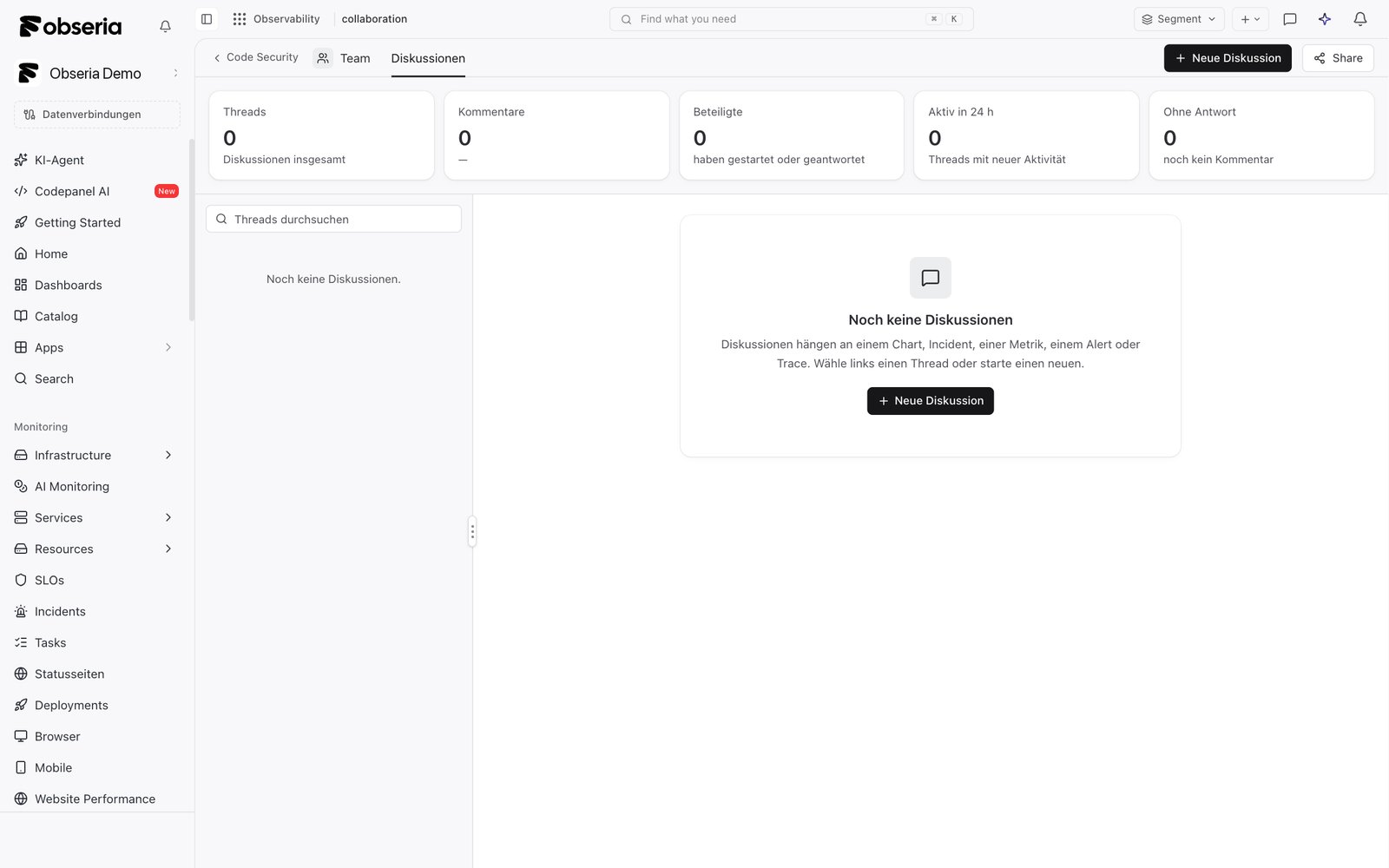
Start a discussion on a chart, incident, metric, alert or trace. The overview counts threads, comments, participants, recent activity and threads without a reply.
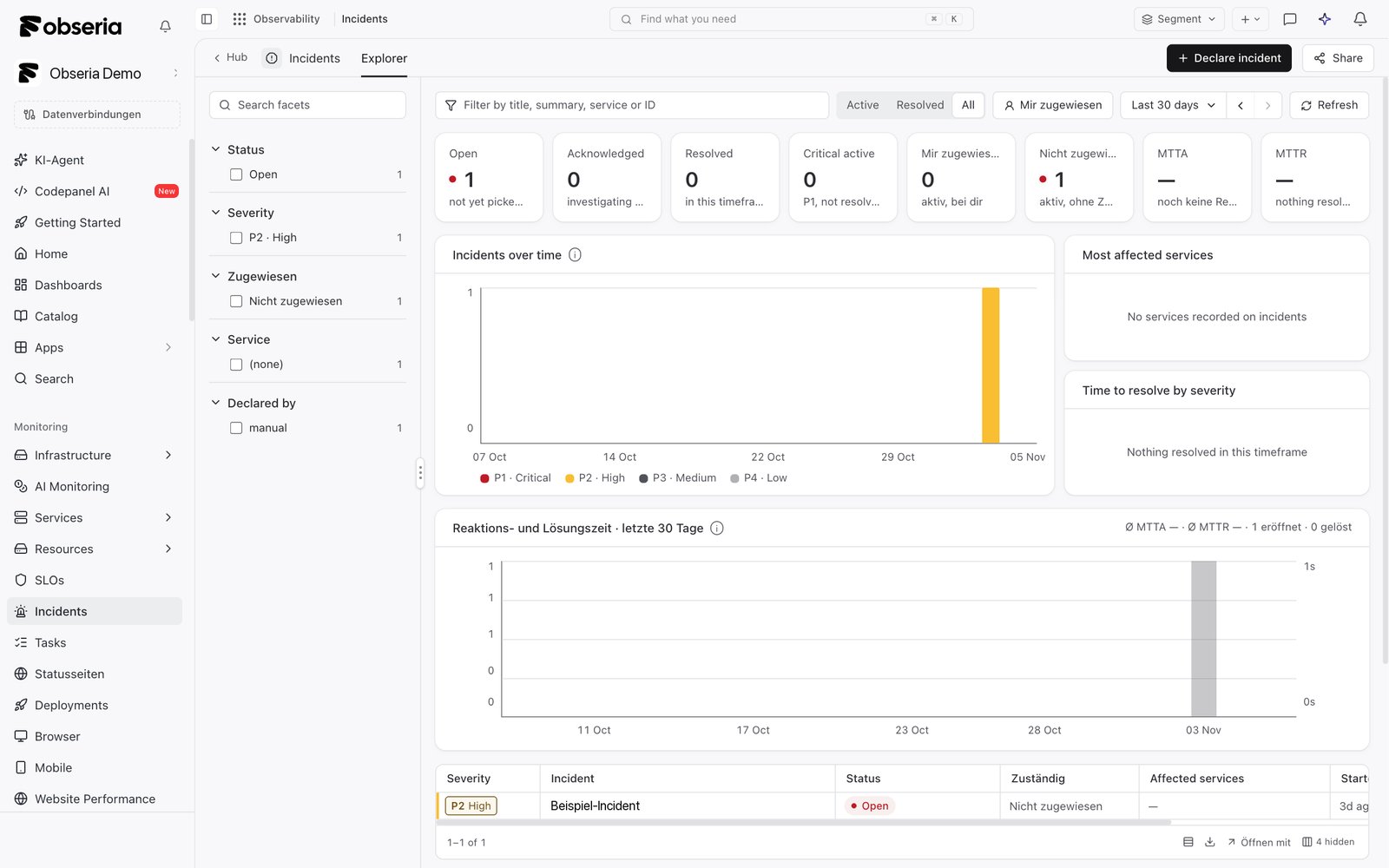
Declare an incident with severity P1 to P4 and an owner. The overview shows open, acknowledged and resolved incidents and who is assigned.
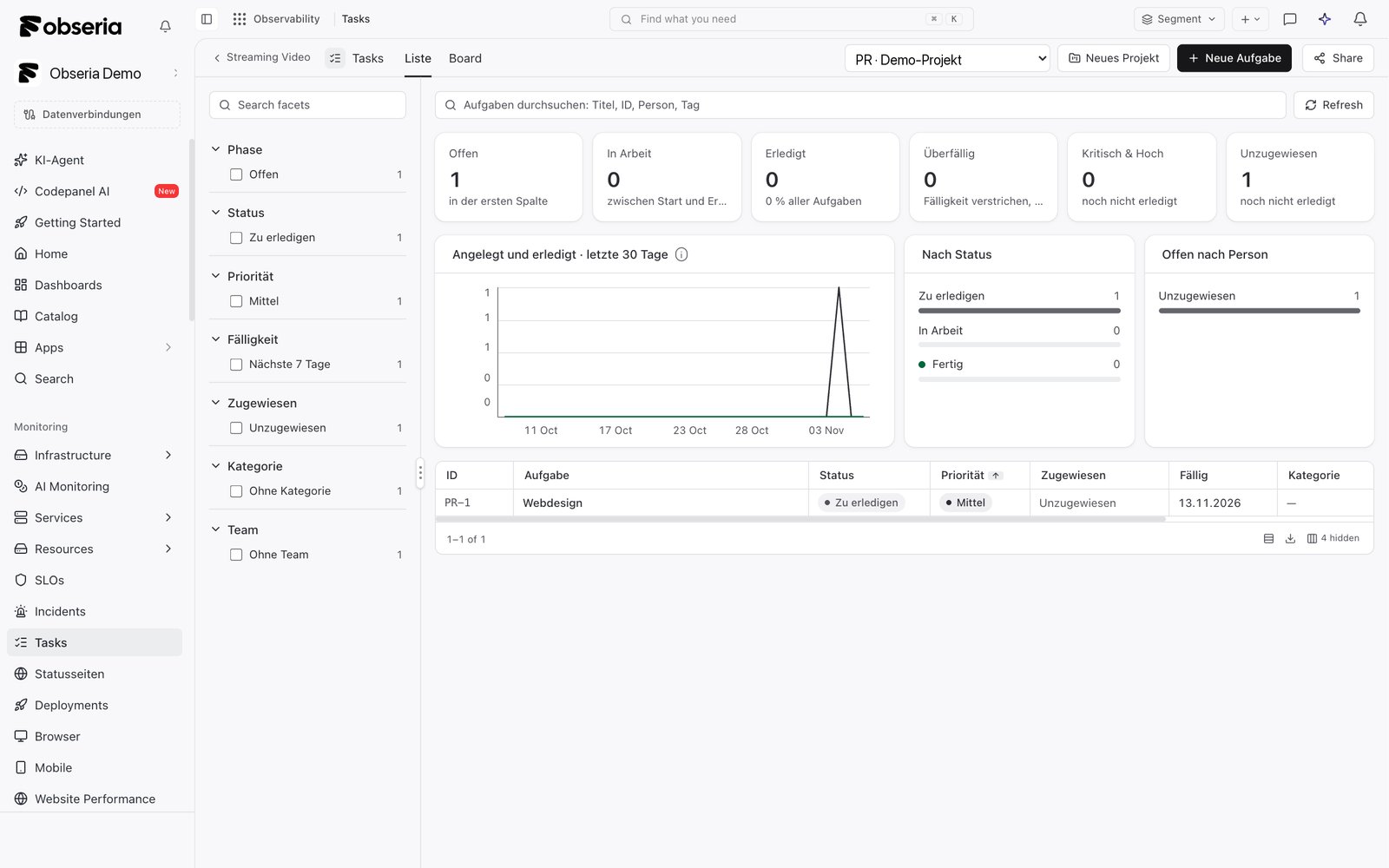
Tasks have a status, priority, due date, assignee and category, in a list or a board, with key figures for open, overdue and unassigned work.
Every page has a share button to send it as a link. For filters you use again and again, save a view and share that, so the person you mention sees the same data.
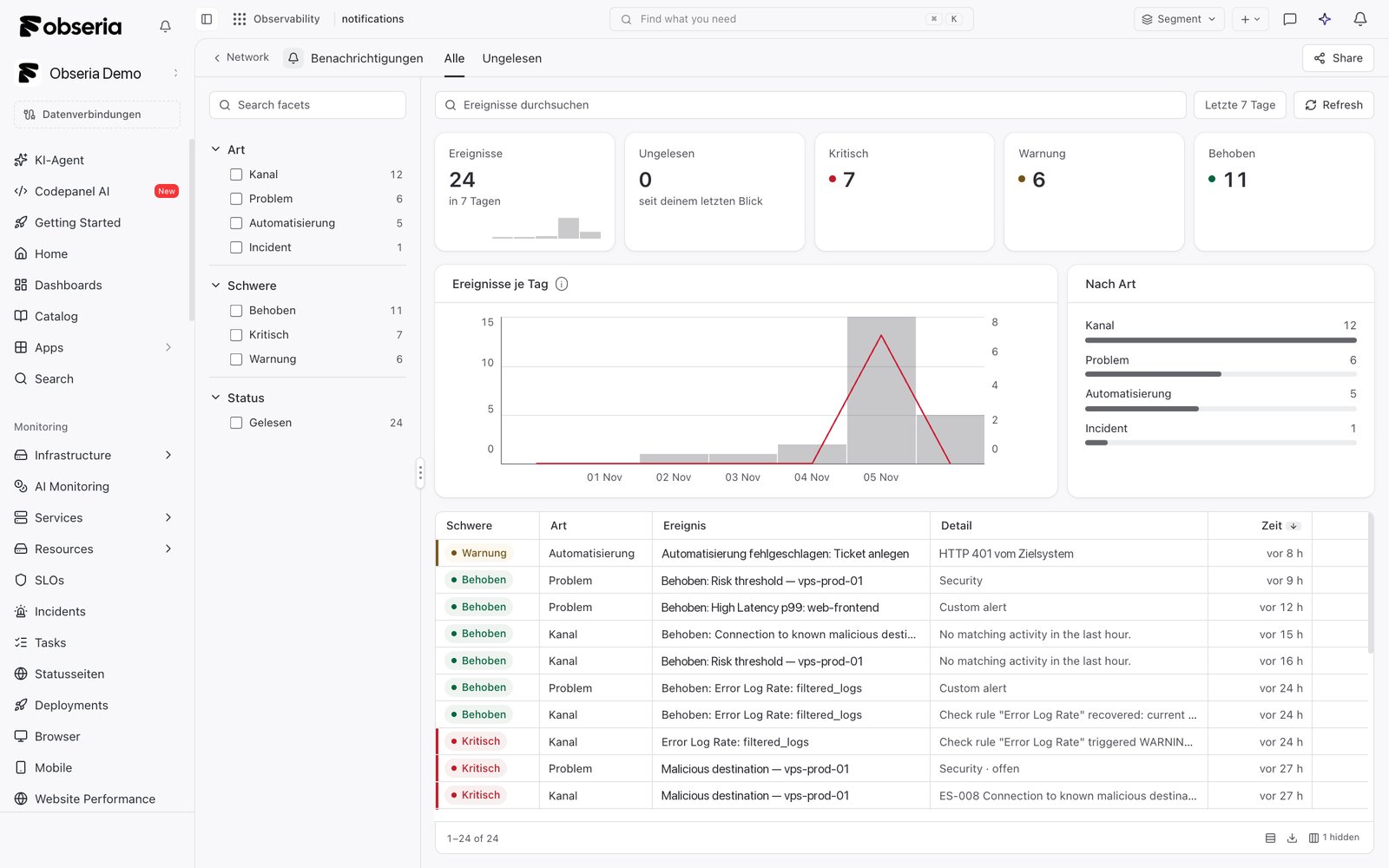
The notification centre lists every event with type, severity and status; channels deliver alerts to email, Slack, Teams, Google Chat and more.
Comments, mentions and working together on data and incidents.
Coordinates incident handling: status, owners, timeline and communication.
Learn more →Step-by-step instructions for specific alerts, kept as articles in the knowledge base.
Learn more →Someone notices something odd on a chart, a metric, an alert or a trace.
Open a thread right on that object, so the question sits next to the evidence.
Bring in the colleague who knows the service or the host, and share the page link if they need the same filters.
Agree on the cause in the thread; if it is serious, declare an incident with an owner.
Turn the agreed fix into a task with assignee and due date, and write the steps into a runbook.
Discussions in Obseria hang on a chart, an incident, a metric, an alert or a trace. The question, the replies and the evidence stay together, so anyone who opens the object later sees what has already been said.
The discussion overview counts threads and comments, the people who started or replied, threads with new activity in the last 24 hours and threads that have no comment yet. A search helps you find an older thread again.
Write a short conclusion at the end of a thread. It is the most useful part for the next person who runs into the same problem.
Mentions pull a specific colleague into a discussion when their knowledge is needed, for example the owner of a service or someone who knows the infrastructure. Use them deliberately; a mention should mean that an answer is expected.
Every page in Obseria has a share button that sends it as a link. Saved views go one step further: they keep filters, columns and time range, so the person you mention sees exactly what you see.
That removes the most common source of confusion in a team investigation: two people looking at different data while they think they are looking at the same thing.
When a discussion reveals a real problem, declare an incident. Incidents have a severity from P1 to P4, an owner and a status from open to resolved, and the overview shows how many are open, acknowledged or still unassigned.
Follow-up work goes into tasks: each task has a status, priority, due date, assignee and category, and can be viewed as a list or a board. Key figures show open, in-progress, overdue and unassigned tasks.
That way the outcome of a discussion does not stay a good intention. It becomes work with a name next to it.
Runbooks in the knowledge base hold step-by-step instructions for specific alerts. After a discussion has found the cause of a recurring problem, write the steps down so the next person can follow them.
Alerts reach the team through notification channels such as email, Slack, Microsoft Teams or Google Chat, and the notification centre in Obseria lists every event. Use chat for urgency and quick coordination, and the discussion next to the data for the investigation itself.
That split keeps chat channels fast and makes findings searchable months later.
 Slack
 Microsoft Teams
 Google Chat
 Discord
 PagerDuty
 Opsgenie
 Jira Service Management
 incident.io
Production problems are rarely solved by one person. A developer spots a strange latency curve, someone from operations knows the host it runs on, and a product owner wants to know whether customers are affected. Collaboration in observability is about making that teamwork happen where the evidence is: next to the chart, the trace or the incident, instead of in a chat thread that nobody can find a week later.
The classic pattern is familiar. Someone takes a screenshot of a dashboard, posts it in a chat channel, a discussion follows, and the conclusion is buried under other messages. When the same problem comes back, the reasoning is gone. Tools that let teams comment on data keep the question, the answer and the evidence together.
Most observability tools combine a few simple elements:
Chat tools such as Slack or Microsoft Teams remain essential for quick coordination and for alerts reaching people. In-tool discussions do not replace them; they complement them. A useful split: alerts and urgent coordination go to chat, the investigation and its findings live next to the data. That way the chat stays fast and the knowledge stays findable.
A post-incident review (often called a blameless postmortem) asks what happened, why, and what will prevent it next time. Its quality depends on what the team can reconstruct. When the investigation took place in discussions attached to the incident and the charts involved, the timeline almost writes itself: who noticed what, which hypotheses were tested and rejected, and when the cause was found.
Keep reviews focused on systems and processes rather than individuals. Turn each agreed improvement into a task with an owner and a due date, and add new knowledge to a runbook. Review open follow-up tasks in the next team meeting; improvements that are never done are the most common reason the same incident happens twice.
Obseria brings comments, mentions and joint work on data and incidents into the platform:
Together, these features keep a team's reasoning next to the data it is about, from the first question to the follow-up task.
To a chart, an incident, a metric, an alert or a trace. The discussion stays with that object, so everyone who opens it later sees the thread.
Yes. Mentions bring a colleague into a discussion when their knowledge is needed.
The discussion overview shows threads with activity in the last 24 hours and threads that have no comment yet. Search helps you find older threads.
Use the share button that every page has, or save the filters as a view and share it.
A discussion is where the team investigates. If the problem is serious, declare an incident with severity and owner. Follow-up work becomes a task with status, priority, due date and assignee.
No. Discussions live in Obseria. Slack, Microsoft Teams, Google Chat and other tools are connected as notification channels for alerts, not as a mirror of the discussion threads.
Discussions are visible to the team in your organization according to its access rights. Keep personal data such as customer names or email addresses out of comments.
Collaboration covers discussions with comments and mentions, share links, incidents and tasks. Two-way sync of threads with chat tools, editing the same dashboard together in real time and automatically generated post-incident reports are not part of it.
The foundation for all products: data intake, dashboards, alerts, governance and AI access.
→Incidents with severity, owner and timeline.
→Save filters, columns and time ranges and share them with colleagues.
→Incidents, SLOs, status pages and notification channels.
→In 30 minutes we show you how Obseria works in your environment and answer your questions on setup, privacy and pricing.
